







15 Test Coverage Tools Later, I Finally Found What Actually Works in 2026
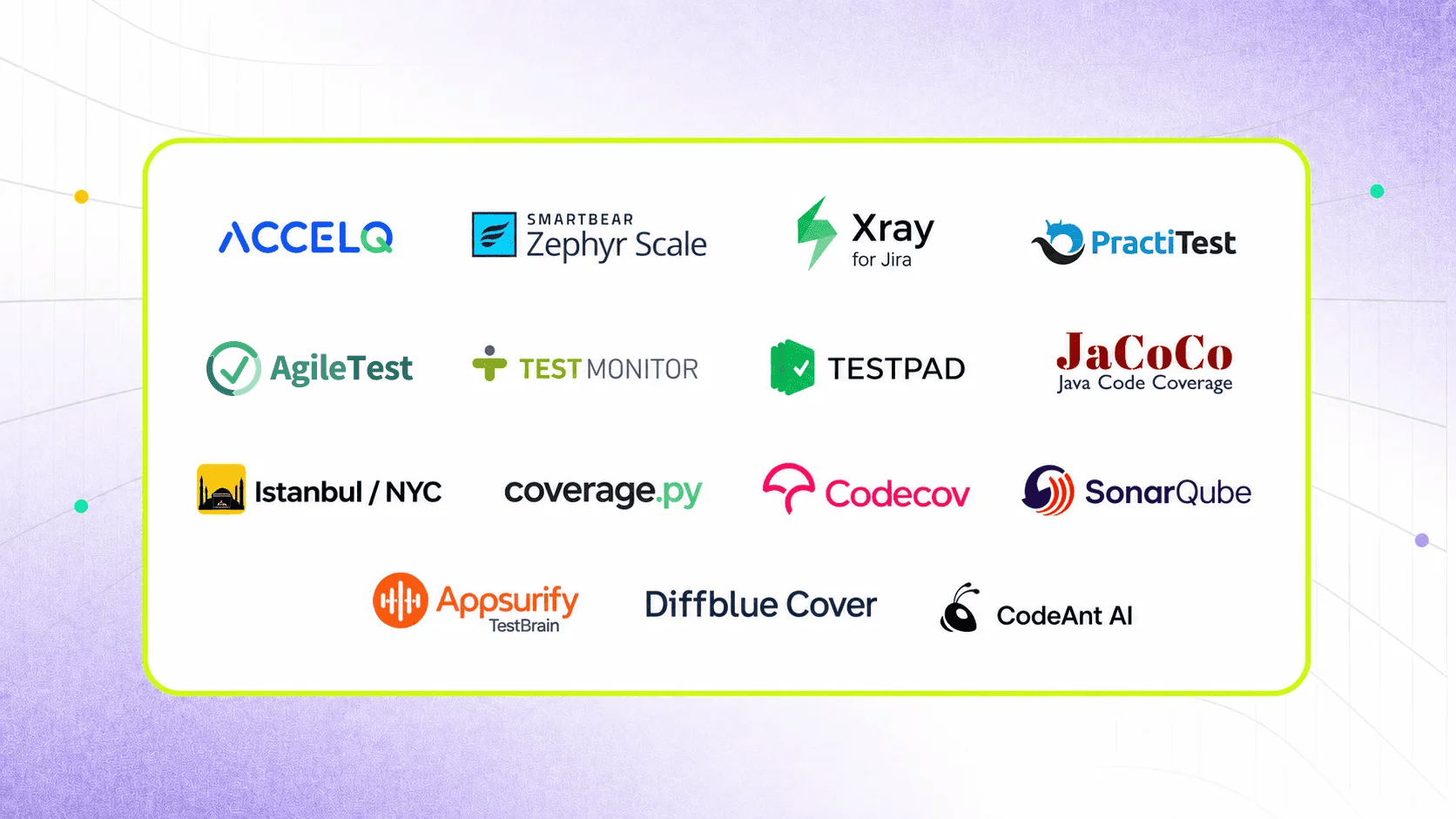
The 15 best test coverage tools in 2026 are ACCELQ, Smartbear Zephyr Scale, Xray for Jira, PractiTest, AgileTest for Jira, TestMonitor, TestPad, JaCoCo, Istanbul/NYC, coverage.py, Codecov, SonarQube, Appsurify TestBrain, Diffblue Cover, and Codeant AI. They are compared here across four categories: requirements coverage platforms, code coverage tools for CI/CD pipelines, AI-powered coverage analysis, and enterprise-scale platforms that span multiple layers – with language-specific breakdowns, integration grids, and one dimension no other comparison page addresses: whether the tool can tell you what is genuinely untested versus what is merely unexecuted.
The post-mortem showed 94% code coverage at the time of the failure. Someone still has to explain to the engineering director why a requirements-level validation gap made it through three QA cycles undetected. That someone is probably you. And the honest answer, that the team was measuring the wrong thing, is not a clean answer to give.
The CrowdStrike 2024 outage followed precisely that pattern. Test coverage in 2026 has split into two distinct problems: measuring what percentage of code executes during a test run, and proving that every business requirement, user story, and acceptance criterion has a corresponding test that actually validates the right outcome. Every tool on this list solves at least one of those problems. None of them solves both from a single pane of glass, except at the enterprise layer. That distinction is what this guide is built around.
- Code Coverage vs Test Coverage
- 4 Categories of Test Coverage Tools
- Quick Comparison: Best Test Coverage Tools (2026)
- Best Free Test Coverage Tools for Java and Python
- Best Test Coverage Tools for Large Enterprise QA Teams
- Test Coverage in CI/CD: Best Tools for Pipeline Integration
- How to Improve Test Coverage in Agile Sprints
- 6 Criteria to Choose the Right Test Coverage Tool
- Conclusion
Code Coverage vs Test Coverage: Execution Tells You What Ran, Validation Tells You What Worked
High code coverage can coexist with catastrophic production failures. The 2024 CrowdStrike outage that took down 8.5 million Windows systems globally happened in software that presumably had significant automated test coverage. The failure was not an untested code path in the traditional code coverage sense. It was a requirements-level validation gap: the update deployment logic was not adequately tested against its real-world failure scenarios. That is exactly what requirements coverage tools measure and code coverage tools miss.
| Dimension | Code Coverage | Test Coverage (Requirements Coverage) |
|---|---|---|
| What it measures | Percentage of code lines, branches, or conditions executed by automated tests. | Percentage of requirements, user stories, acceptance criteria, or business processes covered by test cases. |
| Primary user | Software developers, architects, and DevOps teams. | QA managers, test leads, product owners, and business stakeholders. |
| Primary question answered | Did our tests execute this code? | Did our tests validate this business requirement? |
| Typical metrics | Line coverage %, branch coverage %, path coverage %, condition coverage %. | Requirements coverage %, test case pass rate %, execution coverage %, traceability coverage %. |
| Risk it catches | Untested code paths that may hide defects or regressions. | Business requirements that lack validation and could fail in production despite high code coverage. |
| Tools that measure it | JaCoCo, Istanbul (nyc), coverage.py, Cobertura, SonarQube. | ACCELQ, Zephyr Scale, Xray, PractiTest, AgileTest, Azure Test Plans. |
| The CrowdStrike lesson | High code coverage alone did not prevent the 2024 CrowdStrike outage because the faulty update still executed through covered code paths. | Requirements-level validation of deployment logic, rollback scenarios, and update behavior could have exposed the business risk before release. |
The practical difference: a code coverage tool tells you that a line of code ran during your test suite. A requirements coverage tool tells you whether anyone wrote a test that was meant to validate a specific business outcome. Those are not the same thing, and a high percentage on the first number tells you nothing about the second.
The Practical Implication for Tool Selection:
- If your primary question is ‘which lines of our code are tested?’, you need a code coverage tool (JaCoCo for Java, Istanbul for JavaScript, coverage.py for Python).
- If your primary question is ‘which business requirements do we have test cases for?’, you need a requirements coverage and test management platform (ACCELQ, Xray, Zephyr Scale).
- If your primary question is ‘how do we improve our coverage efficiently across both dimensions?’, you need AI-powered coverage analysis (Appsurify TestBrain, Diffblue Cover, Codeant AI).
Most enterprise QA teams need tools from at least two of these three categories.
SUGGESTED READ - Code Coverage vs Test Coverage: What’s the Real Difference?
4 Categories of Test Coverage Tools: Start Here Before You Evaluate Any Tool
| Category | What It Measures | Who Needs It | Tools on This List |
|---|---|---|---|
| Requirements coverage (test coverage) | Are all requirements, user stories, acceptance criteria, and business processes covered by at least one test case? | QA managers, test leads, compliance teams, auditors, and enterprise QA programs. | ACCELQ, Zephyr Scale, Xray, PractiTest, AgileTest, TestMonitor, TestPad. |
| Code coverage | What percentage of code lines, branches, conditions, and paths are executed by automated tests? | Software developers, DevOps engineers, architects, and CI/CD pipeline owners. | JaCoCo (Java), Istanbul/NYC (JavaScript), coverage.py (Python), Cobertura, SonarQube. |
| AI-powered coverage analysis | Which tests should run for a given change? Which code paths, requirements, or business risks are not yet covered? | Agile teams, DevOps organizations, and teams managing large automation portfolios that need intelligent test selection. | Launchable, Diffblue Cover, Codeant AI, SonarQube AI-assisted analysis. |
| Enterprise coverage platform | Provides end-to-end traceability from requirements through test execution, defects, releases, and audit evidence. | Enterprise QA teams, regulated industries, and organizations requiring complete traceability from story to production. | ACCELQ (full-stack coverage and traceability), SonarQube (code quality and coverage), PractiTest (QA management platform). |
Quick Comparison: Best Test Coverage Tools (2026)
| Tool | Category | Best For | Free Tier | AI Features | Pricing | Key Differentiator |
|---|---|---|---|---|---|---|
| ACCELQ | AI-native QA platform | Enterprise requirements coverage, traceability, and full-stack automation | No | Yes — AI-powered gap analysis, self-healing, and intelligent coverage insights | Contact for pricing | Bi-directional traceability linking requirements, tests, executions, and defects in one platform |
| SmartBear Zephyr Scale | Test management | Jira-native test coverage management and reporting | No | Partial | From $10/user/month | Native Jira integration with BDD support and reusable test assets across projects |
| Xray for Jira | Test management | Requirement-to-test traceability directly inside Jira | No | No | From $10/user/month | Links requirements, test cases, executions, and defects using Jira-native workflows |
| PractiTest | Test management | End-to-end QA coverage with hierarchical requirements and filtering | No | Yes (analytics-driven recommendations) | From $39/user/month | Advanced requirements hierarchy and coverage analytics for large QA programs |
| AgileTest | Test management | Jira-native QA teams needing AI-assisted test case generation plus coverage, traceability and defect reporting | Yes (limited) | Yes-AI-generated test cases and test steps in Jira (Cloud, via Atlassian Rovo) | From $1.50/user/month | Native Jira test management that supports both manual and automated test management, with built-in reports. |
| TestMonitor | Test management | Risk-based coverage management with integrated issue tracking | Yes (limited) | No | From $99/month | Combines planning, execution, issue management, and coverage tracking in one workspace |
| TestPad | Test management | Checklist-driven manual testing and lightweight coverage tracking | Yes (guest users) | No | From $49/month | Flexible checklist and mind-map style approach for exploratory and manual testing |
| JaCoCo | Code coverage | Java unit and integration test coverage in CI/CD pipelines | Yes (open source) | No | Free | Industry-standard Java coverage engine with Maven, Gradle, Jenkins, and SonarQube integrations |
| Istanbul / NYC | Code coverage | JavaScript and Node.js code coverage reporting | Yes (open source) | No | Free | De facto JavaScript coverage standard supported across major JS testing frameworks |
| coverage.py | Code coverage | Python unit and integration test coverage analysis | Yes (open source) | No | Free | Comprehensive branch coverage analysis with detailed HTML and XML reporting |
| Codecov | Code coverage CI/CD | Coverage reporting, visualization, and pull-request analysis | Yes (free for open source) | No | Free / from $10/month | Coverage diff analysis and team dashboards integrated into CI/CD workflows |
| SonarQube | Code quality + coverage | Enterprise code quality governance and coverage analysis | Yes (Community Edition) | Yes (AI-assisted code review) | Free / from $15k/year | Combines coverage reporting, security scanning, maintainability analysis, and quality gates |
Pricing reflects publicly available information as of early 2026. Contact vendors for enterprise quotes.
1. ACCELQ

I Spent 3 Months Evaluating 15 Tools – ACCELQ Was the Only Platform That Covered Web, API, Mobile, and Desktop Without Switching Tools
Forrester Wave 2025 Leader | G2: 4.8/5 | Pricing: Contact for enterprise quote
ACCELQ connects user stories to test cases to execution results to defects in one auditable chain, which is requirements coverage done properly rather than test case counting done manually. ACCELQ syncs test coverage insights with Jira in real time, so QA leads can see which requirements are covered, which have failing tests, and which have no test case at all from inside the Jira interface they already use. Analytics-based algorithms for automated test planning identify coverage gaps before they become production failures. In-sprint automation aligns with Agile release cycles so coverage analysis happens during the sprint rather than as a post-sprint audit.
The codeless approach benefits matters here: non-developer QA contributors who understand the business requirements can create and maintain tests without scripting, which means the people who best understand what should be covered are the ones building the coverage. According to ACCELQ customer benchmarks (2025), validated in the Forrester Wave™: Autonomous Testing Platforms, 2025, teams report 7.5x faster automation development and 72% lower maintenance overhead. Validate in your environment.
Key Features
- AI-driven analytics for automated test planning and coverage gap identification before release
- Real-time Jira sync of coverage insights, execution status, and defect linkage
- In-sprint automation aligned with Agile and DevOps cycles for continuous coverage improvement
- Self-healing test automation that adapts to application changes, reducing coverage maintenance effort
- 100% codeless: non-developer QA contributors create and maintain test coverage without scripting
- Unified coverage across web, API, mobile, and desktop in one connected platform
Pros & Cons of ACCELQ
- Bi-directional traceability: user stories link to test cases, link to execution results, link to defects - one auditable chain without manual status updates
- ACCELQ provides real-time Jira coverage visibility without manual status updates
- AI gap analysis identifies uncovered requirements before they reach production
- 100% codeless: business-side QA contributors who understand requirements can build coverage
- Enterprise platform depth exceeds what small teams with basic code coverage needs require
- Additional setup needed for on-premise environments vs cloud-native deployment
- Some advanced test planning analytics benefit from framework knowledge to interpret fully
2. Smartbear Zephyr Scale

Pricing: From $10/user/month on Atlassian Marketplace. Enterprise pricing available.
Zephyr Scale is the most widely adopted test management and coverage tracking tool for teams already inside the Atlassian ecosystem. It lives inside Jira as a native app, meaning test cases, execution results, and coverage metrics all exist in the same Jira interface as the requirements and user stories they’re validating. Automated Jira test result synchronization eliminates manual status updates and provides continuous coverage visibility. Cross-project test case reuse reduces duplication for teams with shared test libraries.
BDD testing support with Cucumber integration allows test scenarios written in plain English to be tracked as test coverage alongside traditional test cases. Customizable reports with filters and visual dashboards show pass/fail rates and coverage percentage by project, sprint, or release.
Pros & Cons
- Native Jira integration: test coverage tracking inside the tool teams already use for requirements
- Automated Jira result sync provides real-time coverage status without manual updates
- BDD support with Cucumber links plain English scenarios to requirements coverage tracking
- No bulk copy-paste for test case duplication across projects or releases
- Limited customization of coverage metrics and reports beyond built-in filter options
- Some test case update workflows still require manual steps rather than bulk operations
3. Xray for Jira

Xray’s specific coverage angle is requirement linkage: test cases in Xray link directly to Jira issues (requirements, user stories, or epics), and Xray provides a coverage report showing which requirements have associated test cases and which have passed their last execution. This is requirements coverage in the QA sense: did we test what the business said we need to test? Precondition reuse reduces duplication in test case sets. Cucumber integration imports BDD scenarios as test cases linked to requirements.
Pros & Cons
- Tracks requirement coverage: shows which Jira requirements have associated passing test cases
- Preconditions reuse reduces duplication in test case sets across related scenarios
- Cucumber integration imports BDD scenarios as Xray test cases linked to Jira requirements
- Test case organization can become inconsistent during execution phases for large test suites
- Steep UI learning curve for teams new to Xray; navigation requires time investment
- No per-project settings; configuration applies globally across all Xray projects
4. PractiTest

Pricing: From $39/user/month. Enterprise pricing on request.
PractiTest is the most feature-complete test management and coverage platform for teams that need QA coverage visibility without the Jira dependency that Zephyr and Xray require. Its FireCracker execution analytics module generates detailed reports on test performance, coverage rates, and execution trends. Hierarchical filters provide organized access to coverage data across projects, modules, and requirements. Time-progress graphs track execution status and test run duration for optimizing automation coverage.
AI-powered machine learning algorithms optimize testing processes and identify high-risk areas for coverage prioritization. Multi-layer security with role-based access controls supports enterprise compliance requirements.
Pros & Cons
- FireCracker analytics module provides detailed execution coverage reports and trend analysis
- Hierarchical filtering for organized requirement-level coverage visibility across large QA programs
- AI algorithms for coverage optimization and risk-based test prioritization
- Steep learning curve due to configuration complexity for new QA teams
- Limited mobile accessibility for test management and coverage review on the go
- Third-party tool integration may require customization beyond built-in connectors
5. AgileTest for Jira

Pricing: Contact AgileTest. Free for teams with less than 10 users.
AgileTest is a test management app for Jira. It brings the whole QA process into Jira: requirements, test cases, test plans, test executions, exploratory sessions, scripts and checklists, defects, and reports, all linked to your Jira issues. It supports every common testing strategy (exploratory, sprint-based, traditional, and automated), with support of AI technology in the process.
Pros & Cons
- Supports the full manual testing workflow — creating, executing, and reporting on tests — in one place.
- AI Generator creates test cases and test steps directly from requirements and no limit cap on requests.
- Integrates with popular CI/CD tools and imports results from automation frameworks like JUnit.
- AI test generation is Cloud-only, not available on Data Center.
- Requires Jira, unlike standalone platforms such as qTest that work independently of any issue tracker.
- CI/CD integrations are mostly one-directional: they import automated test results into AgileTest, but don't sync test cases or requirements back out to the pipeline.
6. TestMonitor

Pricing: From $99/month. Free limited tier available.
TestMonitor approaches test coverage from a risk management angle: coverage is prioritized based on what risk areas the software presents rather than a flat percentage target. Structured test case management with requirement linking ensures that coverage maps to specific goals. Integrated issue tracking connects coverage gaps directly to defect records without switching tools. Built-in reporting visualizes coverage progress and shares results with stakeholders.
Pros & Cons
- Risk-based coverage approach prioritizes testing effort where application risk is highest
- Integrated issue tracking links coverage gaps to defect records in one platform
- Requirement linking ensures test coverage maps to specific business goals
- Cloud-only hosting limits on-premises deployment for regulated industries with data residency needs
- Limited community forums; troubleshooting relies primarily on vendor support
- Steep learning curve requiring time investment for teams new to the tool
7. TestPad

Pricing: From $49/month. Guest testing available without login.
TestPad takes a deliberately simple approach to test coverage: checklist and mind map-based test case management that non-testers can use without training. Guest testing allows users to execute tests without login credentials, which makes it accessible for UAT with business stakeholders who would not normally interact with test management tooling. Hierarchical organization improves test management structure. Real-time tracking updates execution status as testing progresses.
TestPad is best suited for small teams doing organized manual testing rather than enterprise QA programs with automation and traceability requirements.
Pros & Cons
- Mind map and checklist approach makes test coverage accessible to non-testers and business stakeholders
- Guest testing allows UAT participants to execute tests without requiring tool accounts
- Hierarchical organization provides structured test coverage visibility without heavyweight setup
- Adding new test cases requires manual effort; no AI test generation or automated gap identification
- Rigid test structure limits flexibility for complex or data-driven test scenarios
- Report delays occur with large test suites; not suited for high-volume automated coverage programs
8. JaCoCo
Pricing: Free and open source. Available at github.com/jacoco/jacoco.
JaCoCo (Java Code Coverage) is the industry standard for Java code coverage and the tool every Java developer comparison article references first. It instruments Java bytecode and measures line coverage, branch coverage, and instruction coverage during test execution. Maven and Gradle plugins integrate JaCoCo into build pipelines with minimal configuration. SonarQube ingests JaCoCo reports natively to add code quality thresholds on top of coverage metrics.
Java is the only hard constraint. Teams measuring code coverage in mixed-language codebases need JaCoCo for the Java layer and separate tools for other languages. JaCoCo produces coverage reports but doesn’t analyze gaps, suggest additional tests, or integrate with requirements management – it measures what was covered, not what should be covered.
Pros & Cons
- Industry-standard Java code coverage; integrates with Maven, Gradle, Jenkins, and SonarQube natively
- Free and open source: zero licensing cost for teams already on Java CI/CD pipelines
- Line, branch, and instruction coverage metrics with HTML and XML report generation
- Java only: mixed-language teams need separate coverage tools for each language
- Measures coverage of what was tested; does not identify requirements gaps or suggest additional tests
- No visual coverage dashboard; requires SonarQube or Codecov for team-level coverage visualization
9. Istanbul / NYC

Istanbul (via NYC, its CLI wrapper) is the JavaScript and Node.js code coverage standard. It integrates with Jest, Mocha, Jasmine, Karma, and every major JavaScript test runner. ESM (ES Modules) support handles modern JavaScript module systems. Coverage reports show statement, branch, function, and line coverage. GitHub Actions, CircleCI, and Jenkins all have documented Istanbul/NYC integration patterns that work without complex configuration.
JavaScript only: TypeScript needs transpilation to JavaScript before Istanbul can measure it (though ts-jest handles this transparently). No visual dashboard in the free tier; teams that want visual coverage trends need to pair Istanbul with Codecov or SonarQube. Coverage thresholds require manual configuration per project.
Pros & Cons
- JavaScript code coverage standard: Jest, Mocha, Jasmine, and Karma all integrate without extra setup
- Free and open source: zero cost for JavaScript teams already running automated tests
- ESM support handles modern JavaScript module systems that older coverage tools miss
- JavaScript only: multi-language codebases need additional coverage tools per language
- No visual dashboard in free tier; requires Codecov or SonarQube for team-level trend visualization
- Coverage thresholds require manual configuration per project; no automated threshold suggestions
10. Coverage.py

Pricing: Free and open source. Available at coverage.readthedocs.io.
coverage.py is the Python code coverage standard. pytest has native coverage.py integration through the pytest-cov plugin; running coverage alongside pytest requires one additional flag. Branch coverage tracks whether both sides of a conditional are tested, not just whether the line was reached. HTML report generation produces visual coverage reports with annotated source code showing exactly which lines were tested and which weren’t.
Pros & Cons
- Python code coverage standard with pytest-cov native integration in one additional plugin
- Branch coverage tracks both sides of conditionals; not just whether the line was executed
- HTML reports with annotated source code showing exactly which lines are covered vs uncovered
- Python only: multi-language projects need separate coverage tools for other languages
- No trend data accumulation across runs; requires Codecov or similar for historical coverage tracking
- No AI gap analysis shows coverage percentage but does not suggest which tests to add to improve it
11. Codecov

Pricing: Free for open-source projects. Team plans from $10/month. Enterprise on request.
Codecov is the CI/CD coverage reporting layer that turns JaCoCo, Istanbul, and coverage.py reports into team-visible dashboards with pull request coverage diffs. Every pull request shows exactly what coverage changed: added coverage, reduced coverage, and which new lines are untested. Coverage checks can block PR merges when coverage drops below a configured threshold, turning coverage tracking into genuine release quality control rather than a post-merge dashboard.
Codecov works with any language that produces a standard coverage report format. It integrates with GitHub, GitLab, Bitbucket, CircleCI, GitHub Actions, and Jenkins. The free tier is available for open-source projects; private repositories require a paid plan. Codecov doesn’t generate tests or identify what should be tested – it tracks what is tested and surfaces the delta per commit.
Pros & Cons
- Pull request coverage diff shows exactly what coverage changed per commit, not just overall percentage
- Coverage checks block PR merges when coverage drops below threshold: genuine quality gates
- Works with any language that generates standard coverage report format; no language lock-in
- Doesn't generate tests or suggest what to test; tracks coverage of existing tests only
- Private repository access requires paid plan; free tier limited to open-source projects
- Dashboard-only: no requirements traceability, no AI gap analysis, no test case management
12. SonarQube
Pricing: Community Edition free. Developer Edition from $150/year. Enterprise from $15,000/year.
SonarQube combines code coverage analysis with static code analysis, security vulnerability scanning, and code quality metrics in one platform. Quality gates block deployments when coverage drops below the threshold, security vulnerabilities are introduced, or code quality metrics degrade. For regulated industries and enterprise engineering teams where code quality and coverage are both part of the deployment approval process, SonarQube covers both in one platform.
JaCoCo, Istanbul, and coverage.py all export to SonarQube’s standard report format, making it the central coverage visibility layer for multi-language codebases. AI code review features in newer versions identify potential issues before test coverage analysis.
Pros & Cons
- Combines code coverage with security scanning and code quality metrics in one quality gate
- Works with JaCoCo, Istanbul, coverage.py, and most language-specific coverage tools natively
- Quality gates block deployments on coverage drop, security issue, or code quality degradation
- Enterprise edition pricing ($15,000+/year) is a significant investment vs free alternatives
- Community Edition lacks some enterprise features needed for regulated industry compliance
- Configuration complexity for multi-language enterprise codebases requires DevOps expertise
13. Appsurify TestBrain

Pricing: Contact Appsurify. Enterprise pricing.
TestBrain predicts which tests are most likely to fail based on the specific code change made. This AI test selection approach can reduce test suite execution time by 60-90% while maintaining coverage of the areas most likely to be affected by each change. Teams using TestBrain report pass rates improving from 42% to 93% in industry benchmarks.
TestBrain integrates with Jenkins, GitHub Actions, Azure DevOps, and GitLab CI. Coverage gap analysis identifies which code areas have insufficient test coverage based on change frequency and defect history. The AI model improves over time as it learns which tests historically catch failures for specific types of changes.
Pros & Cons
- AI test selection reduces test execution time by 60-90% while maintaining meaningful coverage
- 42% to 93% pass rate improvement reported in industry benchmarks
- Coverage gap analysis based on change frequency and defect history, not just line coverage percentage
- AI accuracy depends on historical test execution data; new codebases have limited training signal
- Contact-only pricing makes early cost assessment harder than tools with published tiers
- Requires integration and calibration period before AI test selection reaches full effectiveness
14. Diffblue Cover
Pricing: Contact Diffblue. Enterprise licensing. Community edition available.
Diffblue Cover uses AI to automatically generate Java unit tests that fill code coverage gaps. Instead of identifying that a coverage gap exists and leaving developers to write the tests, Diffblue generates the tests itself. For Java codebases with low unit test coverage and no bandwidth to write tests manually, Diffblue addresses the ‘we know we need more tests but don’t have time to write them’ problem directly. Generated tests use standard JUnit format and integrate into existing test suites without changes to the test runner.
Java is the only hard constraint. test quality varies by codebase complexity: simple utility classes get high-quality tests, complex stateful logic gets tests that may need manual review. The community edition provides limited functionality; enterprise coverage requires the full product.
Pros & Cons
- AI generates Java unit tests automatically to fill coverage gaps without manual test writing
- Generated tests use standard JUnit format and integrate into existing test suites immediately
- Addresses the coverage backlog problem for Java codebases with low unit test coverage
- Java only: Python, JavaScript, and multi-language teams need alternative approaches
- AI-generated test quality varies; complex stateful logic may require manual review of generated tests
- Enterprise coverage requires full product; community edition functionality is limited
15. Codeant AI

Pricing: Free tier available. Paid plans on request.
Codeant AI brings AI-powered coverage gap identification into the pull request workflow. When a developer opens a pull request, Codeant AI analyses the changed code and identifies untested code paths, suggesting where additional tests would improve coverage before the change is merged. This shifts coverage gap identification left into the development workflow rather than making it a post-merge QA audit.
Pros & Cons
- AI identifies untested code paths in pull requests before merge; shifts coverage left into development
- GitHub and GitLab integration places coverage suggestions where developers are already reviewing code
- Free tier available for evaluation before paid commitment
- Identifies coverage gaps but does not generate tests to fill them; requires developer action on suggestions
- AI accuracy varies by codebase complexity; some suggested coverage gaps may be false positives
- Paid plan details not publicly listed; requires vendor engagement for team and enterprise pricing
Best Free Test Coverage Tools for Java and Python: Language-Specific Breakdown
| Language | Best Free Tool | Best Paid / Enterprise Tool | Strengths | Limitations | CI/CD Integration |
|---|---|---|---|---|---|
| Java | JaCoCo (free) | SonarQube + JaCoCo | Native Maven and Gradle support; industry-standard Java coverage reporting | Java-only; requires build tool integration and configuration | Maven, Gradle, Jenkins, Azure DevOps, SonarQube |
| JavaScript / Node.js | Istanbul / NYC (free) | Codecov + Istanbul | Works with major JavaScript testing frameworks; strong ESM support | JavaScript-only; free tooling lacks advanced enterprise dashboards | Jest, Mocha, Jasmine, GitHub Actions, CircleCI |
| Python | coverage.py (free) | Codecov + coverage.py | Native branch coverage support; detailed HTML and XML reporting | Python-only; threshold management requires manual configuration | pytest, tox, GitHub Actions, Jenkins |
| Multi-language | Codecov (free for open source) | SonarQube (Enterprise) | Aggregates coverage across multiple languages and repositories | Codecov depends on existing CI/CD pipelines and coverage reports | GitHub Actions, GitLab CI, CircleCI, Jenkins |
| Any Language (AI-Assisted) | Codeant AI (free tier) | Diffblue Cover (Java AI) | Identifies test coverage gaps and recommends missing test cases | AI effectiveness varies based on code complexity and repository quality | GitHub Pull Requests, GitLab, Azure DevOps |
The Practical Recommendation:
For Java: start with JaCoCo plus SonarQube Community (both free). Add Codecov when you need PR-level coverage diffs. Add Diffblue Cover when coverage backlog is a priority and manual test writing bandwidth is limited.
For Python: start with coverage.py plus pytest-cov (both free). Add Codecov for historical tracking and PR diffs. For coverage gap identification in PRs, add Codeant AI.
For JavaScript/Node.js: start with Istanbul/NYC (free). Add Codecov for team dashboards. For full-stack JavaScript applications, pair Istanbul for unit coverage with ACCELQ for UI and API coverage to cover both layers.
Best Test Coverage Tools for Large Enterprise QA Teams
Enterprise QA teams have coverage requirements that the free and lightweight tools on this list don’t address. Requirements traceability, compliance audit trails, AI-powered gap analysis, multi-team coverage visibility, and CI/CD quality gates all require enterprise-grade tools. The table below maps each requirement to the tools that address it natively.
| Enterprise Requirement | What It Needs | Tools That Address It |
|---|---|---|
| Requirements-to-execution traceability | Link user stories and requirements to test cases, executions, and defects in a single auditable chain. | ACCELQ (bi-directional traceability), Xray (Jira-native), PractiTest (end-to-end QA traceability). |
| Coverage gap analysis with AI | Identify requirements, business processes, or code paths that lack sufficient test coverage. | ACCELQ (AI-driven coverage analytics), Launchable (AI test selection), Codeant AI (code coverage gap analysis). |
| Compliance and audit documentation | Generate audit-ready evidence showing what was tested, when it was tested, and who approved it. | ACCELQ (built-in traceability and audit evidence), PractiTest (audit-focused reporting), Zephyr Scale (Jira audit trail). |
| CI/CD quality gates based on coverage | Prevent deployments when coverage, quality, or testing thresholds fall below defined standards. | SonarQube (code quality gates), Codecov (coverage enforcement), ACCELQ (test execution quality gates). |
| Non-developer QA team contribution | Enable business analysts, manual testers, and non-technical contributors to create, manage, and track coverage. | ACCELQ (100% codeless platform), Zephyr Scale (Jira-native management), TestPad (checklist-driven coverage management). |
The Enterprise Test Coverage Stack That Covers All Requirements:
Most enterprise QA teams need a combination: ACCELQ for requirements coverage traceability and functional automation, SonarQube for code quality and code coverage gates in CI/CD, and either Codecov or Appsurify TestBrain for pull request coverage visibility and intelligent test selection. No single tool covers all four enterprise requirements in the table above.
Test Coverage in CI/CD: Best Tools for Pipeline Integration
| Tool | Jenkins | GitHub Actions | Azure DevOps | GitLab CI | SonarQube | Quality Gates |
|---|---|---|---|---|---|---|
| ACCELQ | Native | Via API | Native | Native | Via API | Yes, across all testing layers |
| JaCoCo | Yes | Yes | Yes | Yes | Native integration | Yes (through SonarQube quality gates) |
| Istanbul / NYC | Yes | Yes | Yes | Yes | Yes | Via custom scripts and CI workflows |
| coverage.py | Yes | Yes | Yes | Yes | Yes | Via custom scripts and pipeline thresholds |
| Codecov | Yes | Yes | Yes | Yes | Via Codecov integration | Yes (pull request coverage checks and merge blocking) |
| SonarQube | Yes | Yes | Yes | Yes | Native | Yes (built-in quality gates) |
| Launchable | Yes | Yes | Yes | Yes | Partial | Yes (AI-driven test selection and execution prioritization) |
| Zephyr Scale | Via Jira | Via Jira | Via Jira | Via Jira | No | Test result reporting and traceability only |
| Xray | Via Jira | Via Jira | Via Jira | Via Jira | No | Test result reporting and requirement traceability |
| PractiTest | Yes | Yes | Yes | Yes | No | Test execution reporting and coverage analytics |
The Distinction that Matters for CI/CD Buyers:
Quality gates block a build or deployment when coverage drops below threshold. Coverage reporting tells you what happened after the deployment already moved. SonarQube and Codecov provide quality gates at the code coverage layer. ACCELQ provides quality gates at the test execution layer. Most test management tools (Zephyr, Xray) provide reporting only. If the goal is to stop a bad deployment using coverage as the signal, the gate-capable tools are the right shortlist.
How to Improve Test Coverage in Agile Sprints
Coverage gaps accumulate in Agile sprints because test creation lags development velocity by a sprint or more. By the time QA catches up, the code has changed again. Coverage needs to be tracked at the sprint level, coverage gaps need to be identified before the sprint ends, and automated coverage needs to keep pace with the release velocity that Agile teams run at.
In-sprint automation is the key mechanism. ACCELQ’s in-sprint automation aligns test creation and execution with sprint cycles so QA coverage catches up to development velocity rather than lagging behind it. Coverage gap analysis at the end of each sprint (using ACCELQ’s analytics algorithms or Appsurify’s AI test selection) identifies which user stories from the sprint have insufficient test coverage before the sprint review rather than in the next sprint’s bug backlog.
The practical sprint-level coverage improvement guide: at sprint planning, map all user stories to existing test cases (traceability audit). During the sprint, use in-sprint automation to create new test cases for stories that have no coverage. At sprint review, run coverage analysis to identify which stories still have uncovered acceptance criteria. Block the story from done until coverage gaps are addressed. Use AI test selection to confirm that the coverage you have is actually running in CI/CD.
6 Criteria to Choose the Right Test Coverage Tool
The most common mistake in test coverage tool evaluation is choosing based on category without checking which specific coverage problem you’re trying to solve. Code coverage percentage and requirements coverage percentage are different metrics with different toolchains. Start from the question, not the ranking.
| Criterion | What to Ask | Why It Matters |
|---|---|---|
| Team skill level | Can your QA team write mobile automation code in Java/Python/Swift/Kotlin, or do you need codeless tools? | Determines whether open-source frameworks or codeless platforms belong on your shortlist |
| Coverage scope | iOS only, Android only, or both? Native apps, mobile web, or both? Plus any API layer? | Single-platform tools miss failures on the other OS; native-only tools miss mobile web regressions |
| Real device requirement | Do you need tests to run on physical devices, or are emulators/simulators acceptable? | Real devices catch hardware-specific bugs, network behavior, and sensors that emulators miss |
| Maintenance tolerance | How much time can your team spend fixing broken tests after iOS/Android OS updates? | Locator-based frameworks break on every OS update; AI self-healing and codeless tools reduce this significantly |
| CI/CD pipeline integration | Which pipelines run your delivery workflow, and do you need quality gates or just result reporting? | Quality gates block releases when mobile tests fail; result reporting tells you after the fact |
| Enterprise requirements | Do you need SOC2/ISO 27001 compliance, private cloud execution, SSO, audit trails, or dedicated support SLAs? | Consumer-grade tools lack the governance and deployment flexibility enterprise QA programs require at scale |
Quick Decision Paths:
- Java teams needing code coverage in CI/CD: JaCoCo plus SonarQube Community (both free). Add Codecov for PR diffs. Add Diffblue Cover when you need AI to generate tests rather than identify gaps.
- JavaScript teams needing code coverage: Istanbul/NYC (free) plus Codecov for team dashboards and PR checks.
- Python teams needing code coverage: coverage.py plus pytest-cov (both free). Add Codecov for historical tracking.
- QA managers and test leads needing requirements coverage and traceability: ACCELQ for bi-directional traceability with Jira sync and AI gap analysis. Xray or Zephyr Scale if requirements are already managed in Jira and you want lighter-weight coverage tracking.
- Enterprise teams needing all three layers (requirements coverage, code coverage, AI analysis): ACCELQ for requirements layer, SonarQube for code quality and coverage gates, Appsurify TestBrain for AI test selection in CI/CD.
- Teams wanting AI to improve coverage automatically: Appsurify TestBrain for AI test selection, Diffblue Cover for AI test generation (Java), Codeant AI for PR-level gap identification in GitHub or GitLab.
Small teams wanting free coverage tools: JaCoCo (Java), Istanbul/NYC (JavaScript), coverage.py (Python), Codecov (any language, free for open source). All have zero licensing cost and native CI/CD integration.
Conclusion
The 15 test coverage tools in this guide span four distinct categories: requirements coverage platforms for QA managers, code coverage tools for developers and CI/CD pipelines, AI-powered coverage analysis tools, and enterprise-scale platforms that span multiple layers. No single tool covers all four categories, and most teams benefit from at least two.
The code coverage vs test coverage distinction is the most strategically important framing in this market. Teams that conflate them end up with high code coverage percentages and low requirements coverage, which is the precise failure mode that the CrowdStrike 2024 incident illustrated at scale. ACCELQ’s bi-directional requirements-to-test traceability is the specific capability that closes the gap the CrowdStrike lesson names. Code coverage tells you what ran. Requirements traceability tells you what was meant to be validated. Most tools on this list measure the first. ACCELQ measures both.
For developer teams with language-specific coverage needs: the free open-source tools (JaCoCo, Istanbul, coverage.py) are the correct starting point at zero cost. For QA managers who need to know whether business requirements are tested: requirements coverage platforms with traceability are the correct starting point, not code coverage tools. For teams that want AI to improve coverage without manual test writing: Appsurify, Diffblue, and Codeant provide three different AI approaches for three different use cases.



Balbodh Jha
Associate Director Product Engineering
Balbodh is a passionate enthusiast of Test Automation, constantly seeking opportunities to tackle real-world challenges in this field. He possesses an insatiable curiosity for engaging in discussions on testing-related topics and crafting solutions to address them. He has a wealth of experience in establishing Test Centers of Excellence (TCoE) for a diverse range of clients he has collaborated with.


You Might Also Like:
 Ways To Speed Up Testing Cycles
Ways To Speed Up Testing Cycles
 Open Source vs Commercial Test Automation 2026:Key Insights
Open Source vs Commercial Test Automation 2026:Key Insights
 Flaky Tests in 2026 – How to Identify, Fix, and Prevent Them