







8 PDF Testing Tools: Fragile Parsing Scripts vs. What Ships Faster Now
PDFs quietly sit at the center of critical business workflows: from invoices and bank statements to compliance reports. Yet, while software delivery accelerates, PDF testing and automation remains a manual bottleneck. When manual validation fails, it triggers compliance audits or production incidents.
The trap most QA teams fall into is relying on basic validation that checks if text exists, rather than how it renders. A clause can be “present” in the data but entirely invisible to a user due to a layout overflow.
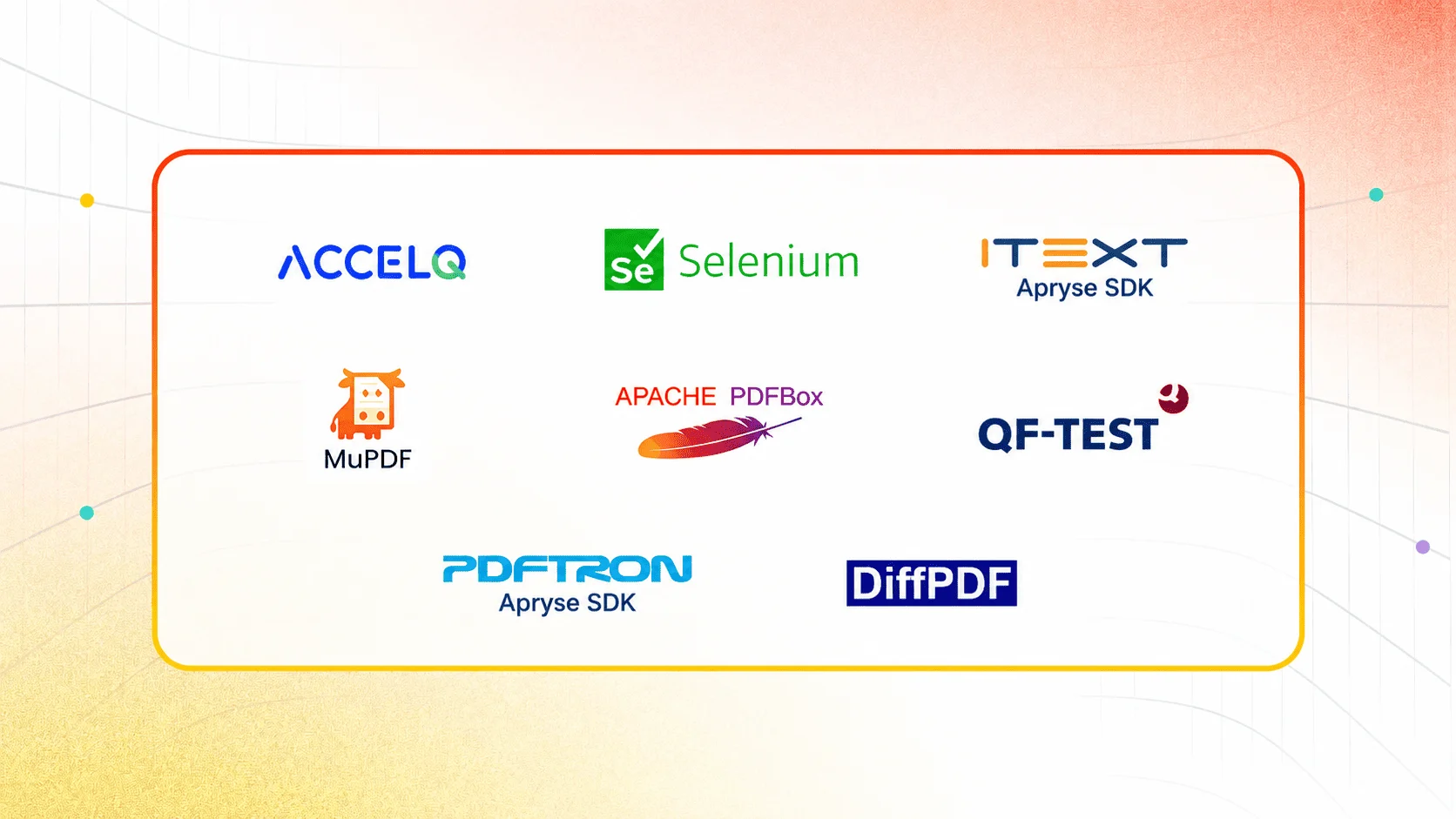
To solve this, teams are turning to specialized PDF testing tools. The best PDF automation tools in 2026 span four distinct categories based on your architecture and team skillset:
- No-Code / Codeless PDF Automation: ACCELQ (Best for dedicated record-and-playback for non-developer QA teams).
- Automated PDF Comparison & Visual Testing: DiffPDF and QF-Test (Best for document-heavy regulated workflows and regression testing).
- Open-Source PDF Extraction Libraries: Apache PDFBox and Selenium PDFBox (Best for developer-led, code-heavy verification).
- Commercial Enterprise SDKs: iText, MuPDF, and PDFTron/Apryse (Best for high-volume enterprise document management).
- The Text Extraction Trap: Why PDF Automation Fails in CI/CD
- What Is Record-and-Playback Testing for PDFs?
- What Should a PDF Validation Tool Actually Validate?
- Best PDF Testing and Automation Tools Compared: 2026
- PDF Regression Automation in CI/CD: The Automated Gate
- Decision Tree for Compressed Timelines
- Conclusion
The Text Extraction Trap: Why PDF Automation Fails in CI/CD
Web automation matured because browsers expose structure through the DOM. PDFs don’t. A PDF is a flattened, compiled print artifact rather than a live interface, which means fonts, spacing, and micro-layouts change dynamically based on runtime data. Unlike HTML, which can be queried with XPath or CSS selectors, a PDF has no standard programmatic structure that generic automation tools can navigate.
This structural blindspot makes traditional approaches to PDF validation fail fast:
- Text Extraction Misses the Layout: Most automated regression suites only check if a text string exists in the file metadata. But if a dynamic data table overflows, a critical regulatory clause can be pushed entirely off the visible page or rendered beneath a graphic. The code passes the text check, the build turns green, but the document is legally non-compliant.
- OCR is Too Slow for CI/CD: Optical Character Recognition is fragile, slow, and computationally expensive. While OCR-driven tools are necessary for scanned, non-native image PDFs, applying them to digitally generated policies or invoices adds execution noise without adding structural accuracy.
- Scripted Parsing Creates Maintenance Debt: Custom PDF parsing scripts break on minor formatting updates, forcing automation engineers to constantly refactor code after every application release.
When software delivery accelerates to weekly or sprint-based releases, teams are left with an unsustainable choice: burn massive QA capacity on manual visual checks, or ship blindly and risk a production compliance incident.
What Is Record-and-Playback Testing for PDFs?
To implement reliable PDF validation before a release deadline, testing frameworks must move past brittle, coordinate-based scripts and focus on layout-aware semantic intent.
Modern PDF automation platforms mirror the intuitive workflow of visual inspection but translate those actions into stable, object-relative boundaries rather than fixed pixel locations. By analyzing the underlying layout engine properties rather than flat images, these tools verify exactly what content should render relative to its surrounding context. When a layout shifts slightly or dynamic rows alter the page count, the test survives because it validates the structural relationship of the data, not its absolute screen position.
| Capability / Dimension | Coordinate-Based Automation Scripts | Layout-Aware Semantic PDF Testing |
|---|---|---|
| Object Capture Method | Hardcoded screen positions and pixel coordinates. | Semantic intent: structural properties and contextual anchors. |
| Maintenance Impact | Breaks on minor layout shifts, page-size changes, or font adjustments. | Survives layout flow changes by dynamically tracking content context. |
| Dynamic Data Handling | Fails when field variables or runtime transaction values alter spacing. | Safely isolates runtime data variations from fixed document geometry. |
| CI/CD Pipeline Viability | Low; requires constant manual developer script adjustments post-build. | High; natively integrates into regression suites for hands-off execution. |
High-Risk Workflows Requiring Continuous PDF Validation
Transitioning to automated, layout-aware validation yields immediate efficiency and compliance gains across heavily regulated, document-dependent industries:
- Insurance Carriers: Verifying that dynamic rider clauses, localized legal disclosures, and policy summary tables render cleanly across varying coverage plans without overlapping footers or headers.
- Banking & Fintech: Validating multi-page financial statements to ensure transaction boundaries, data alignments, and totals remain perfectly legible under variable data loads.
- Enterprise SaaS Platforms: Running high-volume regression checks on automated platform exports, billing invoices, and system compliance audit trails prior to production deployment.
What Should a PDF Validation Tool Actually Validate?
Most traditional PDF testing approaches rely on basic text extraction. If your testing suite only checks does this text string exist?, it is running with a massive blind spot.
| Validation Type | What It Catches | Tools That Cover It |
|---|---|---|
| Text content validation | Missing text, incorrect values, wrong data from runtime generation, localization errors | ACCELQ, Selenium + PDFBox, Apache PDFBox, QF-Test |
| Formatting and styling | Wrong font sizes, incorrect bold/italic, colour changes, spacing issues that affect readability or brand compliance | ACCELQ (HTML/CSS property validation), QF-Test |
| Layout consistency | Elements in wrong position, columns misaligned, tables broken, page breaks incorrect | ACCELQ, Eggplant (image-based), DiffPDF (appearance mode) |
| PDF comparison automation (version to version) | Regressions between PDF versions: what changed between the last release and this one | DiffPDF, QF-Test, ACCELQ automated comparison |
| Dynamic field validation | Correct data rendered in dynamic fields: invoice totals, customer names, transaction IDs from live data | ACCELQ (runtime data handling), iText (programmatic), PDFBox (form extraction) |
| Multi-language and international content | Unicode rendering, right-to-left text, localized date/currency formats, language-specific layout | ACCELQ (international PDF support), iText SDK |
| Accessibility compliance | PDF tagged structure, reading order, alt text for images within PDF, WCAG compliance for PDFs | PDFTron/Apryse (PDF/A), Adobe Acrobat Pro accessibility checker |
| Scanned/image-based PDF content | Text trapped in scanned pages or image-only PDFs with no native text layer | OCR-based extraction, Adobe Acrobat OCR |
SUGGESTED READ - Enterprise Test Automation: Comprehensive Guide
Best PDF Testing and Automation Tools Compared: 2026
| Tool | Category | Record & Replay | Catches Layout/Render Shifts? | Codeless | CI/CD Integration | Setup Speed for CI/CD |
|---|---|---|---|---|---|---|
| ACCELQ | AI-native PDF automation | Yes (PDF Recorder) | Yes (Content + Layout + Structure) | Yes, 100% | Native Plugins & API | Fast (Plug & Play) |
| Selenium + PDFBox | Scripted web + library | No | No (Text layer only) | No | Scripted via test runner | Medium (Framework build required) |
| iText / Apryse SDK | PDF Dev SDK | No | Programmatic only (Code verification) | No | Built into app pipelines | Slow (Requires custom dev) |
| MuPDF | PDF Rendering Library | No | Yes (Pixel rendering only) | No | Via custom build scripts | Slow (Engine compilation required) |
| Apache PDFBox | Open-source Java Library | No | No (Text layer only) | No | Scripted via Java build | Medium (Framework build required) |
| QF-Test | Functional Test Automation | Yes (GUI Recorder) | Yes (Text + Graphical layout) | Partial | Native CLI & CI Plugins | Medium (Framework adoption) |
| PDFTron / Apryse | Commercial PDF SDK | No | Yes (ISO-compliant comparison) | No | Via programmatic API | Slow (Requires custom dev) |
| DiffPDF | Standalone Desktop Tool | No | Yes (Appearance mode) | No | No (Manual desktop execution) | None (Not automatable) |
1. ACCELQ

Forrester Wave 2025 Leader | G2: 4.8/5 | Pricing: Contact for enterprise quote
Architecture: Cloud-native, low-code/No-code automation platform
ACCELQ treats PDFs as visual, testable outputs tightly coupled with your business workflows rather than static text blobs. A single test scenario triggers PDF generation from a web UI action, intercepts the generated document directly from the download buffer, and validates it structurally without context switching or handoffs to separate frameworks.
Instead of coordinate-based pixel mapping, which causes tests to break every time a layout shifts by a few pixels, its identification engine evaluates elements based on content and structural context relative to visual anchors. If a dynamic text injection pushes a mandatory compliance block downward or overlaps it, the system registers a layout violation.
Best for: QA teams that need PDF validation as part of end-to-end business process testing, with no-code record-and-playback for non-developer contributors.
Pros & Cons
- Web + PDF in one codeless test flow: no separate tool or handoff required between web automation and PDF validation
- PDF Recorder captures intent, not position: test recordings survive layout changes and format updates
- Automated PDF comparison for text, formatting, layout, and dynamic data fields in one validation layer
- Multi-language and international PDF support: validates Unicode, RTL text, and localized formats without separate test strategies
- Complex visual layouts and graphic-heavy PDFs may require configuration adjustments for accurate rendering validation
- Very large, image-heavy PDF files can have some performance impact during automation execution
- Advanced PDF handling with embedded custom controls may require minimal API configuration beyond the recorder workflow
2. Selenium With Apache PDFBox
Pricing: Free. Selenium (open source) + Apache PDFBox (Apache 2.0 license). Developer resource costs apply.
Architecture: Scripted code libraries
Selenium lacks native PDF parsing capabilities. To test PDFs with it, developer-led teams typically use Apache PDFBox to programmatically extract the text layer from a downloaded file.
This approach is highly effective for confirming that a PDF generated by a web workflow contains specific expected strings, but it features a structural limitation: it cannot see the document. If a code change breaks the PDF template rendering, PDFBox will pull the text out of the file buffer and report a false success, completely missing the fact that the document is non-compliant in production.
Best for: Developer-led Java teams with existing Selenium test suites who need PDF text validation without additional licensing cost.
Pros & Cons
- Zero licensing cost: both Selenium and PDFBox are open source with active community support
- Integrates PDF text validation directly into existing Selenium test flows without a separate toolchain
- Headless execution supports CI/CD pipeline integration for automated PDF content checks per build
- No record and playback capability: all PDF validation logic requires manual scripting and maintenance
- Text extraction only: formatting, layout, and visual rendering validation require additional custom development
- Extracting content from large or complex PDFs can slow test execution in CI/CD environments
3. iText / Apryse SDK

Pricing: AGPL-licensed free for open-source projects. Enterprise and commercial licensing: Contact Apryse.
Architecture: Programmatic Developer SDK (Java / .NET)
iText gives developers low-level access to the internal structural components of a PDF, including internal dictionary content and structural object trees. It is built for engineering teams who are constructing custom validation pipelines directly into their application code rather than external QA test suites.
Best for: Java or .NET developers building PDF validation logic into application code or custom test frameworks requiring low-level PDF structure access.
Pros & Cons
- Efficiently processes multi-gigabyte PDFs with enterprise-grade performance for document pipeline use cases
- pdfHTML converts HTML/CSS to structured PDFs: validated output is identical to programmatically generated input
- PDF Debugging identifies structural errors at the internal dictionary level that high-level tools miss
- Requires expertise in PDF structures and Java or .NET: not accessible to non-developer QA contributors
- No built-in commands for automated PDF validation as a testing workflow: logic must be coded from scratch
- AGPL licensing is restrictive for commercial projects; enterprise licensing costs can be significant
4. MuPDF

Pricing: AGPL-licensed free. Commercial licensing available from Artifex Software.
Architecture: Lightweight, low-level C rendering library
MuPDF focuses exclusively on speed and cross-platform fidelity. In a PDF testing ecosystem, its utility is limited to visual pixel-regression rendering checks – verifying that a PDF displays uniformly across mobile, desktop, and embedded application views.
It requires C, C++, or C# expertise for customization, and there is no graphical interface or test runner. Teams evaluating MuPDF as a PDF validation tool should be clear that they’re choosing a rendering library that requires custom test framework development around it.
Best for: Developers embedding PDF viewing into applications who need consistent cross-platform rendering validation as part of their application testing.
Pros & Cons
- Fast PDF rendering with caching and low memory use: efficient even for large document libraries
- Accurate cross-platform rendering validation: consistent visual output across desktop, web, and mobile
- Java and Android library available for mobile PDF viewing and rendering validation
- No graphical interface or test runner: all testing requires custom code around the library
- Requires expertise in C, C++, or C# for customisation beyond basic embedding use cases
- No built-in PDF comparison automation or record-and-playback testing capability
5. Apache PDFBox

Pricing: Free and open source. Apache 2.0 license.
Architecture: Java Library
Apache PDFBox is the most widely used open-source Java library for PDF content extraction and validation. It extracts Unicode text using built-in text extraction methods or OCR, splits and merges PDF files, extracts and fills PDF form data, and validates PDFs against the PDF/A-1b standard. For Java teams that need a reliable, well-documented open-source PDF library for programmatic content testing, PDFBox is the default choice.
As a standalone PDF validation tool, PDFBox covers text content validation and form data extraction effectively.
Best for: Java developers needing open-source PDF content extraction, form data validation, and PDF/A compliance checking in existing Java automation workflows.
Pros & Cons
- Apache 2.0 license: genuinely open source with no licensing restrictions for commercial use
- Easy integration into Java CI/CD workflows for automated PDF content validation per build
- PDF/A-1b standard validation provides compliance checking alongside content extraction
- No graphical interface: direct API usage required throughout; not accessible to non-developer QA contributors
- Version upgrades can break existing PDF extraction code: requires maintenance discipline
- No formatting or layout validation: text extraction only; visual rendering issues are not caught
6. QF-Test

Pricing: Commercial licensing. Contact Froglogic/QFS for pricing.
Architecture: Desktop & Web GUI test framework
QF-Test is a functional regression suite for Java and web applications that includes dedicated PDF test modules. It uses an internal recorder to capture human user interactions with documents and evaluates both text strings and graphical layouts.
Best for: Java application testing teams that need PDF comparison automation alongside functional GUI testing within an existing QF-Test framework.
Pros & Cons
- Built-in PDF recorder for test creation without writing PDF parsing code from scratch
- PDF comparison covers textual and graphical correctness: not limited to text-only validation
- CI/CD, test management, and version control integration provides full automation pipeline support
- Some PDF testing scenarios with complex validation logic require user-defined scripting beyond the recorder
- Primarily Java and web: mobile environments with non-Java frameworks have limited compatibility
- Deep content verification with complex formatting requirements may need additional configuration effort
7. PDFTron/Apryse SDK

Pricing: Commercial licensing. Contact Apryse for enterprise pricing.
Architecture: Document processing SDK
PDFTron (Apryse) is an enterprise document management platform built for precision viewing, editing, digital signing, and file format conversions. It approaches PDF comparison from an ISO-compliance standpoint rather than an agile pipeline regression model.
Best for: Enterprise document management teams needing PDF/A ISO compliance, digital signature workflows, and high-fidelity PDF viewing and editing in their applications.
Pros & Cons
- PDF/A conversion with ISO-compliant VeraPDF validation: strongest standards compliance capability on this list
- Multi-step digital signing with certification, validation, and document sealing; the most complete signing workflow on this list
- High-fidelity PDF rendering consistent across web, mobile, and desktop platforms
- High resource usage when processing large PDFs in enterprise-scale document pipelines
- Steep learning curve for teams without SDK development expertise
- Premium licensing required for digital signing features; total cost of ownership is enterprise-level
8. DiffPDF

Pricing: Free for personal use. Commercial licensing available.
Architecture: Standalone desktop application
DiffPDF is a specialized visual utility designed to compare two PDF versions side-by-side. It offers three distinct evaluation modes: Words mode, Characters mode, and Appearance mode. Appearance mode handles layout validation by performing a visual comparison of the rendered pages and highlighting changes for human review.
While highly effective at catching layout deviations, it is a localized desktop tool. It does not natively hook into build pipelines or scale across bulk automated test cycles, making it a powerful utility for immediate local diagnostic work rather than a continuous automated gate.
Best for: QA teams needing quick visual and textual PDF comparison for spot checks and release review without automated pipeline integration.
Pros & Cons
- Three comparison modes: Words, Characters, and Appearance cover different PDF comparison automation scenarios
- Free personal tier enables evaluation and individual use without licensing cost
- Visual report highlights differences clearly for human review and sign-off workflows
- Manual tool: no CI/CD integration or automated PDF regression automation across builds
- Limited to two-PDF comparison: not designed for bulk PDF validation across multiple generated documents
- No record-and-playback or structured test flow: one-off comparison only, not a reusable test approach
PDF Regression Automation in CI/CD: The Automated Gate
Integrating layout-aware PDF automation into your deployment pipeline transforms document quality control from a slow, error-prone manual review bottleneck into an automated quality gate.
Consider how an automated layout gate intercepts common production-failing defects during continuous integration:
- The Template Regression Scenario: An upstream change to an insurance policy template inadvertently drops or overlaps a mandatory regulatory compliance clause.
- The Manual Impact: Human reviewers must open and verify multiple policy permutations before every release, a process prone to oversight under tight deadlines.
- The Continuous Integration Gate: The deployment pipeline runs the end-to-end web flow, generates the policy PDF dynamically, intercepts it from the download buffer, and checks it against a signed-off visual layout template. If the compliance clause drops below the fold or shifts by even 5 pixels, the step returns an error, breaking the build automatically before deployment.
Decision Tree for Compressed Timelines
When selecting a methodology to secure an imminent release, structure your decision around your deployment timeline, technical resources, and risk tolerance:
Is visual layout or formatting verification required?
- No: Do you have an established Java dev team?
- Yes: Implement Selenium + Apache PDFBox (Text-Only)
- No: Explore basic low-code options
- Yes: Do you need automated pipeline validation by the end of the week
- Yes: Deploy a visual automation platform with a native PDF recorder (e.g., ACCELQ)
- No: Allocate 2-3 weeks for developers to build a custom ImageMagick + PDFBox pixel-matching engine
The Immediate Patch (Time to Deploy: 1 Hour): If you need to manually triage a layout failure right now, use DiffPDF. Load the staging output against the production baseline in Appearance Mode to visually isolate what broke while configuring your long-term automated solution.
The Programmatic Route (Time to Deploy: 2–3 Weeks): If you have an established team of automation engineers and a long delivery window, you can attempt to build a custom framework. This involves pairing a text extractor like PDFBox with an image processing utility (like ImageMagick) to rasterize pages and check pixels, bearing the long-term maintenance cost of managing positional false positives.
The Pipeline Gate (Time to Deploy: 1–2 Days): If you must implement layout-aware validation directly into your CI/CD pipeline before a tight production deadline, use a platform with a native visual PDF recorder like ACCELQ. This bypasses the need to script a custom rendering engine from scratch, allowing you to intercept dynamic files, establish structural layout baselines, and enforce a strict compliance gate before the code leaves staging.
Conclusion
The eight best PDF testing and automation tools in 2026 cover every part of the PDF validation workflow: dedicated end-to-end PDF automation with record-and-playback for QA teams (ACCELQ), developer library approaches for text extraction and content validation (Apache PDFBox, Selenium with PDFBox, iText), enterprise PDF SDK capabilities for compliance and digital signing (PDFTron/Apryse), specialized PDF comparison automation (DiffPDF, QF-Test), and embedded rendering libraries for application integration (MuPDF).
The critical distinction in evaluating these tools is that PDF comparison automation tools that only extract text catch content defects but miss formatting and layout failures. Record and playback testing tools for PDFs that capture intent rather than screen coordinates survive the application updates that break positional recordings. And PDF regression automation integrated into CI/CD pipelines converts what is currently a manual pre-release review bottleneck into a scalable automated quality gate.
For teams that generate PDFs as part of web application workflows, the integration question is the most important evaluation criterion before any feature comparison: does the PDF validation live in the same test flow as the web automation that generates it, or does it require a separate tool, a handoff, and a separate maintenance burden?



Balbodh Jha
Associate Director Product Engineering
Balbodh is a passionate enthusiast of Test Automation, constantly seeking opportunities to tackle real-world challenges in this field. He possesses an insatiable curiosity for engaging in discussions on testing-related topics and crafting solutions to address them. He has a wealth of experience in establishing Test Centers of Excellence (TCoE) for a diverse range of clients he has collaborated with.


You Might Also Like:
 Top Practices to Follow for Sustainable Test Automation.
Top Practices to Follow for Sustainable Test Automation.
 Mind Maps for QA: Smarter Planning, Faster Testing
Mind Maps for QA: Smarter Planning, Faster Testing
 Test automation + transformation: it’s all about the people