








What is a Software Bug? Types, Examples, and How to Fix Them

Software bugs occur in all applications. Sometimes the issue is easy to catch, such as a button that suddenly stops functioning. Other bugs are much harder to detect and may appear only with specific data, user actions, or system conditions. Teams may not be able to overcome all bugs, but catching them earlier usually means less time, cost, and trouble.
- Know What You’re Dealing With: It usually begins with an error made when writing code or understanding a requirement. If that error causes the software to behave in an unexpected way, you have a bug. Once the issue is logged and tracked, teams may refer to it as a defect. Malware is not the same because it is intentionally built to do harm.
- Bugs Can Turn Up Anywhere: An issue might be inside one small function or appear only when many systems work together. Some appear during a user journey, while others surface under heavy traffic or unusual inputs. That is why testing at different stages matters instead of leaving everything until the end.
- Don’t Stop at Making It Work Again: Reproducing the bug is the initial step. Then identify what caused it instead of patching what you can see. After fixing it, again test the scenario and keep it in the regression suite. That extra check can save the same issue from turning up a few releases later.
A software bug is a code error that leads the application to act in another way than its specification. This can be a web page that crashes under load or a security vulnerability that exposes your user data. What is a bug in software testing, specifically? In a testing context, a bug is any deviation between what the software is expected to do as per requirements and what it actually does when executed. The entire discipline of software testing exists to surface these deviations before users ever identify them.
The term “Computer Bug”: where does it originate from? The word existed before modern computing, when Thomas Edison used bug to describe technical glitches. But the story most related to the first software bug consisted of a real insect. In 1947, when engineers working on the Harvard Mark II computer found a moth in one of the relays, further malfunction. The team taped the moth in their logbook as the “initial real case of bug being identified,” and the term stuck in computing culture. But the underlying idea is an unexpected physical or logical fault interrupting a system; it’s exactly what “bug” still means today.
Errors Vs Bugs Vs Defects Vs Malware
People use these words around like they mean the same thing. But if you’re working in QA or engineering, it’s better to know that each one points to a diverse stage.
-
Error: It is a mistake. Maybe a developer typed something wrong, made a bad assumption, or misread what the requirement actually said. It happens during development, often before the code has even run.
-
Bug: This occurs due to an error. Once the code runs, the mistake shows up as broken or unexpected behavior. You typically catch this during unit tests, integration tests, or QA somewhere in a dev or staging environment.
-
Defect: This is a bug that’s made it further down the pipeline. It’s been logged, tracked, and verified against the real requirements. Teams start calling something a “defect” once it’s formally documented, often during QA sign-off or after release.
-
Malware: A bug is an honest mistake that nobody meant for it to happen. But malware is the opposite; it’s software created on purpose, usually to steal data or damage a system. The fix is different too. Bugs get resolved by the dev team; malware needs a security response.
SUGGESTED READ - Testing vs Debugging: When to Test & When to Fix Bugs?
Why Software Bugs Emerge and What They Cost
Why Bugs Happen
Human errors are the primary cause of nearly all software bugs, and eliminating them is almost impossible; understanding the factors contributing to human errors can help mitigate them. Here are the common reasons why software bugs arise.
- Communication issues: Bugs may go unnoticed or unreported in the software development process due to miscommunication or a lack of communication at various stages, from requirement gathering to interpretation/documentation or translation.
- Insufficient code coverage: Some software bugs may arise from poor code coverage, resulting from inadequate code base maintenance to support scalability or the oversight of dead, unused codes due to poor code writing.
- Unrealistic development timeframe: Developers often need more resources and tight project deadlines. These may lead to compromises, such as insufficient time for design and inadequate testing, which can increase the number of bugs.
- Incorrect testing framework selection: A testing framework is critical for effective automation testing, providing an execution environment for automated test scripts. However, opting for an inappropriate automation testing framework can lead to defects, as differences in test data across frameworks may cause issues to go undetected.
- Poor coding practices: Unhandled errors, missing exceptions, faulty input validations, faulty compilers, debuggers, and validators can introduce errors that are difficult to debug.
- Excessive reliance on automation testing: Depending more on automation testing can miss human intuition and expertise, and may result in manual testers missing bugs. Successful automation testing requires a balance between experienced testers and effective management.
- Neglecting real user conditions in testing: Inadequate real-user stimulation during testing can lead to unexpected errors, especially when applications are tested on emulators and simulators that cannot replicate native environment conditions.
What Bugs Cost
The impact of software bugs can be severe if left undetected. The following are some effects:
- Impact on users: Bugs lose trust fast. A user who hits a broken checkout flow, loses unsaved work, or has their personal data exposed doesn’t distinguish between “minor glitch” and “serious flaw”. They just stop trusting the product. Security bugs carry an even sharper cost, since they can expose personal or financial data directly.
- Impact on organizations: The financial cost of bugs scales with how critical the system is. In regulated industries, bugs can trigger fines or legal consequences. As per CISQ, poor software quality costs in the US reached approx $2.41 trillion in 2022, including accumulated technical debt. Source: Cost of Poor Software Quality in the U.S.: A 2022 Report
- Impact on development teams: When software bugs affect the development phase, they cause unexpected delays in the release. This is mainly because the bugs require additional resources to fix, and identifying the root cause of the error takes time. However, software bugs also affect the application’s overall quality and reliability.
In addition, software bugs in software applications require more ongoing maintenance. So, software developers are diverted from developing new features. Severe bugs can force developers to prioritize bug fixing rather than implementing any new feature.
Types of Software Bugs
This section covers seven bug types that map to where and how a bug shows up across the development and usage lifecycle, from an isolated unit of code to industry-specific edge cases. (If you’re looking for functional, performance, security, usability, compatibility, syntax, or logical bugs, we’ve covered those in detail in our Types of Software Bugs blog post. This section picks up where that one leaves off.)
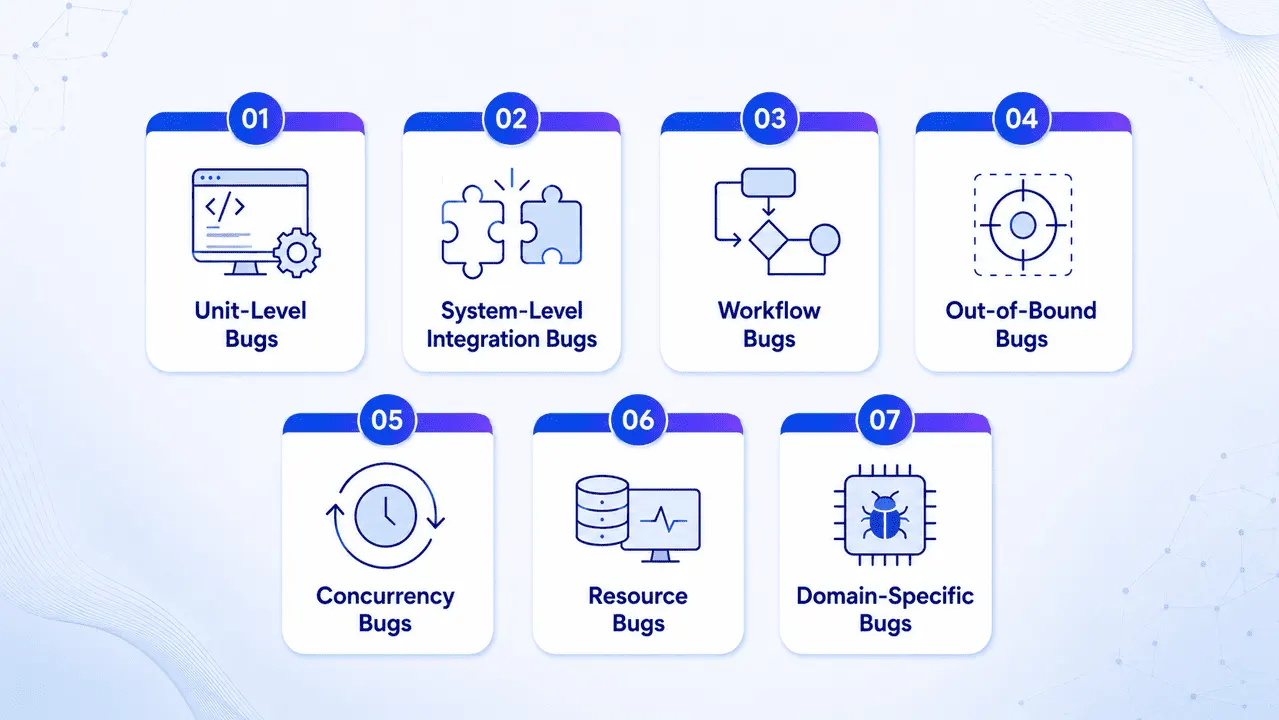
1. Unit-Level Bugs
During the software applications’ development and testing phases, this bug occurs. They are identified during coding when logic mistakes are made or requirements within a particular code unit are incorrectly implemented. These errors are identified and fixed during unit testing.
2. System-Level Integration Bugs
When code units from different developers fail to interact appropriately, it occurs. They result from inconsistencies or incompatibility between components, making them challenging to track and fix.
3. Workflow Bugs
These bugs are related to the user journey in a software application and impact navigation. In a data entry form, users might face issues with Save, Save and Exit, and Previous Page options.
4. Out-of-Bound Bugs
Occurs when users interact with the user interface unintentionally, such as entering values outside the intended limits or using undefined data types.
5. Concurrency Bugs
When many threads access shared resources in the wrong order, this bug occurs. Race conditions generate diverse results depending on timing, while deadlocks freeze the program when two threads wait for a resource that the other holds. They are hard to regenerate because they depend on precise execution timing.
6. Resource Bugs
Resource bugs consist of memory leaks, CPU spikes, file descriptor leaks, or inefficient caching. These bugs are often intermittent and hard to reproduce because timing matters. Traces, monitoring, and specialized load testing are usually needed to identify root causes and reliably fix the problem.
7. Domain-Specific Bugs
Domain-specific bugs emerge from errors unique to a particular environment, framework, or device type. They often require industry knowledge to identify and resolve. An embedded system controlling a medical device might misread sensor input due to precision loss in floating-point calculations. These bugs demand domain expertise and testing setups that replicate real-world conditions as closely as possible.
| Bug Type | Common Symptom | Detection Method |
|---|---|---|
| Unit-Level | Isolated function/module fails | Unit testing |
| System-Level Integration | Services/APIs don’t work together | Integration, contract, end-to-end testing |
| Workflow | Breaks mid-journey across steps | End-to-end and user journey testing |
| Out-of-Bound | Fails on unexpected and edge-case input | Boundary and edge-case testing |
| Concurrency | Race conditions and deadlocks | Stress testing, monitoring, logs |
| Resource | Memory leaks, CPU spikes | Profiling, monitoring, load testing |
| Domain-Specific | Fails under industry-specific conditions | Domain expert-led testing |
Software Bugs Across the Development Process
Where Bugs Show Up in the SDLC
Software Development Life Cycle (SDLC) follows a series of steps to develop quality software, including planning, analysis, design, implementation, deployment, and maintenance. Software bugs can occur in any of these phases. Identifying the software bug at an early stage of the SDLC is highly significant so that it can be fixed promptly and the involved cost can be reduced.
However, if a bug emerges early in the SDLC and cannot be quickly addressed, its costs can escalate as it progresses through the cycle. So, QA should perform the following software tests to address the impact of software bugs in the SDLC.
- Unit tests: It is vital to perform unit testing, an essential type of test, to uncover software errors. It is particularly relevant for legacy code, which may need more rigorous tests. Unit testing helps mitigate risks and proves beneficial when refactoring old code for improved readability or performance.
- Integration tests: It is crucial to integrate automated tests into software development to avoid creating deployment backlogs. Developers may need to wait for test results before continuing their work.
- Manual tests: It is required to perform manual testing in addition to automated testing. It helps identify logic errors that automated testing might overlook. It is performed before automated tests are developed for the software being created.
- Automated regression tests: These tests ensure that changes do not disrupt existing functionality, while smoke tests confirm critical functionality is operating as intended.
 Also Read: Jira And Its Integration With ACCELQ
The Bug Lifecycle
The bug life cycle, also known as the defect life cycle, is a sequential process that outlines the stages a defect undergoes throughout testing. It begins when a tester identifies a new defect during the application testing phase and ends when the tester resolves the defect. Let’s delve into the details of each stage that signifies a particular state in the defect life:
New
A newly identified defect is logged during testing.
Assigned
The bug is approved and handed to the development team.
Open
The developer starts analyzing and fixing the issue.
Duplicate
Marked when the defect matches one already logged.
Fixed
Development finishes the required code changes.
Pending retest
Waiting for the tester to verify the fix.
Retest
The tester reviews the defect to confirm the fix.
Reopened
If the issue persists, it's sent back to the developer.
Verified
The tester confirms the fix is correctly addressed.
Closed
No issue persists; the defect is officially closed.
-
New: The first stage in the bug life cycle is when a new defect is identified during testing. Confirmation and testing are carried out on these bugs in later stages when a new feature is discovered.
-
Assigned: Bugs in the New status are approved, and the newly identified defect is assigned to the development team for resolution. Once assigned, the bug’s status changes to Assigned.
-
Open: This is the initial stage where the developer starts analyzing and possibly fixing the bugs. If the developer deems the issue insufficient or, for some reason, the bug might be moved to the following stages, reject or not, indicating a repetition.
-
Duplicate: If the developer finds a defect that is the same as another or the defect coincides with another, the status is marked Duplicate.
-
Fixed: Once the developer finishes the debugging task with the needed changes, the defect status is marked Fixed.
-
Pending Retest: After fixing a defect, the developer offers the tester a defect check, and the status is pending till the tester verifies the fix.
-
Retest: The tester then reviews the defect to confirm the developer has corrected it.
-
Reopened: If there is still an issue, the developer must recheck and reopen the defect status.
-
Verified: If the tester encounters no issues with the defect after the developer provides it for testing and believes it’s appropriately addressed, the status becomes Verified or Confirmed.
-
Closed: If no issue persists, the tester changes the defect status to Closed
Some organizations add additional states such as “Deferred” (identified but deprioritized) or “Rejected” (not a valid bug, works as needed). But the core loop of report → triage → fix → verify holds across most teams and tools.
Also Read: Jira And Its Integration With ACCELQ
Practical Examples of Software Bugs
Famous software bugs show why quality is not only an engineering concern. It is a business, safety, and trust issue.
- Amazon pricing glitch: In December 2014, ten days before Christmas, some products’ prices on the Amazon site dropped to a mere one penny due to a software glitch. However, Amazon’s automatic delivery and warehousing services had already shipped many products before sellers could cancel purchases. This bug resulted in losses of around £100,000 for small businesses, pushing them to bankruptcy.
- Healthcare risks: In August 2018, the UK’s National Health Service (NHS) faced critical bugs in its SystmOne platform used by over 2,600 GP practices. The canceled prescriptions were not properly synchronized across systems, putting patients at risk due to improper medications. The clinical impact was assessed as “major,” underscoring the direct impact of software quality on patient safety.
- TSB bank system migration: This incident in the UK locked many customers out of banking services and damaged trust. Integration issues, infrastructure differences, and insufficient testing across the same environments contributed to the disruption.
Managing Software Bugs: Capture, Fix, Prevent
Capturing Bugs Effectively
If you’re wondering how to efficiently identify bugs in your code, it is only half the task. The other half is writing them up in a way someone else can actually act on. A messy report means three rounds of “wait, what exactly happened?” before anyone even starts fixing it. A good one gets picked up and closed the same day. What separates teams that catch bugs soon from ones that keep getting behind is as follows:
- Don’t wait till the end to test: Many teams still treat testing as their one huge step before release. That’s backward. You want checks running at the unit level, the integration level, and the system level all along the way, not crammed into a final sprint.
- Test with data that looks like the real thing: This one trips people up constantly. Bugs around performance, concurrency, and memory never show up when you’re testing with sample data. They appear under load, with messy real-world inputs, which is why staging environments that reflect production catch bugs where a quick smoke test won’t.
- Allocate exploratory testing: Scripts are useful, yet users don’t follow them. They click the back button mid-form, open three tabs, and paste in something weird. No amount of pre-written test cases covers these behaviors; sometimes you just need someone poking around with no fixed plan.
- Keep watching even after release: Some bugs won’t show even when actual traffic hits the system. It is logging, error tracking, and alerting that catch what pre-release testing can’t.
- A decent bug report needs: An ID to track, a clear bug description of what actually happened versus what should’ve happened, the environment it showed up in, steps to reproduce it, severity, priority, a screenshot or a log file if you’ve got one. Getting these details right the first time saves later when the ticket lands in triage.
- Tools for Bug Detection & Debugging: There isn’t one best tool here. Still, Chrome DevTools can be used for any front-end or network-related task to watch it happen live in the browser. For managing bugs across a large team, bug tracking tools like Jira or Bugzilla keep you organized all instead of spread across Slack threads. And if you’re particularly looking at tools for detecting bugs on websites, cross-browser and visual regression tools tend to surface compatibility issues across browsers and devices that manual testing on your laptop would never catch.
SUGGESTED READ - Top 10 Bug Tracking Tools in 2026
Best Practices to Fix Bugs
The speed and quality of troubleshooting software bugs depend on how well they’re documented, triaged, and verified once found. Some best practices for fixing and troubleshooting bugs efficiently are as follows
-
If you can’t reproduce a bug, don’t begin fixing it. Instead, write out the exact steps. If the bug only appears sometimes, run it as many times as possible to track how frequently it fails. Bugs that no one can reproduce tend to get close as “cannot reproduce,” only to pop up in production a few weeks later.
-
A severity matrix keeps critical bugs like data loss, crashes, and security holes fixed in the current sprint without exceptions. Major bugs like a broken feature but there’s a workaround go into the next sprint. Minor aspects such as typos and cosmetic issues go into the backlog. This keeps the loudest stakeholder from hijacking the order of fix as they escalated first.
-
If a null pointer exception is crashing the application, slapping in a null check is not a fix. Dig into why the value was null. Was an API contract violated somewhere upstream? Is the database handing back something unexpected? Skipping this step is how the same bug keeps reappearing in slightly different disguises across the same module.
-
Every fix should come with a test that has caught the real bug. Add it to the automated suite. This does two things at once: it makes sure the bug can’t quietly creep back in later, and it slowly builds up your test coverage without any extra dedicated effort.
-
Track bugs per KLOC across your codebase. If one module keeps accumulating defects no matter how many fixes are made, it is not a bug; it’s an architecture issue. That module needs a design review, not a round of patches. This is really the shift from constantly reacting to bugs toward getting ahead of them.
-
ACCELQ’s Autopilot boosts root cause detection rather than leaving engineers to manually go through one failure at a time. Beyond clustering similar failures, ACCELQ’s approach leverages NLP to spot errors, trace their causes, and even anticipate problems before they escalate.
How to Prevent Bugs
Software bugs cannot be eliminated completely, but teams can prevent bugs as follows:
- Run your complete test suite on each commit through CI/CD pipelines. If a code change breaks existing functionalities, the pipeline fails before the code reaches the main branch. This prevents reintroduction of fixed bugs.
- Involve QA from the requirements phase before development. Write test cases alongside user stories so developers know what will be tested before writing code. This catches requirements bugs, which are the most expensive category to fix later.
- Compatibility bugs are invisible in a developer’s local environment. Cloud testing platforms like ACCELQ let you run tests across real browser/OS/device combinations to catch rendering, layout, and interaction bugs that only appear on some configurations.
When a bug escapes to production, ask why our tests missed it. Was there no test case? Was the test case weak? Was the environment different? Note down the root cause and insert a regression test to prevent recurrence. Over time, this closes the gaps in your test coverage.
Conclusion
A software bug isn’t a sign of bad engineering. It’s a byproduct of developing anything complex to be useful. What matters is how your team responds to it. The differentiation between a bug, a defect, and malware helps your team to communicate properly and route problems to the appropriate solutions. Knowing why bugs emerge and where they show up across the SDLC helps catch them earlier, when they’re cheapest to resolve. And looking at what actually happens when bugs go unnoticed-a pricing engine gone wrong, a healthcare system out of sync, a bank locked out of its own platform makes it clear this isn’t just a QA checkbox. It’s a business risk with real financial, reputational, and sometimes human consequences.
The goal was never zero bugs. It’s catching them fast, fixing them properly, and building the kind of testing discipline that keeps the next one from costing as much as the last.
FAQ's
What is a software bug?
It's basically an honest mistake in the code that makes a program crash, misbehave, or spit out results nobody expected. Bugs can come from a typo, a misunderstood need, or two software not functioning properly together. Some are glitches while others cause damage to functionality, security, or data. No software delivers error-free; that's why QA is present as its own discipline.
Can software bugs be completely eliminated?
Not really, no. Modern software is too tangled with countless dependencies, integrations, and edge cases hit zero bugs. What's actually achievable is cutting down how often they happen and how bad they are, through solid testing, careful code review, ongoing monitoring, and quick fixes when things do break. Good engineering teams don't chase "zero bugs" as they chase catching and fixing them fast and cheap.
How much do software bugs cost businesses?
It's hard to pin an exact number, but it's not small. Teams can spend up to 30-40% of their development time on issues with debugging, and that's before what happens after release. Insert in operational failures, accumulated technical debt, and security fallout from unresolved vulnerabilities, and it's clear bugs aren't just an annoyance. They carry real, measurable financial weight for any business shipping software.



Chaithanya M N
Content Writer
A curious individual who is eager to learn and loves to share her knowledge using simple conversational writing skills. While her calling is technology and reading up on marketing updates, she also finds time to pursue her interests in philosophy, dance and music.


You Might Also Like:
 What Is Chaos Engineering? Principles, Best Practices, Advantages
What Is Chaos Engineering? Principles, Best Practices, Advantages
 Gherkin Explained: The Only Syntax Guide You’ll Ever Need
Gherkin Explained: The Only Syntax Guide You’ll Ever Need
 Practical Ways to Get Better at Software Testing