How to Get Started with ACCELQ: What the Platform Does and How Teams Implement It

If you are looking for how to get started with ACCELQ, the first step is understanding how the platform helps teams build, manage, and execute automated tests without the complexity of script-based frameworks. From creating your first test scenario and reusable test assets to running automated workflows across web, API, mobile, and enterprise applications, this platform provides a structured path from initial setup to continuous testing.
A new QA hire opens most test automation platforms and hits the same wall: unfamiliar UI, scattered documentation, no clear sequence of steps. The first two sprints become a ramp-up sprint in disguise. ACCELQ is built to remove that friction, and understanding why requires two things: what the platform actually does under the hood, and what the path from first login to a working test suite looks like.
This piece covers what the platform does and how its parts work together in practice, from element identification to CI/CD execution.
What ACCELQ Is
ACCELQ is a codeless, agentic AI test automation platform for web, API, mobile, and desktop application testing. The agentic layer is what separates it from tools that use AI as a single bolted-on feature: ACCELQ’s AI agents plan test coverage, generate scenarios, execute runs, and resolve breakages on their own, acting across the test lifecycle rather than waiting on a person to trigger each step.
The distinction that matters is architectural. Script-based frameworks put ownership of every break in the QA team’s hands: a locator shifts, a build updates, a selector goes stale, and an engineer fixes it. ACCELQ’s agents take that ownership instead. Four capabilities do the work:
Natural language test generation. ACCELQ converts user stories and acceptance criteria written in plain English into executable test scenarios. The translation step between a written requirement and a working automated test is removed.
Self-healing test maintenance. When a UI element changes (a shifted selector, an updated layout, a new element ID post-release) ACCELQ’s agents detect the change and update the affected test scripts on their own, without a person filing a ticket or reviewing the fix first. This is the single largest maintenance cost in traditional automation, handled autonomously.
Predictive scenario design. Scenario recommendations are weighted by real business process data and historical defect patterns, prioritizing areas most likely to break over areas that are easiest to script.
Portable element design. A test element built for one platform carries to another. A scenario built for iOS runs on Android without a rebuild; the platform handles the translation layer.
ACCELQ was named a Leader in the Forrester Wave for Q4 2025, and holds a 4.8/5 rating on G2. Independent benchmarking places ACCELQ users at up to 7.5x faster test creation and 72% lower maintenance cost compared to script-based approaches, figures validated in that same Forrester Wave assessment.
SUGGESTED READ - Maximizing ROI for Test Automation
What Testing Layers ACCELQ Covers
The four capabilities above apply across a defined set of systems. Understanding that surface matters because it determines whether a team needs one platform or several.
Web applications
Standard browser testing covers modern web applications built on Angular, React, Vue, Bootstrap, GWT, and LWC, using the same codeless, context-based architecture described above. ACCELQ captures DOM elements through visual Contexts and dynamic Views instead of hand-written locators, and its agents resolve elements on their own when a UI changes, adapting mid-run instead of failing a build. A team running web automation this way stops treating every release as a threat to existing coverage.
Desktop applications
Standard web testing tools fail on desktop software because legacy and native OS controls have no web DOM to interact with. ACCELQ pairs its Local Agent with the ACCELQ RPA Server and UI Inspector to interact with Windows applications built on WPF, WinForms, Win32, UIA, and MSAA. The same scriptless interface handles active application windows, menus, modifier key combinations, clipboard operations, and system-level popups, so desktop coverage doesn’t require a second tool or a second team.
Mainframe systems
ACCELQ extends continuous testing to legacy core systems through native support for terminal emulators, including IBM 3270 and 5250 green-screen environments. Testers capture terminal screens as Contexts, map screen fields, send terminal key commands, and validate host text output inside the same business process workflow used for modern web applications. Most codeless platforms stop at the browser; ACCELQ’s Context model extends to systems with no browser at all.
API and middleware
API testing is built into the platform rather than run as an isolated suite. ACCELQ connects to RESTful services, SOAP, JMS, and message queues, chains requests, parameterizes dynamic payloads, extracts runtime response tokens, and propagates assertion checks across a scenario. A single continuous test can post an API payload and verify the resulting data update on the web UI in one execution run, closing the gap between backend validation and front-end proof that most API tools leave open. [Read more on API test automation]
Database testing
Built-in database actions handle backend validation without custom JDBC code or external SQL scripts, unless a team wants to write their own. ACCELQ connects to major relational database engines, including Oracle, Microsoft SQL Server, MySQL, PostgreSQL, Teradata, DB2, Informix, and Snowflake, or through a custom JDBC string. The platform executes SQL queries and stored procedures, iterates through returned result sets, and validates backend field values against front-end UI data or API responses, giving a QA team database-level proof without pulling in a DBA for every test cycle.
Mobile applications
Mobile automation covers native, hybrid, and web applications on iOS and Android, running on physical devices, emulators and simulators, or cloud device farms such as Sauce Labs, BrowserStack, and Kobiton for parallel execution. Portable element design means one scenario runs on both platforms, so a team building and maintaining mobile coverage works from a single test repository instead of splitting effort across an iOS suite and an Android suite that drift apart from each other over time. The same agentic self-healing that handles web UI changes applies here, so a mobile suite survives an OS update or an app release the same way a web suite survives a frontend deploy. [Read more on mobile test automation]
Salesforce and other enterprise platforms
ACCELQ handles Salesforce Classic, Lightning Experience, and Lightning Web Components, working around dynamic shadow DOMs and volatile element IDs through relational element anchors, AI-driven self-healing, and pre-built Salesforce Live action repositories. The same approach extends beyond Salesforce to SAP (GUI and Fiori), Workday, Oracle Cloud, MS Dynamics, and ServiceNow, using pre-built business process templates that adjust when a vendor updates its underlying UI structure, and handling complex iFrames, embedded tables, and dynamic dropdowns along the way. [Read more on Salesforce test automation]
Manual test management and governance
ACCELQ Manual removes the need for a separate ALM tool such as Micro Focus ALM or Quality Center. Manual and automated tests share the same application modularity, including Contexts, Data Types, and Business Requirements. Manual test steps, execution runs, and defect logging integrate with Jira, Azure DevOps, and CI/CD pipelines, so coverage and release readiness across both manual and automated efforts show up in a single dashboard.
The future of testing is Codeless!
Join the universe of automation testing with our AI-powered platform!
How ACCELQ Differs from Script-Based Tools
The trade-off in script-based automation is flexibility purchased with ownership. Every framework upgrade, every broken selector, every CI/CD wiring decision lands on the QA team’s backlog, and that backlog grows with the application’s surface area, regardless of team size. A five-person QA team feels a broken release the same way a five-hundred-person one does, just with fewer hands to fix it. ACCELQ’s codeless, agentic layer absorbs that cost at the platform level instead, so the backlog stays flat as the application grows.
For a full side-by-side breakdown of test creation, maintenance, and CI/CD integration differences across the market, see [ACCELQ vs. other test automation tools]. Teams evaluating a specific replacement can go directly to the relevant comparison: [ACCELQ vs. Tosca] for teams weighing a Tosca migration, or [ACCELQ vs. ContextQA] for teams comparing codeless platforms directly. Teams currently on script-based tools can see the framework-ownership trade-off laid out directly in Overcome the drawbacks of Selenium by shifting to ACCELQ.
How ACCELQ Works: From First Scenario to Continuous Execution
Understanding what ACCELQ does is one thing. Understanding how its parts fit together to produce a working, maintainable test suite is another. This section covers the actual mechanics: how a test is built, how elements get identified without breaking on minor UI changes, how data and environments are managed, and how a suite runs inside a CI/CD pipeline.
The building block model
ACCELQ organizes test assets into a small set of entities that combine to form a scenario:
- Context: The application’s state during testing (a login page, a shopping cart, a dashboard)
- View: A captured visual snapshot of a Context at a specific point in time, used to identify and capture elements
- Action: A reusable unit of work performed within a Context (log into the application, search for a product)
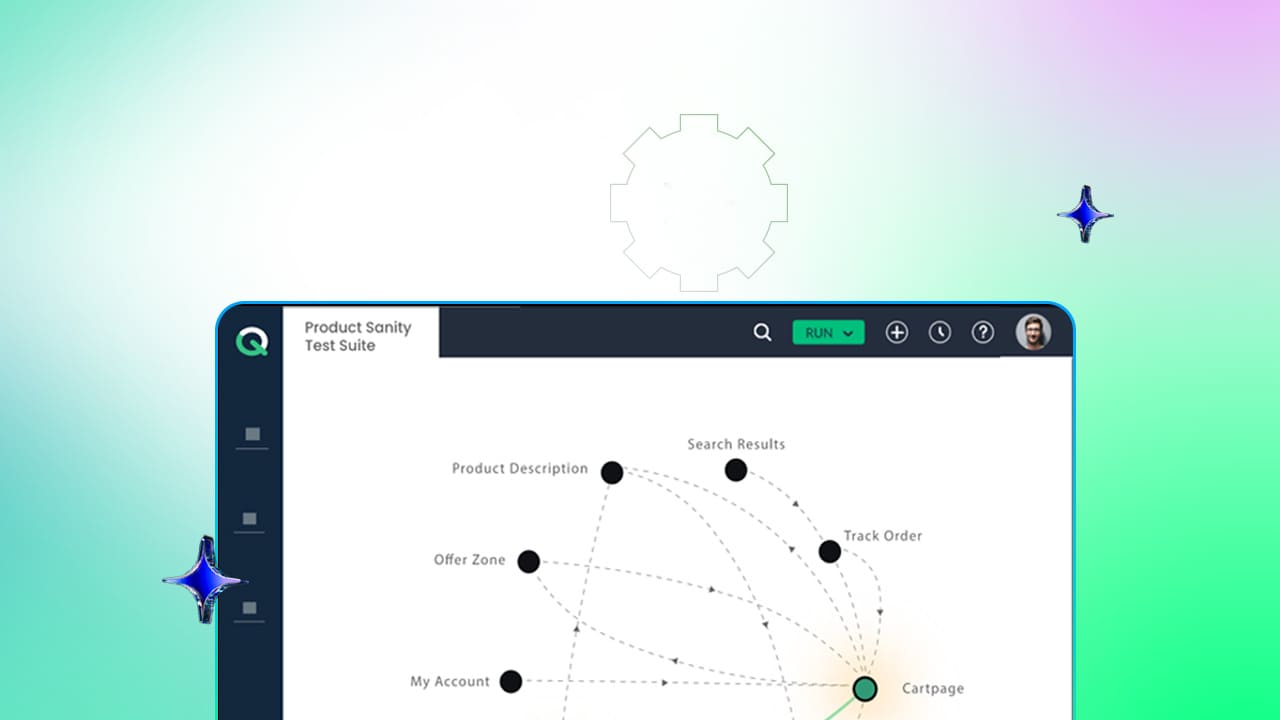
- Scenario: An end-to-end business journey built by stitching Actions together across Contexts
- Test Case: Data sets used to run a Scenario across multiple permutations
- Test Suite: A collection of scenarios grouped for execution
Actions are written in a browser-based Logic Editor using natural English abstractions, such as entering text in a field or clicking a button, instead of scripting syntax. The dependency chain runs Context into Action into Scenario, and understanding it early is what keeps a growing suite maintainable rather than brittle.
How element identification actually works
Dynamic element identification is usually the hardest part of web automation, and the most common source of test breakage. ACCELQ addresses it two ways. Elements are captured visually from a recorded View, using the plugin or UI inspector, rather than by hand-writing a locator. From that capture, ACCELQ generates identification criteria that combine element attributes, visible text, and relational anchors, so a test does not depend on a single fragile selector. When one attribute changes, the others still resolve the element, which is the actual mechanism behind self-healing: a combination of identification signals designed to survive minor changes.
Managing data and environments
Running the same suite across Dev, QA, and Staging without rewriting test logic depends on two configuration layers. Global Properties and Data Types define structured data classifications, invalid email formats or user roles, reused across scenarios. Environment Profiles store environment-specific variables such as base URLs, database connection strings, and credentials, so switching execution targets is just a configuration change.
Building a scenario
A Scenario is assembled in four steps: define the business flow as a sequence of states, reuse existing Actions or create new ones for missing steps, map data inputs directly into the Scenario or attach a data set for parameterization, and let ACCELQ generate permutation-based test cases from that data set.
Execution: suites, local agents, and CI/CD
Scenarios group into Test Suites, static or dynamic, organized by tag, priority, or module. Execution has three paths depending on environment: cloud execution, a Local Agent for tests that need to run behind an enterprise firewall or on a specific local machine while still reporting centrally, and native CI/CD plugins for Jenkins, Azure DevOps, Bamboo, GitLab, and GitHub Actions that trigger runs automatically.
Reading results
Execution reports show step-by-step screenshots with side-by-side visual comparison at the point of failure. Reports separate failures into three categories: application bugs, environment issues, and data discrepancies, so a failed run doesn’t require manual digging to find the cause. Live dashboards track coverage, automation progress, defect trends, and pass/fail rates across project modules.
- 3x faster automation development
- 70% less test maintenance
- Covers Classic, Lightning & LWC
Where This Leaves You
Understanding what ACCELQ does and understanding how its parts function together are two separate questions, and both determine whether the platform fits your pipeline. The mechanism matters as much as the outcome: self-healing maintenance and predictive scenario design only pay off if the underlying identification and execution model holds up under a real, changing application.
For the mechanism-level detail behind any capability mentioned above, or a direct comparison against the tool your team uses today, the linked pages throughout this guide go deeper than a single post can. To see how ACCELQ maps onto your specific environment, schedule a demo or talk to a specialist.



Yuvarani Elankumaran
Technical Consultant at ACCELQ
Yuvarani Elankumaran is a highly skilled technical consultant at ACCELQ. With over a decade of experience in the field of Test Automation, Yuvarani is a seasoned professional who is well-versed in a variety of programming languages and automation frameworks.

You Might Also Like:
 Test Automation Framework: Definition, Types, Pros, and Cons
Test Automation Framework: Definition, Types, Pros, and Cons
 What Is MCP Testing? A Practical Guide to Model Context Protocol
What Is MCP Testing? A Practical Guide to Model Context Protocol
 Build a High-Impact Automation Team