







The Trust Problem in AI Testing: What to Verify Before You Rely on It

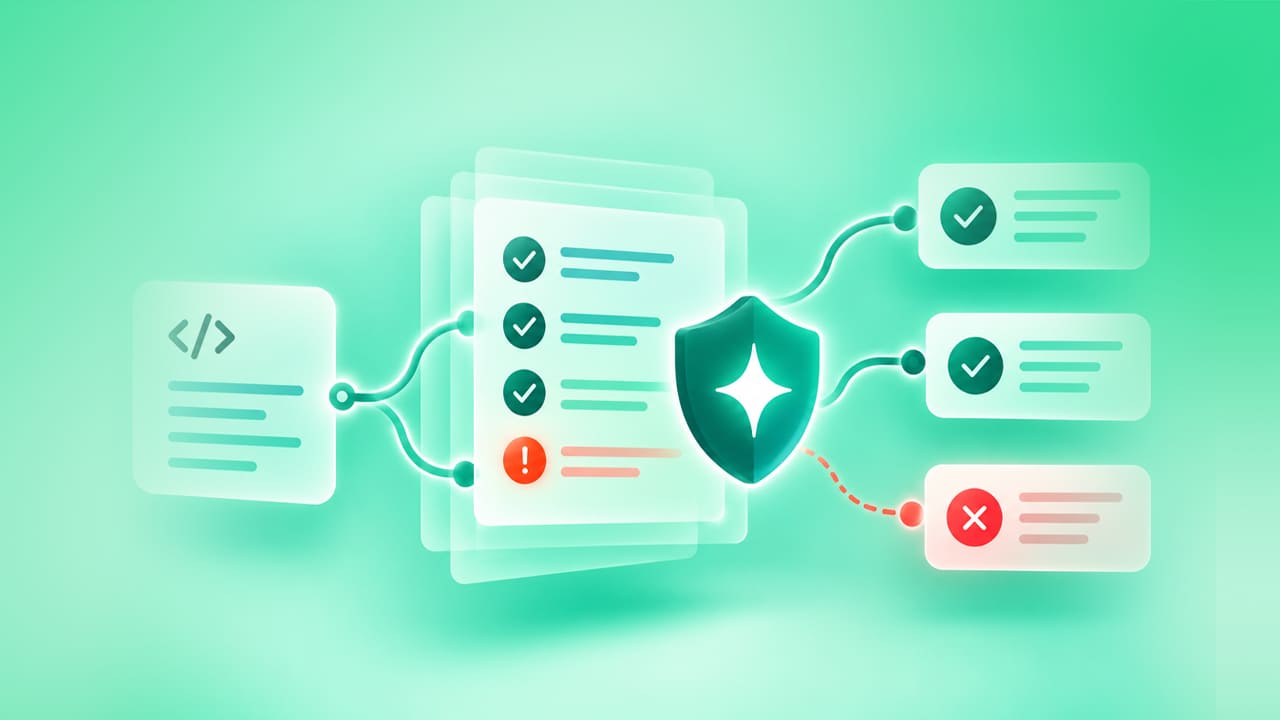
The trust problem in AI is the distance between what an AI system produces and what a team can verify about it. In software testing, that distance appears as results nobody can trace, failures nobody can explain, and false positives that teach engineers to ignore red builds.
Buyers feel this most at the decision stage. Every vendor says its AI is reliable, but how do you know for sure? This article gives you a way to check that claim: what to ask, what to measure, which frameworks to borrow from, and how to run a pilot whose results you can trust.
- What is the trust problem in AI testing?
- Why don't developers trust test results?
- Is AI test automation reliable?
- How do you check transparency and traceability in an AI testing tool?
- How do you measure AI testing accuracy?
- Are there standards or frameworks to assess AI trustworthiness?
- What are the best tools for testing AI models?
- How does ACCELQ approach transparency and review?
- How do you run a trust pilot before you commit to an AI testing tool?
- Diagnose: The trust problem in AI testing is actually a verification problem. Teams distrust results they cannot trace, explain, or measure. False positives teach them to ignore red builds.
- The Fix: Look for tools that show what they changed, hold back where they are unsure, and route AI output through human review. Track false positives, escaped defects, and repeat healing to understand accuracy levels.
- Verify Before You Commit: Use NIST and ISO frameworks as your checklists. Then run a pilot on one real suite and review every AI decision yourself.
What is the Trust Problem in AI Testing?
Quick answer: The trust problem in AI testing is a verification problem. Teams doubt AI test automation because they cannot see why it made a decision, cannot measure how often it is wrong, and cannot confirm that a passing result means the software works.
Trust in artificial intelligence has fallen as use has risen. In the 2025 Stack Overflow Developer Survey, more developers said they distrust the accuracy of AI tools (46%) than trust them (33%), and only 3% said they highly trust the output.
The same survey found that 66% of developers are frustrated by AI solutions that are “almost right, but not quite”. That survey covers AI tools in general, not testing tools alone. The pattern still applies to testing, because an almost-right test result is hard to catch and expensive to act on.
AI and trust come down to one question for a QA team: when this tool says everything passed, would you ship?
Why Don’t Developers Trust Test Results?
Quick answer: Developers stop trusting test results when failures are frequently wrong. Once most red builds turn out to be noise, the sensible response is to re-run tests before trusting them.
Google’s own numbers show that about 1.5% of its test runs produce flaky results. Google’s engineers also reported that almost 16% of their 4.2 million tests show some flakiness, and 84% of pass-to-fail transitions in sampled data came from flaky tests. If that is true at a company with Google’s capacity, smaller teams should expect the same, if not more, flaky tests.
What Causes False Positives in AI Testing?
A false positive is a failed test that is not caused by a real defect. The product is fine and the build is red. Common causes are:
- UI changes that break locators, such as a renamed button or a moved field.
- Timing and loading issues.
- Test data shared between tests.
- AI repairs that match the wrong element.
The first three exist in any automation suite. The fourth is specific to AI-assisted tools, and it leads to more damaging problems.
Can an AI testing Tool Hide Real Fefects?
Yes. A false pass is the second form of false positive. Some would argue it is the more damaging one. An AI layer repairs a broken step by clicking a similar element, and the test goes green while the real behavior is wrong. Nobody investigates the green result.
Any AI feature that changes a test to keep it passing needs to record what it changed. Without that record, a “healed” step cannot be audited.
Is AI Test Automation Reliable?
Quick answer: AI test automation is reliable for jobs where its output can be checked, and unreliable where it cannot. The answer depends on: what job the AI has, how its output is verified, and whether you can see what it did.
It helps to separate the jobs, because trust in AI test automation is earned step-by-step:
-
Generating tests from requirements or recordings. Does a person review the output before it joins the suite?
-
Maintaining tests through self-healing. Are healed steps are logged and reviewable?
-
Analyzing results by grouping failures or flagging likely causes. Is the reasoning visible?
-
Testing an AI product, such as a chatbot. Have you defined what a correct answer means? How you will score it?
A vendor that claims one blanket “accuracy” figure for all four is not worth pursuing.
How Do You Check Transparency And Traceability in An AI testing Tool?
Quick answer: Check whether the tool logs every AI change, states where it holds back, requires approval for generated output, and links failures to the changes that caused them. Put these questions to any vendor.
| Question to ask | What a good answer looks like | Why it matters |
|---|---|---|
| What happens when the AI repairs a step? | A log of what changed, why, and what it matched instead | A silent repair can turn a real defect into a pass |
| Where does the AI decline to act? | A stated list of cases where it stops and says so | Tools that never hesitate are guessing |
| Who approves AI-generated tests? | A review step before output becomes part of the suite | Almost-right tests are the costliest |
| Can I turn AI behavior off per run? | Yes, with a clear setting | You need a clean baseline to compare against |
| Can I trace a failure to a requirement and a change? | Impact analysis linking tests to what changed | Without it, nobody can explain a failure |
| How do I measure the AI’s own accuracy? | Metrics you can compute from your own runs | Vendor claims cannot be audited, your numbers can |
These questions also explain why developers distrust test results: a result with no reasoning trail cannot be defended in a release meeting.
How Do You Measure AI Testing Accuracy?
Quick answer: There is no single accuracy number for AI testing. You build one from a handful of ratios, tracked over time on your own suite. For AI products under test, score responses against metrics and thresholds instead.
Which metrics show whether an AI testing tool is accurate?
These metrics are worth starting with if you’re testing AI accuracy:
- False positive rate: failed tests that were not real defects, divided by all failed tests.
- Escaped defects: real defects found after release in areas the suite covers.
- Heal acceptance rate: healed steps a reviewer accepted, divided by all healed steps. A low number means AI is guessing wrong.
- Repeat healing rate: how often the same element heals run after run. A high number points to a locator strategy that needs a second look.
- Review override rate: AI-generated tests that reviewers edited or rejected.
How do you measure accuracy when the product under test is AI?
When you’re testing an AI model, such as a chatbot, outputs vary from run to run. So, a single expected answer will not work. You score responses against metrics instead.
Consider metrics such as Answer Relevancy, Faithfulness, Hallucination, Bias, and Toxicity. You set a pass threshold between 0 and 1 for each one.
Choosing thresholds is a judgment call. ACCELQ’s threshold guidance suggests starting factual metrics at 0.85 to 0.95 and safety metrics at 0.90 to 0.98. It also recommends running parallel human evaluations and aiming for 85 to 90% agreement between automated and human scores. That last step is important because an AI scoring another AI needs to be checked as well.
Are There Standards Or Frameworks To Assess AI Trustworthiness?
Quick answer: Yes. The NIST AI Risk Management Framework, ISO/IEC 42001, and the EU AI Act all address AI trustworthiness. But none of these alone certifies that a testing tool is completely trustworthy, so it’s best to use them to structure your questions.
| Framework | What it is | Binding? | How a QA team can use it |
|---|---|---|---|
| NIST AI RMF | Defines trustworthy AI as valid and reliable, safe, secure and resilient, accountable and transparent, explainable and interpretable, privacy-enhanced, and fair with harmful bias managed | Voluntary | A checklist of what “trustworthy” should cover |
| NIST Generative AI Profile (AI 600-1) | A companion profile that applies the AI RMF to generative AI | Voluntary | Risk categories to test for in LLM-based products |
| ISO/IEC 42001:2023 | An AI management system standard | Certification is voluntary | Evidence that a vendor or your organization governs AI in an auditable way |
| EU AI Act | EU law on AI. The Council set 2 December 2027 for stand-alone high-risk systems and 2 August 2028 for high-risk systems embedded in products | Yes, if your product falls in scope | Documentation and human oversight expectations for regulated products |
NIST notes that validity and reliable is the base for the other trustworthiness characteristics. For a test tool, that is the first question: does it give correct results?
What Are The Best Tools For Testing AI Models?
Quick answer: The best tools depend on what you need to check. They fall into a few categories, and most teams combine two or three.
- Evaluation libraries: score model outputs on metrics like faithfulness and relevancy.
- Red-teaming and security scanners: probe for prompt injection, data leakage, and unsafe output.
- Observability and tracing tools: record production behavior so regressions can be compared.
- Test automation platforms with built-in LLM checks: let QA teams run model scoring inside their current pipelines.
- Human review workflows: to make judgment calls that scores cannot make.
When comparing options, ask four things.
- Can it score multi-turn conversations, or only single answers?
- Can you set and version your own thresholds?
- Does the result land in the same report as the rest of your regression suite?
- Can a tester use it without writing code?
ACCELQ’s LLM Testing commands check single responses and full conversations. A report command summarizes pass and fail counts and average scores across a test case or job. To set up, you need your own LLM provider API key, and the docs list OpenAI and Claude as supported providers.
 Also Read: What is Chatbot Testing?
How Does ACCELQ Approach Transparency And Review?
Quick answer: ACCELQ shows what its AI did through documented self-healing reports. This includes review screens before the generated output is finalized, change impact analysis, and metric-based LLM checks.
- Self-healing is visible. Self-healing is on by default and can be turned off from the Run modal. The test report shows the healing activity so teams can see where elements are flaky. Where an element’s presence is doubtful, the documentation says self-healing is not applied; the report also states that.
Our guide to self-healing test automation also states that healing does not catch functional regressions. Essential flows like payment or permissions require manual review.
- Generated output can be reviewed. In Autopilot Architect, the Modularity screen shows Autopilot’s recommendations for Action modularity and parameterization. You can confirm them or edit them before finalizing. ACCELQ Converse presents generated plans, scripts, and test data for review before they are finalized or executed.
- Changes are connected to tests. Because automation is tied to the Application Universe, ACCELQ runs automated impact analysis to identify what a change affects.
- AI products can be scored. The LLM Testing commands described above allow teams to set metric thresholds and report results alongside regular tests.
If you want the wider picture, see how Autopilot fits into the platform.
How Do You Run a Trust Pilot Before You Commit to an AI testing Tool?
Quick answer: A trust pilot is a time-boxed trial of one AI testing tool on one of your real suites, with a baseline recorded first. It shows you the tool’s real false positive rate and how transparent its AI decisions are.
Don’t just rely on the vendor demo environment. A pilot on your own application gives you trustworthy evidence.
-
Pick one real suite with a known history of flaky failures.
-
Record a baseline with false positive rate, time spent on triage, and open maintenance work.
-
Run the tool with AI features on, then review every healed or generated item yourself.
-
Break something on purpose; rename a field, and check whether the tool reports it or absorbs it.
-
Compare numbers against the baseline: heal acceptance rate, repeat healing rate, and review override rate.
A tool that passes this pilot is ripe for a wider rollout. A tool that cannot show its work during the pilot will not show it in production.
FAQs
Why does trust in AI fall while usage rises?
Teams adopt AI because it saves time, then find that its output needs checking. In the 2025 Stack Overflow survey, 84% of developers said they use or plan to use AI tools, yet 46% said they do not trust the accuracy of the output. Verification effort keeps trust low; devs simply do not know if they can trust AI to be correct most of the time.
Can self-healing hide real bugs?
Yes, if a repair is accepted without review. A healed step can click a similar element and pass while the real behavior is wrong. ACCELQ's guide to self-healing recommends manual review of healed steps in payment and permissions flows. Logging every repair makes this checkable.
Do AI-generated tests need human review?
Yes. Almost-right tests are the costliest kind, because they pass review at a glance and fail in production. Review each generated test against its requirement before it joins the suite. Track how often reviewers edit or reject AI output.
How can teams reduce false positives in AI testing?
Record a baseline false positive rate first. Then review healed steps. Fix elements that heal repeatedly. Isolate test data between tests. Re-check the rate after each change so you can see which fix worked.
Is ISO/IEC 42001 certification required to use an AI testing tool?
No. ISO states that certification is voluntary. A vendor's certification is useful evidence of structured AI governance, but it does not replace testing the tool on your own application.
What is a good pass threshold for LLM testing?
No precise formula exists to establish a universally acceptable pass threshold for LLM testing. ACCELQ's threshold guidance suggests starting factual metrics at 0.85 to 0.95 and safety metrics at 0.90 to 0.98, then calibrating against human review.
Does ACCELQ show what its self-healing changed?
Yes. ACCELQ's test report includes a view of self-healing activity so teams can analyze flaky elements. Self-healing is on by default and can be turned off every run from the Run modal. Where an element's presence is doubtful, self-healing is not applied, and the report mentions the same.



Nishan Joseph
VP Sales Engineering
Nishan is a tech strategist with expertise in Test Automation and roles at giants like TCS, Microfocus, and Parasoft. At ACCELQ, he champions Strategic Alliances, cultivating global tech partnerships. Educated at Leeds University and Symbiosis Pune, he also possesses an engineering background from Bangalore.


You Might Also Like:
 From Code to Cognition- Tracing the Journey of AI and its Impact on Test Automation.
From Code to Cognition- Tracing the Journey of AI and its Impact on Test Automation.
 Why AI Isn’t Replacing Testers? It’s Empowering Them
Why AI Isn’t Replacing Testers? It’s Empowering Them
 Agentic Automation in Testing: The Complete 2026 Guide