







RSAT Migration Guide: How to Move Off RSAT Before May 2027

Quick Answer: How to Migrate Off RSAT
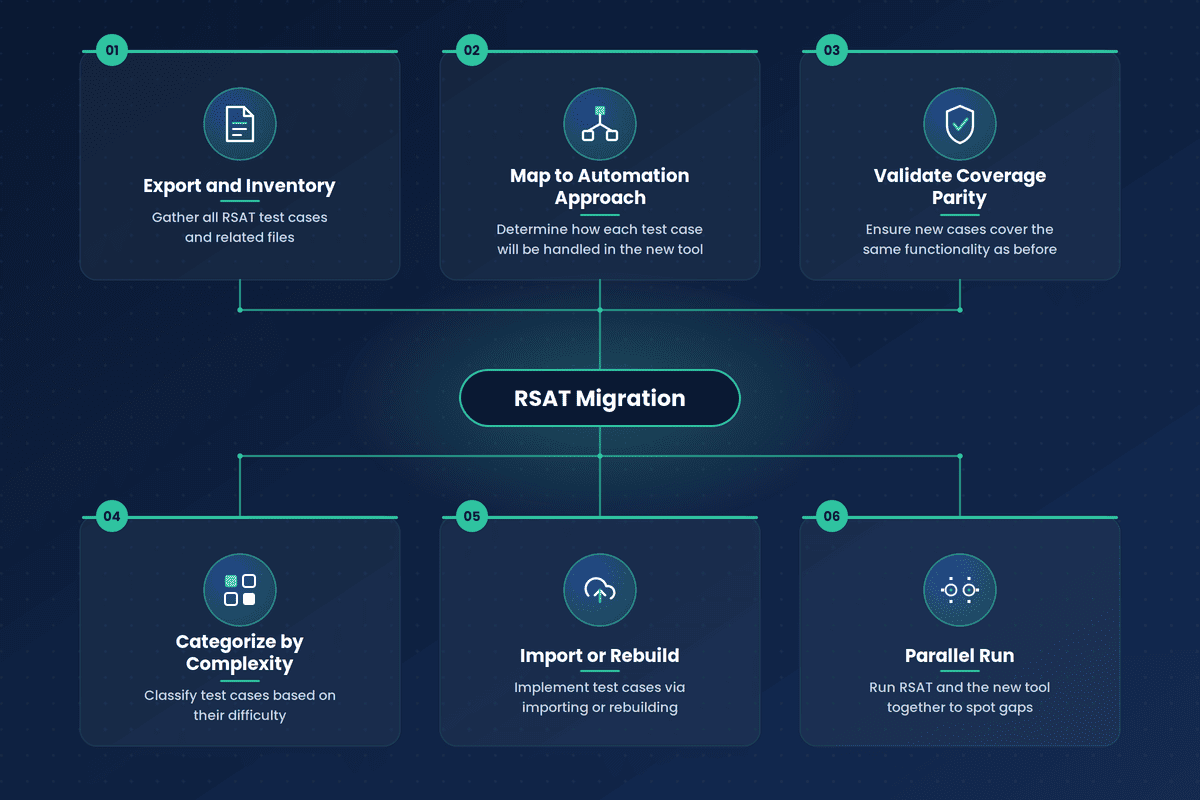
RSAT migration is the process of moving Dynamics 365 regression test cases off Microsoft’s Regression Suite Automation Tool before it loses support on May 15, 2027. The process has six steps:
- Export and inventory the existing RSAT test library
- Categorize test cases by complexity
- Map each test case to a migration approach: rebuild, rebuild with added validation, or retire
- Import or rebuild the test case in the target tool
- Validate coverage against the original RSAT test case
- Run RSAT and the new automation in parallel for one release cycle, then decommission RSAT
Timeline scales with library size: small libraries (under 50 test cases) take 2 to 4 weeks, medium libraries (50 to 200) take 6 to 10 weeks, and large libraries (200 or more) take 12 to 20 weeks or longer.
RSAT loses all support (no bug fixes, no patches, no updates) after May 15, 2027. That’s a reason to start planning before your Azure DevOps Test Manager licenses and RSAT working directories become what’s standing between you and an untested D365 release. Starting your D365 test library migration early will make the process infinitely easier.
This guide walks through how to migrate from RSAT: what to inventory before you touch anything, the RSAT migration steps, how long it realistically takes based on library size, and the mistakes that disrupt planned migrations.
RSAT’s real risk exists in the validation step. Most RSAT libraries carry weak cross-module and integration coverage already. Often, a rebuilt test case can pass while checking less than the original did. That gap surfaces at month-end close.
- Diagnose the Real Problem: A rebuilt test case can run green while asserting less than the original RSAT test case did, especially on cross-module scenarios where RSAT’s coverage was already limited.
- Match the Process to the Library: Export and inventory first, tier by complexity, then rebuild against the live D365 UI using the RSAT recording as a blueprint. Timeline scales from 2–4 weeks for under 50 cases to 12–20+ weeks for 200+ cases, pushed mainly by integration scenarios.
- Validate Before You Decommission: Run RSAT and the new automation side by side for a full release cycle. Gaps will probably show up at month-end close or a wave update. Retire RSAT once that cycle is clean.
The RSAT Migration in Brief
A clean RSAT migration follows the same sequence regardless of how many test cases you’re carrying:
- assess your existing library and sort it by complexity.
- map each test case to how it’ll be handled going forward.
- import or rebuild each one in the target tool.
- validate that coverage matches (or beats) what RSAT gave you.
- run both systems in parallel for one full release cycle before you retire RSAT.
DO NOT skip the validation and parallel-run steps. You’ll end up discovering coverage gaps mid-release.
Before You Start: Assess Your RSAT Library
Before getting into the steps, get an honest picture of what you’re migrating from your RSAT test library migration. Look at:
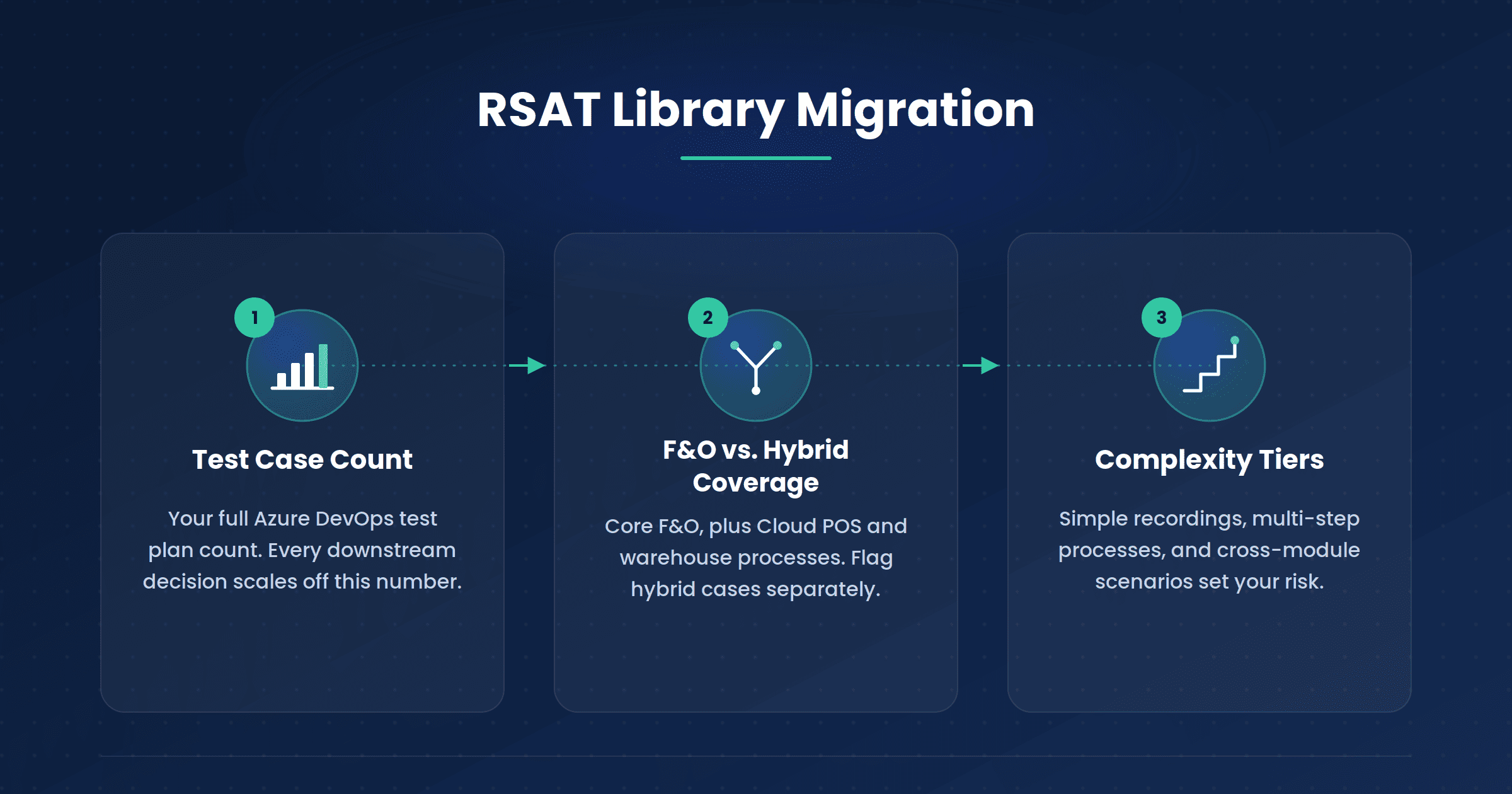
Test case count: Pull the full list of test cases from your Azure DevOps test plans. This is your baseline number. Everything downstream (timeline, resourcing, tooling decisions) scales off it.
F&O-only vs. hybrid coverage: RSAT covers core Finance and Operations processes recorded through Task Recorder. It also extends to Cloud POS testing in Dynamics 365 Commerce and to warehouse processes through the Warehouse App Task Validation Framework.
If your library includes Cloud POS or warehouse test cases, flag them separately. They may need a different migration path.
Complexity tiers. A rough three-tier split applies to most test case libraries:
- Simple UI recordings: single-screen or single-module tasks (create a sales order, post a journal entry)
- Multi-step business processes: recordings that chain several screens within one module.
- Cross-module or integration scenarios: processes that cover modules or external systems.
This tiering organizes the migration sequence (start with simple, high-volume cases to build momentum). It also underlines where your risk exists. Prefer to do this with an expert? You can size your RSAT library with a D365 specialist before you commit to a timeline
Here’s a comparison of multiple Dynamics 365 automated testing tools, if you haven’t yet chosen a target platform for your RSAT replacement migration.
Step-by-Step Migration Process
-
Export and inventory existing RSAT test cases
Pull every test case from Azure DevOps, including the associated task recording files (.axtr or the raw .xml export), Excel parameter files, and any linked Business Process Modeler entries. Build a single inventory sheet with test case ID, name, module, complexity tier, and recording file location. This is your migration tracker for every step.
-
Categorize by complexity
Apply the three-tier split mentioned above, right from the assessment step to every row in your inventory. Be specific about why something lands in “cross-module/integration”. Note which systems it touches and what makes it fragile.
-
Map each test case to the target automation approach
For each test case, decide how it’ll be handled in the new tool when migrating RSAT test cases to a new platform. Will it be a direct rebuild from the recording? Or will it be rebuilt with added validation points RSAT never had? Or will it be retired?
-
Import or rebuild
RSAT recordings are saved as Task Recorder packages (.axtr file import test automation) or raw XML files. Whether a given tool can import that format directly varies by platform, so verify this against your chosen tool’s current documentation.
Moving from RSAT to agentic test automation in ACCELQ is most successful when you treat the RSAT recording as a blueprint rather than an import file. Use it to identify the exact sequence of business actions, then rebuild the flow using ACCELQ’s codeless recorder against the live D365 UI.
A fresh recording captures the application as it exists today, rather than carrying forward whatever RSAT captured against an older UI state.
-
Validate coverage parity against the original suite
Run the new test case and the original RSAT test case side by side against the same environment and data. Confirm the new version checks everything the old one did, and that it’s asserting the same things. A rebuilt test that runs green but validates less than the original isn’t a successful migration.
-
Run both in parallel before decommissioning RSAT
Keep RSAT running alongside the new automation for one full D365 release cycle. If both catch the same issues, you have parity. If they catch different issues, you’ve caught it before RSAT is gone and you have nothing to compare with. Only decommission RSAT once you’ve cleared a full cycle with no unexplained gaps.
RSAT Migration Checklist
Here’s a quick-reference version of the six steps above in a scannable checklist before diving into planning:
Timeline by Library Size
These numbers around the RSAT migration timeline are planning estimates, not guarantees. Actual timelines will shift based on how much cross-module coverage you’re carrying and how many people you can spare for the migration.
| Library Size | Test Case Count | Realistic Timeline | Notes |
|---|---|---|---|
| Small | Under 50 cases | 2–4 weeks | Mostly simple recordings; small teams can run this alongside other work |
| Medium | 50–200 cases | 6–10 weeks | You’ll deal with multiple complexity tiers; plan for a dedicated migration owner |
| Large | 200+ cases | 12–20 weeks or longer | Cross-module and integration scenarios dominate your timeline |
You’ll end up spending more time dealing with the smaller number of cross-module and integration scenarios that take disproportionately longer to rebuild and validate properly. In fact, a larger volume of simple test cases takes less time and work to manage.
Common Migration Mistakes
Most of the risk in an RSAT migration comes from a few planning shortcuts that become real gaps a month later. These four show up most often:
Assuming you’re “losing coverage” on integration test cases
RSAT was never built to handle complex cross-module or integration testing. It has no support for data management workspace scenarios involving Excel, XML, or CSV file import/export, and requires third-party connections for workflow configuration testing.
If your cross-module RSAT test cases feel thin or brittle today, that’s RSAT’s actual ceiling. Migrating is a chance to achieve wider coverage here than what RSAT could do.
Skipping the inventory step
If you skip formal export and inventory, you will consistently rediscover forgotten test cases mid-migration, which slows down migration. These are usually the Cloud POS or warehouse ones outside the standard F&O recording flow.
Rebuilding everything at once
If you start with your hardest cross-module scenarios before your team has found its rhythm with the new tool, it will extend timelines and increase the risk of validation shortcuts.
Decommissioning RSAT before a full parallel-run cycle
Coverage gaps that don’t show up in week one often appear at month-end close or during a wave update. Testing a full release cycle catches things that a spot-check won’t.
FAQ's
Is RSAT actually being shut down on May 15, 2027?
No, RSAT itself keeps running. What ends on May 15, 2027 is Microsoft support. No more bug fixes, security patches, or feature updates will be released after that date. Teams can technically keep using RSAT, but any issue that comes up afterward has to be solved without vendor help.
How long does an RSAT migration actually take?
The duration for an RSAT migration depends on library size. Small libraries (under 50 test cases) typically take 2–4 weeks. Medium libraries (50–200 cases) run 6–10 weeks. Large libraries (200+ cases) can take 12–20 weeks or more, especially with cross-module and integration scenarios.
When should we start migrating off RSAT?
Start migrating off RSAT as soon as you can schedule the assessment. Starting early allows teams to sequence migration around release cycles and treat it as planned work. Teams that wait may end up running migration alongside live go-lives and period closes, which becomes very challenging for large or cross-module-heavy libraries.
How long does it take to migrate 200 RSAT test cases?
A library of 200 RSAT test cases realistically takes 12–20 weeks or longer to migrate. The exact timeline depends on how many of those cases are cross-module or integration scenarios, since those typically take longer to rebuild and validate.
Do we need to rebuild our RSAT test library from scratch?
Not from scratch, but partial rebuilding is usually part of the process. Whether a test case can be imported directly or needs to be rebuilt depends on the target tool's current recording-import support. Verify this specifically rather than assuming either way.
Even where rebuilding is required, the original RSAT recording provides the steps and data needed to guide the rebuild process.
Can we migrate RSAT tests without losing coverage?
Yes, but only if validation is treated as its own step rather than assumed. The risk is that tests run successfully while checking less than the original ones did. Run the new and old test cases side by side, and keep both active for a full release cycle to identify coverage gaps before they impact production.
What are common RSAT migration mistakes?
The most common RSAT migration mistake is assuming that cross-module or integration test cases are losing coverage during migration. In practice, RSAT's existing coverage may already have been limited.
Other mistakes include skipping the inventory step because teams assume they already know the test suite, rebuilding everything at once instead of sequencing by complexity tier, and decommissioning RSAT before completing a full parallel-run cycle.
Can I import my RSAT recordings directly into another tool?
It depends on the target tool, and this changes over time. Some platforms support direct import of .axtr or .xml recording files, while others use the RSAT recording as a reference to rebuild the flow through their own recorder. Check current documentation before assuming either approach.
Do I need to migrate my Cloud POS and warehouse RSAT test cases too?
Yes, if you have them. Cloud POS and warehouse RSAT test cases are part of regression coverage and are affected by the same end-of-support date. Since they use a different recording path than standard F&O test cases, inventory them separately during the assessment.
What's the biggest risk in an RSAT migration?
The biggest risk in an RSAT migration is losing validation depth without noticing. A rebuilt test case can show green while checking less than the original RSAT version did. This is why coverage parity validation and a full parallel-run cycle are more important than migration speed.



Geosley Andrades
Director, Product Evangelist at ACCELQ
Geosley is a Test Automation Evangelist and Community builder at ACCELQ. Being passionate about continuous learning, Geosley helps ACCELQ with innovative solutions to transform test automation to be simpler, more reliable, and sustainable for the real world.


You Might Also Like:
 How to Test Common nCino Use Cases With Test Automation
How to Test Common nCino Use Cases With Test Automation
 Getting started with Salesforce Test Automation
Getting started with Salesforce Test Automation
 Top 5 Salesforce Automation Testing Tools (2026) – Compared