







Scaling SAP Automation: The Best Worksoft Alternatives for Enterprise QA
A new hire on your SAP regression team just lost two full days to local installation, license activation, and configuration files before writing a single test. The same week, a Fiori screen update breaks a batch of capture-replay scripts that now need re-recording from scratch. The same team also runs Selenium for the company’s customer web portal and Appium for its field-service mobile app: three separate toolchains that don’t share test data or reporting, covering testing that arguably belongs in one place.
None of that is a case against what Worksoft does well. Worksoft Certify’s SAP and Salesforce coverage remains genuinely strong: deep native SAP GUI and Fiori support, a large accelerator library, and integration with SAP Solution Manager that few generalist tools match.
Here’s the part that matters more than any single feature comparison: for most teams, none of these five problems show up on day one. Worksoft was implemented when the landscape was pure SAP, and it was the right call then. Every friction point above arrived later, as the landscape added a layer Worksoft wasn’t built to reach. That sequence, not a side-by-side feature table, is the better guide to picking the right alternative.
- The SAP-Only Baseline: When Worksoft Hasn't Failed You Yet
- Worksoft Alternatives Compared
- When the Landscape Stops Being SAP-Only: Cross-Layer Test Coverage
- When SAP Release Cadence Outpaces Capture-Replay Maintenance
- When an Upgrade or Migration Forces the Question
- The Team That Skips All of This: Ownership Over Depth
- Finding Your Spot on This Timeline
- Making the Call
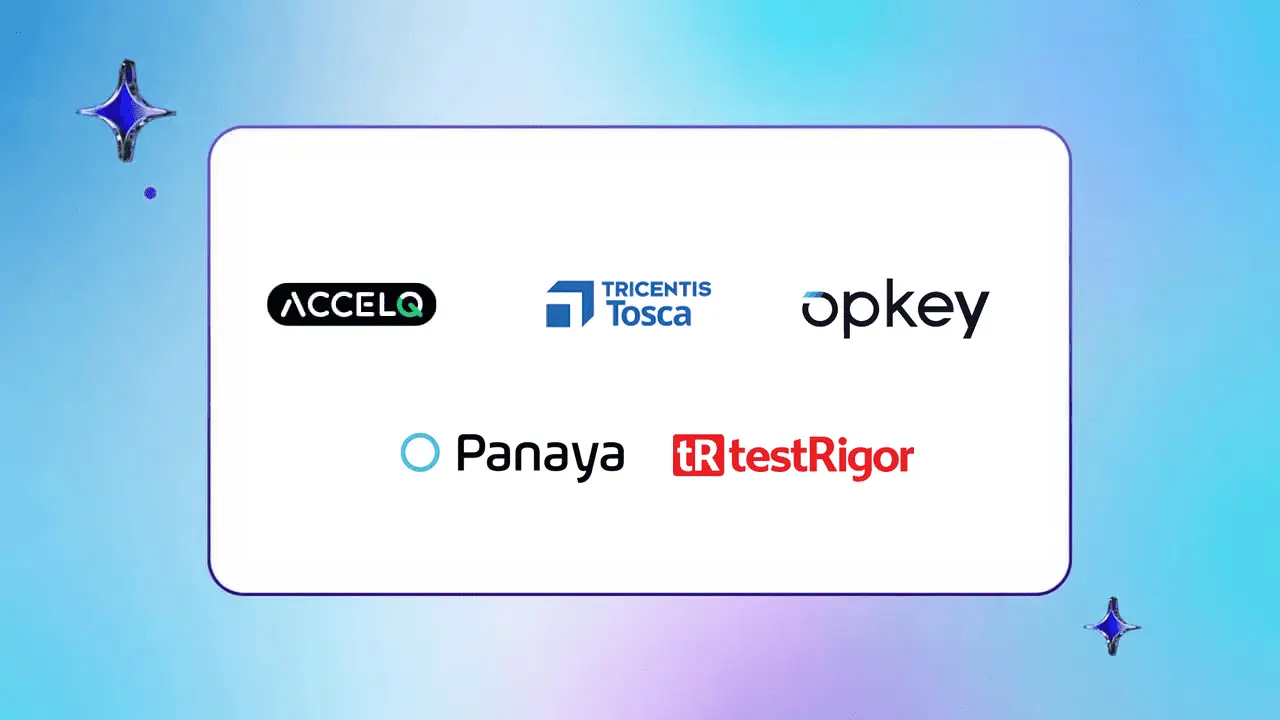
Worksoft comparisons default to feature checklists, but the real fork is which specific problem is driving the search: cross-layer sprawl once SAP, web, mobile, and API tools stop sharing data; release cadence outpacing one-script-at-a-time capture-replay fixes; an upcoming SAP, Oracle, or Workday migration needing change-impact visibility; or a team that needs to write and own tests without routing through automation engineers. That trigger, not a spec table, should drive the choice.
- Diagnose the Real Trigger: Teams don’t leave Worksoft for being weak at SAP. They leave once the landscape outgrows SAP-only, maintenance can’t keep pace with releases, a migration lands on the calendar, or ownership needs to shift to business analysts.
- Match the Fix to the Stage: Tricentis Tosca fits SAP-centric teams needing model-based maintenance; Opkey and Panaya target migration-specific change tracking, one calendar-driven, one production-log-driven; TestRigor fits teams prioritizing plain-English ownership over SAP depth.
- Consider a Unified Platform When Problems Stack: ACCELQ covers the stage the other four weren’t built for, testing SAP, web, mobile, and API in one natural-language workflow with AI-driven self-healing, once the landscape has genuinely outgrown a single-system tool.
The SAP-Only Baseline: When Worksoft Hasn’t Failed You Yet
For a centralized QA team running a genuinely SAP-dominant landscape (80 percent or more SAP) on a stable, quarterly release cycle, Worksoft still holds up. The accelerator library covers common ERP workflows out of the box, the SAP Solution Manager integration is mature, and a capture-replay model works fine when the same handful of business processes get re-tested every release without much else changing underneath them.
Organizations with deep existing investment in Worksoft accelerators, or teams where audit and compliance requirements favor a long-established, enterprise-proven platform over a newer one, don’t have a Worksoft problem yet. The rest of this only applies once one of the next scenarios hits.

Worksoft Alternatives Compared
| Tool | Best Fit Trigger | SAP Depth | Beyond SAP (Web/Mobile/API) | Entry Point (Annual) |
|---|---|---|---|---|
| ACCELQ | Cross-layer sprawl (SAP + web + mobile + API) | Strong, natural-language authored | Full coverage, browser-based | Varies by seat/module |
| Tricentis Tosca | Maintenance speed outpacing capture-replay | Deepest native SAP coverage (ECC, S/4HANA, Fiori, BTP, SuccessFactors) | Limited; desktop-adjacent | ~$150,000 to $200,000 |
| Opkey | Upcoming ERP migration or patch | Strong; 30,000+ pre-built SAP cases | ERP-only (SAP, Oracle, Workday) | ~$100,000 to $150,000 |
| Panaya | Migration coverage from real usage data | Strong; generated from production logs | ERP-only | ~$75,000 to $125,000 |
| TestRigor | Non-technical test ownership | Functional but shallow; no pre-built accelerators | Full coverage, plain-English authored | ~$30,000 |
If you’re evaluating Worksoft alternatives in 2026, the short answer is that the right one depends on which specific problem is forcing the search:
- ACCELQ: best when the landscape has stopped being SAP-only and now spans web, mobile, and API layers Worksoft was never built to reach.
- Tricentis Tosca: best when release cadence has outpaced capture-replay maintenance, but the estate is still SAP-centric.
- Opkey: best when a specific SAP, Oracle, or Workday migration or patch is on the calendar and change-impact analysis is the priority.
- Panaya: best for the same migration moment, when coverage needs to reflect actual production usage rather than scripted assumptions.
- TestRigor: best when the real constraint is who’s allowed to write a test, not how deep the SAP library goes.

When the Landscape Stops Being SAP-Only: Cross-Layer Test Coverage
Sooner or later, most enterprise QA teams stop running a pure SAP stack. A customer web portal shows up in Selenium. A field-service mobile app shows up in Appium. An integration layer needs API checks nobody’s tool quite covers. Each addition is reasonable on its own, and the sum is three or four toolchains that don’t share test data, reporting, or a common maintenance model: the exact tool sprawl a single platform was supposed to prevent in the first place.
ACCELQ is built for this specific moment rather than for staying inside SAP more efficiently. It runs entirely in the browser and covers SAP alongside web, mobile, and API testing from one interface, with tests authored in natural language instead of capture-replay-plus-script-logic.
Walk one real scenario through it end to end: a vendor invoice arrives through an API integration, gets keyed into SAP for three-way matching, routes to a manager for approval on the customer-facing web portal, and triggers a mobile push notification to the field technician once it clears. In a fragmented toolchain, that’s four separate scripts in four separate tools, none of which share the invoice ID or the approval state between steps.
In ACCELQ, it’s a single scenario with shared test data across every layer: the API call, the SAP data entry, the web approval, and the mobile notification all verified in one continuous flow, with one shared source of truth forl pass/fail. When the approval screen’s layout shifts, AI-driven self-healing adapts the test automatically instead of leaving it broken until someone re-records it.
The trade-off: test creation needs an internet connection, and a fully codeless model takes some adjustment for senior automation engineers used to script-level control. It fits a mixed workload best, something like 60 percent SAP and 40 percent everything else, more than a shop that’s still genuinely SAP-only.
See the direct ACCELQ vs Worksoft comparison if one of those is the specific system driving the decision.
When SAP Release Cadence Outpaces Capture-Replay Maintenance
SAP releases accelerate, Fiori screens get touched more often, and a capture-replay test that breaks has to be re-recorded individually, one script at a time. A Tricentis-commissioned industry survey found test case maintenance ranks among the top areas QA leaders want AI to address [External Link: Tricentis AI in testing survey], and the reason is structural: any tool that fixes tests one at a time falls behind a release cadence that keeps climbing.
Tricentis Tosca answers this specific problem without asking a team to leave the SAP-grade, enterprise-compliance world Worksoft lives in. For teams staying inside SAP, its native coverage across ECC, S/4HANA, Fiori, BTP, and SuccessFactors is among the most extensive of the enterprise-legacy platforms, paired with risk-based test selection that flags which tests actually need to run based on what changed in the build. The mechanism that matters most: Tosca is model-based, so a single update to a reusable component propagates the fix to every dependent test automatically, instead of a person re-recording each broken script by hand.
However, Tosca remains desktop-adjacent, professional services are typically part of onboarding, and licensing favors long-term enterprise deals, often $150,000 to $200,000 annually for a mid-sized deployment. If the actual complaint is cost and agility rather than maintenance mechanics, this stage’s answer won’t fix it, and it’s worth reading about what drives test automation maintenance costs before committing to another enterprise license.
When an Upgrade or Migration Forces the Question
Everything above is gradual. This one isn’t. An S/4HANA migration, a major patch, or a quarterly update lands on the calendar, and the real question stops being “how do we maintain tests” and becomes “how do we know what this specific change breaks, before it ships.”
Opkey is built for exactly that moment: cloud-based, focused specifically on Enterprise Resource Planning (ERP) systems including SAP, Oracle, and Workday, running change-impact analysis proactively when a patch lands, scanning the suite and flagging what needs updating before tests even run. More than 30,000 pre-built SAP test cases cut initial setup time by an estimated 60 to 70 percent. It typically sells as a managed service, roughly $100,000 to $150,000 annually for a mid-sized SAP setup.
Panaya, now an Infosys subsidiary, solves a related but distinct version of the same event. It auto-generates test cases directly from actual SAP production logs, so coverage reflects what the business really does during a migration rather than what a tester happened to script from memory. It’s built for business process owners as much as QA engineers, with subscription pricing around $75,000 to $125,000 annually depending on landscape complexity.
Both share the same limitation: ERP-only. Neither reaches web, mobile, or custom microservices, so this stage solves the migration problem specifically, not the cross-layer coverage problem covered two sections back. For a broader view of how these tools stack up across ERP systems generally, see this comparison of ERP test automation tools.
The Team That Skips All of This: Ownership Over Depth
Business analyst-led QA teams replace Worksoft for a different reason entirely: they need to write and own tests themselves, not route everything through automation engineers.
TestRigor is the answer for that team, regardless of where they sit on the timeline above. Tests are written in plain English: “click the Submit Purchase Order button,” “enter John Doe in the Vendor Name field,” interpreted at runtime with no object repository and no element IDs underneath for a UI change to break. Business analysts write tests with no training, across web, mobile, desktop including SAP GUI, and APIs, without the tool being SAP-specific.
The cost: SAP coverage is functional but shallow. TestRigor navigates SAP GUI and Fiori fine, but it lacks the pre-built libraries Worksoft or Tosca carry for something like three-way invoice matching or multi-step approval chains; those get built from scratch. Pricing starts around $30,000 annually, the lowest entry point of everything covered here.
The same “no locators, plain language” idea shows up in ACCELQ too, but without TestRigor’s SAP trade-off. Business analysts get the same plain-language ownership, backed by pre-built SAP and cross-layer coverage TestRigor doesn’t carry. TestRigor remains the right call for a team that wants ownership and nothing more, no SAP depth, no cross-layer reach. For every other team in this position, that’s a trade-off ACCELQ doesn’t ask them to make.
SUGGESTED READ - Scriptless Test Automation | What, Why It Matters & Examples
Finding Your Spot on This Timeline
Three questions that will help:
- Is SAP still 80 percent or more of the estate, on a stable quarterly cycle?If yes, Worksoft is probably still the right tool, not a problem to solve.
- Is the pain cross-layer coverage, maintenance speed, or a specific upcoming migration?Each has a different answer above, and they’re not interchangeable. A team that adopts ACCELQ for cross-layer coverage isn’t buying migration-specific change tracking, and a team that adopts Tosca to fix maintenance won’t gain coverage beyond SAP.
- Is the constraint who can write a test, more than which stage the landscape is in?If so, the timeline above doesn’t apply. TestRigor answers a different question entirely.
Making the Call
Worksoft isn’t the wrong tool. For a genuinely SAP-only team on a stable release cycle, it’s still the right one. The problem starts once the landscape grows past that: the alternatives above don’t compete with each other; they answer four different questions. Cross-layer coverage (ACCELQ), maintenance speed (Tricentis Tosca), an upcoming migration (Opkey or Panaya), and test ownership (TestRigor). The useful move isn’t picking the alternative with the deepest SAP library. It’s identifying which of these problems is actually driving the search, then choosing the tool built for that specific stage.
See how ACCELQ handles SAP alongside web, mobile, and API testing in one workflow, or talk to the ACCELQ team about your specific landscape.
FAQ's
What are the best Worksoft alternatives in 2026?
The best alternative depends on what you are optimizing for. Tricentis Tosca fits teams needing deep SAP coverage with enterprise compliance requirements. ACCELQ is better suited for testing across SAP, web, mobile, and APIs. Opkey helps with ERP change management, Panaya focuses on SAP migrations, and TestRigor fits teams prioritizing speed and ease of use over SAP depth.
What is Worksoft and how does it help in automation testing?
Worksoft Certify is a desktop-based test automation platform designed for packaged enterprise applications, primarily SAP and Salesforce. It uses a capture-replay approach where recorded workflows are converted into repeatable automated tests.
What are the benefits of using Worksoft for automation testing?
For centralized QA teams operating in SAP-heavy environments, Worksoft provides deep native SAP GUI and Fiori support, a large accelerator library for common ERP workflows, and SAP Solution Manager integration that few general-purpose tools provide.
How does Worksoft compare to ACCELQ?
Worksoft is a desktop-client-era, SAP-first platform built for centralized teams and longer release cycles. It provides strong SAP depth but can create challenges around agility, desktop dependencies, and manual test updates. ACCELQ is cloud-native and full-stack, combining SAP, web, mobile, and API testing in one platform with AI-driven maintenance. The trade-off is that ACCELQ does not carry the same 15 years of pre-built SAP content that Worksoft has, and teams may spend time recreating core SAP scenarios before achieving cross-layer testing in a single workflow.
Is there a codeless test automation alternative to Worksoft?
ACCELQ and TestRigor are both codeless alternatives to Worksoft. They allow business analysts and QA teams to create and maintain tests without routing complex automation work through developers. This differs from Worksoft's capture-replay model, which still relies on underlying script logic.
What are Worksoft's main web application testing limitations?
Worksoft was designed primarily for packaged applications such as SAP and Salesforce rather than general web application testing. Teams often add Selenium or similar frameworks separately to cover customer-facing web portals because Worksoft does not provide native coverage for that layer.




You Might Also Like:
 Top 6 Functionize Alternatives for QA Teams (2026)
Top 6 Functionize Alternatives for QA Teams (2026)
 Healthcare Test Automation with ACCELQ
Healthcare Test Automation with ACCELQ
 TestOps: Implementation & Quality