







8 ServiceNow Testing Tools, Ranked by Upgrade Maintenance Overhead (2026)
The quarterly upgrade landed three days ago. Your team’s regression suite is showing dozens of failures. Before those results mean anything, someone needs to investigate every single one to determine which are genuine defects and which are just locators that broke because the upgrade regenerated the element IDs. That investigation takes two engineers two days, every single quarter.
ServiceNow’s nested iframes, dynamic object IDs, and quarterly releases reliably break frameworks built for standard web applications. When teams choose tools built for ServiceNow’s architecture, they maintain sustainable coverage; however, general-purpose frameworks trap them in a maintenance cycle that compounds with every release.
- Understand Why ServiceNow Breaks Standard Tools: Dynamic object IDs, nested iframes, and quarterly releases expose the limits of static locators. Most teams hit this inflection point twelve to eighteen months in, after a release exposes it.
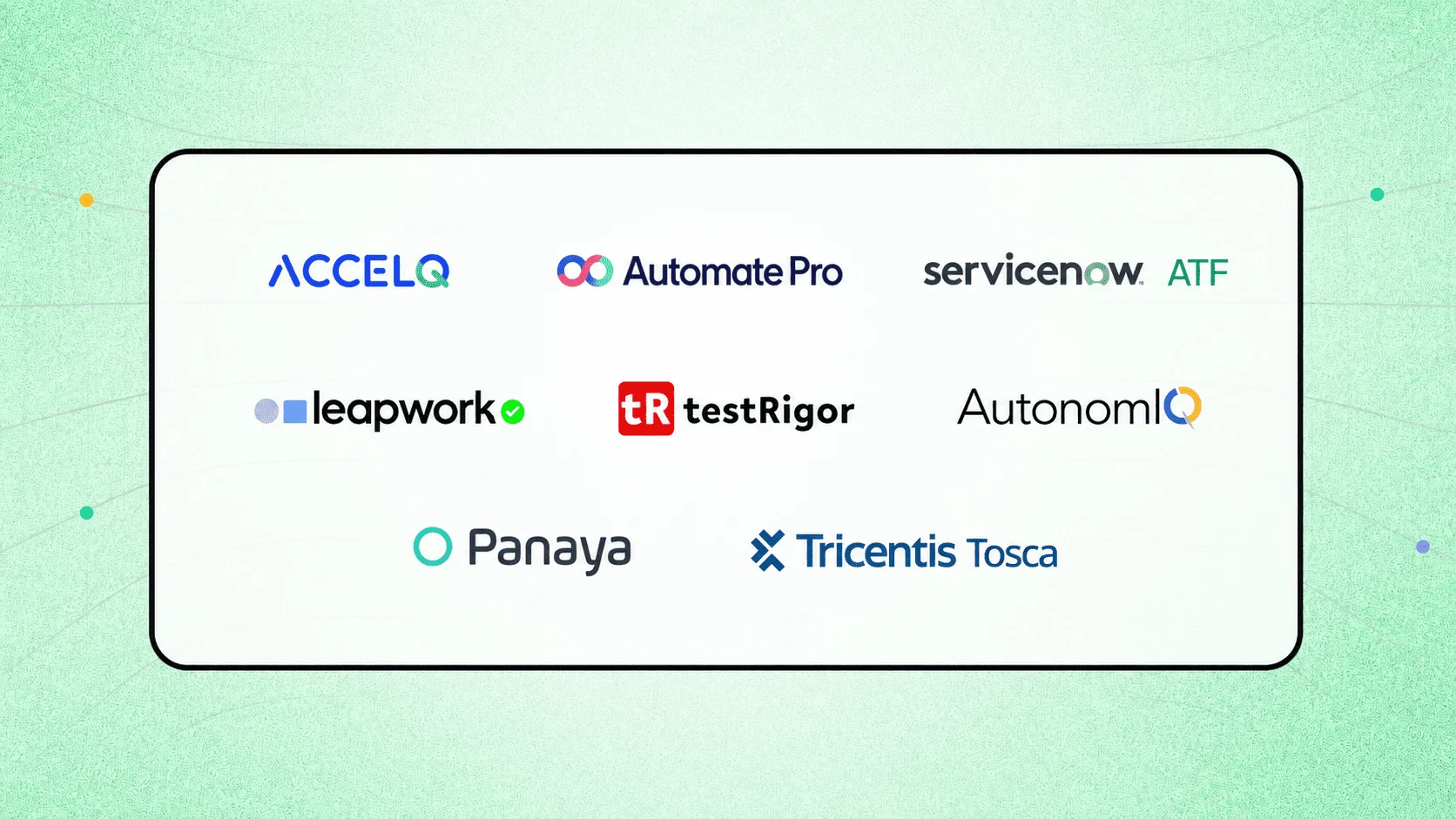
- Match the Tool Type to Your Team’s Needs: AI-powered codeless platforms (ACCELQ, AutonomIQ) eliminate maintenance through self-healing; platform-native tools (Automate Pro, ATF) run inside ServiceNow; visual no-code tools (Leapwork, TestRigor) serve business analysts; enterprise validation tools (Panaya, Tosca) cover UAT and compliance.
- Evaluate Tools Against Six Criteria Before Comparing Features: Release alignment, object model handling, codeless authoring, cross-module coverage, test management and traceability, and enterprise scalability. ATF starts teams on standard configurations; ACCELQ is the strongest path for multi-module enterprise implementations without scripting resources.
Most ServiceNow tool comparisons present a generic feature matrix. This one starts with what breaks. ServiceNow’s nested iframes, dynamically generated object IDs, and cross-module workflow dependencies reliably expose the limits of frameworks designed for standard web applications.
The 8 best ServiceNow testing tools for enterprise teams in 2026. including ACCELQ, Automate Pro, ServiceNow ATF, and Leapwork, are evaluated below on a single criterion: whether the tool is built for ServiceNow’s specific architecture, or whether it is a general-purpose framework that forces you into an endless maintenance cycle.
- 5 Challenges that Break ServiceNow Application Testing
- 8 ServiceNow Testing Tools Compared: Which One Fits Your Team?
- The 4 Types of ServiceNow Testing Tools (And When to Use Each)
- Our Evaluation Criteria for Sustainable Automation
- AI-Powered Codeless Automation
- Platform-Native Testing
- Visual and Plain-Language No-Code
- Enterprise Validation and Compliance
- Buyer’s Guide: Matching Tools to Your QA Team’s Skill Level
- What ServiceNow Testing Actually Costs: The 12-to-18-Month Maintenance Trap
- ATF Deep Dive: Where It Excels (and Where It Requires Third-Party Help)
- Advanced Automation: Handling APIs, RPA, and Cross-Platform Workflows
- Testing ServiceNow API Requests: What the Right Tool Needs to Cover
- Conclusion
5 Challenges that Break ServiceNow Application Testing
Most enterprise platforms have quirks that make automation harder. ServiceNow platform testing occurs together in ways that tools not specifically designed for the platform.
-
Nested iframes: ServiceNow renders much of its interface inside nested iframes. Tools that locate elements using standard CSS or XPath selectors lose context when crossing iframe boundaries. Without specific handling for this structure, tests fail intermittently and the failures are hard to diagnose.
-
Dynamic object IDs: ServiceNow generates many object IDs dynamically at runtime. A locator that worked during test recording may not match what the platform generates during test execution, or what it generates after a release update. Tools that rely on static locators break frequently without a mechanism to handle this variability.
-
Quarterly release cadence: Four major releases per year means four regression cycles where existing test scripts may break if the tool’s object handling is not updated to match what ServiceNow changed. For tools that maintain release alignment manually, each quarterly update is a maintenance event. For tools that do it automatically, it is not.
-
Cross-module workflow dependencies: Business processes in ServiceNow rarely stay within a single module. An incident in ITSM may trigger a task in HRSD. A customer case in CSM may initiate an approval chain that touches ITOM. Testing each module in isolation misses the integration failures that only appear when workflows cross boundaries.
-
API and integration testing complexity: ServiceNow exposes REST and SOAP APIs that power integrations with external systems. These APIs use ServiceNow-specific authentication patterns, sys_id references, and data model conventions that require more than generic API testing knowledge. Tools that understand the ServiceNow data model natively handle this significantly better than those that treat ServiceNow as a standard REST endpoint.
These five challenges are the baseline filter for evaluating any ServiceNow testing tool. A tool that cannot address all of them reliably will create ongoing maintenance work that outweighs whatever it saves in manual testing time.
SUGGESTED READ - How ACCELQ is The Best Automation Tool for Automating ServiceNow?
8 ServiceNow Testing Tools Compared: Which One Fits Your Team?
| Tool | Best For | ServiceNow Coverage | Codeless |
|---|---|---|---|
| ACCELQ | Enterprise multi-module testing, no coding required | Official partner, full platform coverage across ServiceNow, web, API, and mobile | Yes |
| AutomatePro | Upgrade validation and compliance documentation | Runs natively inside the Now Platform | Partial |
| ATF | Out-of-box forms and basic workflow testing | Built into the Now Platform | Yes |
| Leapwork | Visual automation for regulated industries | Cross-platform support including ServiceNow | Yes |
| TestRigor | Plain English test creation for business analyst-led QA | Web and mobile ServiceNow coverage | Yes |
| AutonomIQ | Frequent upgrades and autonomous maintenance | Self-healing automation for ServiceNow changes | Partial |
| Panaya | UAT, formal change management, and audit evidence | Pre- and post-implementation validation | Partial |
| Tricentis Tosca | Enterprises already using Tricentis and model-based testing | Codeless model-based full coverage | Yes |
Note: All enterprise pricing is contact-based. ServiceNow ATF is the only tool included free with the Now Platform.
The 4 Types of ServiceNow Testing Tools (And When to Use Each)
The 8 tools in this guide fall into four categories based on architecture and primary use case.
-
AI-Powered Codeless platforms: (ACCELQ, AutonomIQ) eliminate maintenance overhead through self-healing and automated object updates.
-
Platform-Native tools: (Automate Pro, ATF) run inside ServiceNow and require no external connection.
-
Visual and Plain-Language No-Code tools: (Leapwork, TestRigor) make test authoring accessible to business analysts without scripting.
-
Enterprise Validation tools: (Panaya, Tricentis Tosca) serve UAT, compliance, and model-based testing for organizations with formal change management requirements.
Our Evaluation Criteria for Sustainable Automation
The 8 tools in this guide were selected based on three criteria: active development with meaningful updates in the past 12 months, verified adoption among enterprise ServiceNow teams, and coverage of the main use cases that come up in ServiceNow testing tools and evaluations, including upgrade validation, regression automation, UAT documentation, and cross-module business process testing.
Each tool was assessed using publicly available documentation, community resources, and verified user feedback from G2 and similar platforms. Pricing information reflects what was publicly available as of early 2026. No vendor paid for placement. Where a specific tool is recommended for a scenario, that recommendation is based on feature fit for that situation.
AI-Powered Codeless Automation
Tools that eliminate maintenance overhead through self-healing object libraries and automated test updates, so that quarterly ServiceNow releases stop being manual repair events.
1. ACCELQ: Best for Low-Code Teams Suffocating Under Upgrade Maintenance

Integration Depth: Official Store Partner | Architecture: SaaS-native, Cross-Platform Engine
Let’s bypass the marketing taxonomy: ACCELQ is not a dedicated ServiceNow utility; it is a heavyweight enterprise test automation platform. It sits at the top of this list for one specific reason: it is the most viable path forward if you have zero software engineers on your QA team but are expected to test a sprawling, highly customized ServiceNow footprint. If your instance is relatively vanilla or you have developer resources to burn, buying a platform of this scale is massive overkill. Take a look at ATF or Leapwork instead.
The reality of low-code testing tools is that they usually just hide raw Selenium scripts under a fragile visual layer. ACCELQ is different because it targets the root cause of ServiceNow test failure: the platform’s nested iFrames, dynamic element IDs, and changing DOM structures. Instead of relying on static XPath locators that disintegrate during every quarterly upgrade, it maps ServiceNow elements abstractly. When an upgrade alters element attributes, the tool’s backend adjusts the pointers automatically.
Because it is an official partner, these object mappings are updated before the ServiceNow upgrade hits your sub-production instances. It effectively moves the post-release scramble off your plate and onto theirs.
What it Does Well:
- Low-Code Authoring: Business analysts can map out end-to-end workflows visually without secretly needing a developer to bail them out with custom JavaScript blocks.
- Pre-baked ServiceNow Elements: The platform includes pre-built object models for standard modules (ITSM, HRSD, CSM), meaning you aren’t building your regression suite from absolute scratch.
- Cross-Application Workflows: It can track a transaction when it leaves ServiceNow, following it through an API call, an external database update, or a legacy web portal and test the entire chain in a single pass.
- Regression Trimming: Instead of mindlessly running a 1,000-test suite every time a minor patch is deployed, it uses impact analysis to run only the tests touching altered code blocks.
Best for: Enterprise QA teams running multi-module ServiceNow implementations without scripting resources. Organizations where test maintenance overhead is a recurring budget and capacity problem. Teams that need web, API, and cross-module coverage from a single enterprise test automation platform for ServiceNow.
Pricing: Contact ACCELQ directly.
| Strengths | Limitations |
|---|---|
| 100% codeless: no scripting or developer support required for test authoring | Enterprise pricing on request; no public self-service pricing available |
| Official ServiceNow partner: object library stays current with every platform release | ServiceNow Universe requires an initial configuration session to map your specific instance |
| ServiceNow Universe delivers pre-built regression coverage across modules | Platform depth is oriented toward enterprise multi-module implementations; smaller deployments may not need all capabilities |
| AI self-healing adapts tests to UI and object changes without manual intervention | – |
| Web, API, and mobile testing in one platform eliminates the need for a separate API testing layer | – |
| Native CI/CD connectors keep regression tests embedded in the release pipeline | – |
2. AutonomIQ

AutonomIQ is built around a specific and well-defined problem: the maintenance overhead of keeping test artifacts current across frequent ServiceNow upgrades and feature additions. Rather than requiring QA engineers to manually update test scripts after each release, AutonomIQ generates test scripts and test data automatically at the time of code commit and modifies them as the ServiceNow environment changes.
The integration point with the development workflow is tighter than most tools on this list. Tests are generated and updated as part of the commit process, which means testing happens continuously rather than in batches at the end of a development cycle. For organizations where leaving testing until just before release creates bottlenecks and last-minute scrambles, moving it upstream to the commit stage is a structural improvement in how the team works.
What it does well:
- Automatic test script and data generation at commit time, removing the manual scripting overhead from the QA cycle
- Self-healing test artifacts track and adapt to ServiceNow environment changes without manual updates
- Domain-specific AI designed for ServiceNow’s object patterns rather than generic web automation logic
- Issue tracker integration connects defect-based planning to FogBugz and other defect management tools
- Continuous testing integrated into the developer commit workflow rather than treated as a separate phase
Best for: Organizations with frequent ServiceNow upgrades where manual test maintenance overhead is the primary problem.
Pricing: Contact AutonomIQ for pricing.
| Strengths | Limitations |
|---|---|
| Autonomous test artifact generation removes manual scripting from the QA process | Significant setup investment before the autonomous approach delivers full value |
| Self-healing adapts test assets to ServiceNow environment changes without manual intervention | Team learning curve to adapt to autonomous testing as a working model |
| Domain-specific AI understands ServiceNow object patterns rather than applying generic logic | Complex customized workflows may still require periodic manual test maintenance |
Platform-Native Testing
Tools that run inside the Now Platform with direct access to ServiceNow metadata and workflows, requiring no external connection or separate environment to configure.
3. Automate Pro

Automate Pro runs natively inside ServiceNow as an application on the Now Platform. That architectural choice gives it direct access to ServiceNow metadata, workflows, and the platform data model without needing an external connection or API bridge. For organizations where keeping testing tooling inside the ServiceNow ecosystem is a governance or security requirement, the native architecture removes a procurement and integration barrier.
Its AutoTest module is designed specifically for upgrade validation: running thousands of test scenarios in hours to confirm that a new ServiceNow release has not broken existing workflows. That scope of validation is what organizations with complex implementations need before approving a release for production, and running it manually would require significantly more time and people.
What it does well:
- Runs natively inside ServiceNow with direct access to platform metadata and workflows
- AutoTest validates thousands of upgrade scenarios in hours, making full regression cycles practical before each release
- AutoDoc generates version-controlled audit documentation automatically as testing runs
- Generative AI test creation from plain language requirements, reducing the scripting barrier
- AutoMonitor provides continuous performance monitoring after deployment, not just during testing cycles
- AutoPlan links requirements to test cases for full traceability from specification through to test outcome
Best for: organizations that want ServiceNow testing running natively inside the Now Platform.
Pricing: Contact Automate Pro for pricing.
| Strengths | Limitations |
|---|---|
| Native Now Platform architecture: direct metadata access with no external connection required | Advanced features across all five Auto modules require meaningful onboarding time |
| AutoTest validates thousands of upgrade scenarios in hours | Limited integration with third-party tools outside the ServiceNow ecosystem |
| AutoDoc generates audit-ready compliance documentation automatically | Large-scale test runs require proportionate system resources on the Now Platform |
4. ServiceNow Automated Test Framework (ATF)

ServiceNow ATF is the native test automation capability included with every Now Platform license. It requires no additional procurement, runs inside the platform using the same data model as the rest of ServiceNow, and comes with over 600 pre-built test templates covering standard workflows and form configurations.
For teams beginning their ServiceNow automation journey, ATF provides a genuine foundation. Reusable test steps reduce the effort of building regression coverage from scratch. Single-click suite execution makes running tests accessible to team members who are not technical specialists. The native platform integration means there is no external vendor to manage, no additional credentials to maintain, and no separate environment to keep in sync.
What it does well:
- Free with the Now Platform at all licensing tiers: no additional procurement or licensing cost
- Over 600 pre-built test templates covering standard ServiceNow workflows and form configurations
- Native platform integration using the ServiceNow single data model
- Reusable test steps reduce repetition when building regression coverage across releases
- Parallel test execution available for teams that need faster regression cycle times
Best for: Teams starting out with ServiceNow testing, working primarily with standard out-of-the-box configurations.
Pricing: Free, included with the Now Platform at every licensing tier.
| Strengths | Limitations |
|---|---|
| Free with the Now Platform: no additional budget required | Tests must run in a local browser; running at scale in an automated release process requires additional setup |
| Over 600 pre-built test templates for standard workflow coverage | Coverage is strongest for forms and out-of-the-box workflows; complex customizations are a significant limitation |
| Native platform integration and single data model access | Sequential test execution: each test waits for the previous one before starting |
Visual and Plain-Language No-Code
Tools that make ServiceNow test authoring accessible to business analysts and non-technical QA contributors through visual flowcharts or plain English, with no scripting required.
5. Leapwork

Leapwork builds automation through a visual flowchart interface rather than through scripting. Teams connect blocks representing actions and logic rather than writing code, which makes ServiceNow test authoring accessible to QA analysts and business users who are not developers. For organizations where the scripting requirement has consistently blocked automation adoption, the visual approach removes that barrier without requiring a codeless SaaS platform built specifically for ServiceNow.
The NLP-based self-healing capability provides resilience against application changes. When ServiceNow objects shift between releases, the intelligent text recognition adapts to what changed rather than requiring a manual locator update. For teams that have experienced the maintenance cycle of scripted automation breaking after every release, this is a meaningful operational difference.
What it does well:
- Fully visual no-code test authoring accessible to non-technical QA analysts and business users
- NLP self-healing adapts tests to ServiceNow object changes between releases without manual locator updates
- Tamper-proof audit logs and compliance dashboards for regulated industry requirements
- Cross-platform coverage using the same visual approach across browsers, devices, and ServiceNow
- Reusable test components reduce duplication across different ServiceNow testing scenarios
Best for: Teams that want a visual no-code approach to ServiceNow automation.
Pricing: Contact Leapwork for pricing.
| Strengths | Limitations |
|---|---|
| Fully visual no-code interface accessible to non-technical team members | Test execution on remote agents can be slow for large regression suites |
| NLP self-healing provides resilience against ServiceNow object changes | Test data from Excel spreadsheets creates reliability issues in some scenarios |
| Compliance-grade audit logs and tamper-proof test evidence for regulated industries | Reporting depth is limited compared to dedicated test management platforms |

6. TestRigor

TestRigor lets teams write ServiceNow tests in plain English. A test step reads like a sentence: describe what the user does, and TestRigor executes it. A Chrome plugin records live interactions with ServiceNow and converts them into natural language steps, which means teams can capture a workflow once and have an automated test ready to run without any scripting or selector configuration.
The practical value for business analysts is clear. QA work in many organizations sits with people who deeply understand the business processes being tested but do not write code. TestRigor makes those people capable of authoring, maintaining, and extending automated tests without needing a developer to translate their knowledge into a scripting framework. That changes who can participate in the testing process, not just how fast it runs.
What it does well:
- Plain English test authoring: the most accessible approach for business analysts and non-technical QA contributors
- Chrome plugin records live ServiceNow interactions and converts them to natural language test steps
- Parallel test execution across browsers and devices for faster regression cycles
- Video recording of test execution for detailed defect analysis on complex workflows
- Web and mobile ServiceNow coverage in a single platform
Best for: Organizations where business analysts and non-technical QA contributors need to author and maintain ServiceNow tests without scripting support.
Pricing: Contact TestRigor for pricing.
| Strengths | Limitations |
|---|---|
| Plain English test authoring: most accessible approach for non-technical contributors | Fewer pre-built integrations than competing ServiceNow testing tools |
| Chrome plugin accelerates test creation from live ServiceNow recordings | Complex data dependency scenarios push against the limits of the plain English approach |
| Parallel execution across browsers and devices | Advanced configuration has a real learning curve despite the accessible surface |
Enterprise Validation and Compliance
Tools focused on formal UAT documentation, audit evidence, requirements traceability, and model-based testing for organizations where compliance sign-off is as important as coverage.
7. Panaya

Panaya focuses on a part of the ServiceNow testing lifecycle that many automation platforms overlook: user acceptance testing as a formal organizational process with documented evidence requirements, not just a QA phase that happens before release. Its real-time UAT dashboards, automated test evidence collection, and traceability from requirements through to test outcomes make it well-suited to organizations where UAT is a governance deliverable rather than an internal QA milestone.
Requirements traceability links test cases to business requirements throughout the testing lifecycle. For post-go-live audits and for demonstrating to regulators that changes were properly validated before deployment, that traceability is the documented record that makes compliance reviews manageable rather than months of reconstruction work.
What it does well:
- Automated test evidence capture records screenshots, step outcomes, and reviewer actions throughout the UAT lifecycle
- Real-time UAT dashboards give business stakeholders visibility into progress without status meetings
- End-to-end requirements traceability links test cases to business requirements from specification through to outcome
- Pre and post-implementation validation confirms ServiceNow configurations before and after deployment
- Detailed audit trail supports formal change management approval processes and post-deployment compliance reviews
Best for: organizations with formal change management processes that require documented UAT evidence before ServiceNow go-live.
Pricing: Contact Panaya for pricing.
| Strengths | Limitations |
|---|---|
| Automated test evidence collection with traceable audit documentation throughout UAT | UI navigation can be confusing and inefficient, particularly for new users |
| Real-time dashboards give business stakeholders clear UAT progress visibility | Learning curve is steeper than the UAT-focused positioning suggests |
| End-to-end requirements traceability from specification through to test outcome | Limited integration with automated testing tools and external platforms |
8. Tricentis Tosca

Tricentis Tosca brings a model-based approach to ServiceNow testing. Rather than writing scripts, teams build visual test models that represent the workflows being validated. Those models generate executable tests that run across the full ServiceNow workflow surface. The approach reduces scripting overhead while maintaining the coverage depth that enterprise implementations require.
Centralized test management gives teams a single view of coverage, release readiness, and defect linkage across all ServiceNow workflows. For enterprise QA teams where testing is distributed across multiple teams and modules, tracking where coverage gaps exist before a release is a meaningful planning advantage. Approaching a release decision with clear data on what has and has not been tested is different from approaching it with an estimate.
What it does well:
- Model-based codeless approach enables end-to-end workflow test development without scripting
- Centralized test management tracks coverage, release readiness, and defect linkage across all ServiceNow workflows
- ServiceNow application performance monitoring and scalability validation integrated into the testing suite, no separate tool required
- Data integrity verification across ServiceNow workflows and third-party integrations
- AI-driven locators and smart groups adapt to ServiceNow interface changes between releases
- Strong fit for enterprises already invested in Tricentis for SAP or other enterprise platforms
Best for: organizations that need centralized test management across multiple enterprise application portfolios, alongside ServiceNow.
Pricing: Contact Tricentis for pricing.
| Strengths | Limitations |
|---|---|
| Model-based codeless approach for rapid ServiceNow test development | Substantial initial model-building investment before coverage is established |
| Centralized test management with release readiness tracking across all modules | ServiceNow’s quarterly release cadence can complicate model maintenance |
| Performance and scalability validation built into the testing suite | Complex customized scenarios may still require manual test case maintenance |

Buyer’s Guide: Matching Tools to Your QA Team’s Skill Level
Feature lists are easy to compare. The harder question is which features are relevant to your team’s actual situation. These six criteria cut through most of the noise in a ServiceNow testing tool evaluation.
| Criteria | What to Look For | Why It Matters |
|---|---|---|
| Release alignment | Does the tool update automatically with each ServiceNow quarterly release, or does your team need to intervene manually after each drop? | Manual post-release updates create a recurring maintenance cycle. On a four-release annual cadence, that cost compounds quickly. |
| Object model handling | Can the tool reliably locate and interact with nested iframes, dynamic object IDs, and embedded ServiceNow components? | Generic tools break here. ServiceNow’s object model is distinctive enough that tools built for standard web applications fail repeatedly without custom engineering. |
| Codeless test authoring | Can a non-technical QA analyst or business user build a test for a multi-step workflow without writing any code? | Scripting requirements stall adoption when development resources are unavailable or overcommitted to delivery work. |
| Cross-module coverage | Does the tool follow a business process across multiple ServiceNow modules or does it test each module in isolation? | Integration failures between modules only surface in production if testing does not cross module boundaries. Verify this with a live demo. |
| Test management and traceability | Does the ServiceNow test management capability let you trace test cases to requirements, plan regression scope by risk, and generate release readiness reports? | Testing without traceability creates audit gaps and makes release go/no-go decisions harder to justify to stakeholders. |
| Enterprise scalability | Does it support parallel execution, reusable test assets across multiple environments, and role-based access for distributed teams? | Single-module testing at low volume is manageable manually. Enterprise scale needs infrastructure that handles speed, volume, and team complexity. |
Before talking to any vendor, get clear answers to these questions internally:
- Does the tool update its object library automatically with each ServiceNow quarterly release, or does your team need to investigate and fix breakage after each drop?
- Can it handle ServiceNow-specific objects reliably: nested iframes, dynamic IDs, embedded components?
- Can non-technical QA team members create and maintain tests without scripting?
- Does it cover cross-module business process testing, or is coverage limited to individual modules tested in isolation?
- Does it provide test management capabilities including traceability, risk-based planning, and release readiness reporting, or is it test execution only?
- Have you seen it demonstrated on a workflow that resembles your actual ServiceNow use case, not a simplified demo scenario?
What ServiceNow Testing Actually Costs: The 12-to-18-Month Maintenance Trap
Licensing cost gets most of the attention in tool evaluations. Three other cost categories are consistently underestimated, and they can exceed the licensing fee within a single release year.
Test Maintenance Overhead
Scripted test suites do not maintain themselves. QA teams running scripted ServiceNow test frameworks typically spend 30 to 40 percent of their time maintaining existing tests rather than building new coverage. Each quarterly ServiceNow release, each configuration change, and each custom application update creates breakage that someone has to go fix manually. At enterprise scale this is not a minor inconvenience. It is a staffing cost that compounds every quarter and quietly absorbs capacity that was meant to go toward coverage growth.
Upgrade Validation Cycle Time
ServiceNow’s quarterly release cadence means enterprise teams run four major validation cycles per year, plus additional rounds for family releases and customization deployments. Each validation cycle that takes three weeks of manual effort instead of three days of automated regression represents a real opportunity cost: QA capacity that could go toward coverage improvement, new feature validation, or technical debt reduction.
Cross-Module Coverage Gaps That Surface in Production
Tools that cover individual modules well often have undisclosed limitations on cross-module business process testing. A workflow that starts in ITSM and triggers an action in HRSD may test cleanly in each module individually but fail at the integration point. Those failures only appear in production if the testing tool can follow the workflow across module boundaries during a test run.
ATF Deep Dive: Where it Excels (and Where it Requires Third-Party Help)
ATF is free, native to the platform, and comes with over 600 pre-built templates. For teams testing standard out-of-the-box ServiceNow configurations, it provides usable automated coverage without additional procurement. The reusable test step model reduces duplication across regression cycles, and native platform integration means there is no separate environment to configure or maintain.
The limitations are equally real and well-documented. Tests must run in a local browser. Coverage depth is strongest for forms and basic out-of-the-box workflows. Sequential test execution affects how long large suites take. Cross-module business process testing and complex customization scenarios push against ATF’s design boundaries.

What Exactly Is ATF in ServiceNow and How Do You Start Using It for Automated Tests?
ServiceNow ATF (Automated Test Framework) is the platform’s built-in test automation tool, included with every Now Platform license at no additional cost. It operates entirely inside ServiceNow – no installation, no external vendor, no separate environment to configure.
To start using ATF for automated tests:
-
Navigate to the ATF application in the ServiceNow application navigator within your instance (search for “Automated Test Framework”)
-
Start with the pre-built test templates. Over 600 templates cover standard forms, business rules, and out-of-the-box workflows. For teams running standard configurations, these run without modification
-
Record your first test using ATF’s recorder, which captures live user actions on forms and converts them into reusable test steps. No scripting required for basic scenarios.
-
Organize tests into suites grouped by release scope. An ITSM upgrade validation suite, for example, groups all incident, change, and problem management tests that need to pass before the release moves to production.
-
Run suites using the Test Suite Runner from within the platform. Results appear in ATF with pass/fail status and error detail, including screenshots of failures.
ATF provides a practical starting point for standard configurations. Where teams consistently outgrow it: complex customizations that don’t map to pre-built templates, tests that cross module boundaries, and the sequential execution constraint that makes large regression suites slow to run. For organizations that have reached those limits, Automate Pro offers a native upgrade path; for teams that need codeless authoring with cross-module coverage and CI/CD integration, ACCELQ extends what ATF does at enterprise scale.
Advanced Automation: Handling APIs, RPA, and cross-Platform Workflows
Yes, and there are two distinct answers depending on what kind of automation you mean.
- ServiceNow’s own automation capabilities. ServiceNow includes Flow Designer for no-code workflow automation, IntegrationHub for connecting external systems, and RPA Hub for deploying attended and unattended robot automation directly from the Now Platform. These tools automate repetitive business processes; routing incidents, triggering approvals, updating records, without requiring custom scripting.
- Testing RPA and automation workflows. The second kind of automation is less commonly discussed: testing that the automation itself works correctly. A Flow Designer workflow that routes the wrong incidents, or an RPA bot that fills the wrong field, is a defect, and it needs to be caught before it processes thousands of records in production.
Testing ServiceNow automation workflows requires tools that can validate the end state of a process, not just the UI steps that trigger it. ACCELQ covers this by testing the full workflow outcome, including downstream record creation, field population, and cross-module triggers, not just the front-end interaction.
For teams evaluating whether to automate repetitive tasks in ServiceNow using RPA tools: the answer is yes, RPA and automation integrate well with ServiceNow. But test coverage should be on the same checklist as automation design. A workflow that runs silently and incorrectly is harder to detect than one that visibly fails.
Testing ServiceNow API Requests: What the Right Tool Needs to Cover
ServiceNow exposes a comprehensive REST API: the Table API, Aggregate API, Import Set API, and a range of scripted web service endpoints. Any enterprise ServiceNow implementation will have integrations relying on these APIs, and those integrations need to be tested.
What makes ServiceNow API testing different from generic REST API testing:
- Authentication handling. ServiceNow supports OAuth 2.0, basic authentication, and mutual TLS. A tool that requires manual token management for every test run adds friction that compounds across hundreds of API test cases.
- Data model awareness. ServiceNow uses sys_id references extensively. A test that validates an API response needs to understand that the ID in the response maps correctly to a record in a related table, which requires familiarity with the ServiceNow data model.
- Cross-module validation. An API call that creates an incident should also trigger the downstream workflow. Testing the API in isolation misses whether integrations fired correctly.
Tools recommended for testing ServiceNow API requests:
- ACCELQ covers REST API testing natively within the same codeless platform used for UI and workflow testing, so API, UI, and cross-module tests run together in the same regression suite and stay current with each quarterly release.
- ATF supports scripted REST message tests through its Test Step Configurations, though this requires scripting knowledge and limits accessibility for non-technical QA teams.
- Dedicated API tools (Postman, REST-Assured) can test ServiceNow API endpoints but operate outside the platform context, making cross-module validation and release-aligned maintenance harder to sustain at scale.
For teams with ServiceNow integrations that need to stay validated across quarterly releases, a tool that handles API testing within the same framework as UI and workflow testing is significantly easier to maintain than a separate API testing layer bolted onto an existing process.
Conclusion
The right ServiceNow testing tool is the one that fits your team’s actual constraints, not the one with the most impressive feature demonstration.
Teams starting out with standard out-of-the-box configurations and limited additional budget should begin with ATF. It is already in the platform, costs nothing to activate, and the pre-built templates provide a usable starting point without a procurement process.
For enterprise QA teams running multi-module ServiceNow implementations without scripting resources, where test maintenance overhead is a recurring capacity problem and cross-module coverage is a hard requirement, ACCELQ is worth a serious evaluation. The official partner status, codeless authoring, and pre-built regression assets address the combination of problems that teams in that situation consistently report. It is not the right fit for every team, but for the specific situation it was built for, the fit is clear.
- 3x faster automation development
- 70% less test maintenance
- Covers Classic, Lightning & LWC



Balbodh Jha
Associate Director Product Engineering
Balbodh is a passionate enthusiast of Test Automation, constantly seeking opportunities to tackle real-world challenges in this field. He possesses an insatiable curiosity for engaging in discussions on testing-related topics and crafting solutions to address them. He has a wealth of experience in establishing Test Centers of Excellence (TCoE) for a diverse range of clients he has collaborated with.


You Might Also Like:
 Introduction to Salesforce Sales Cloud
Introduction to Salesforce Sales Cloud
 Using ACCELQ to handle Salesforce Test Automation challenges.
Using ACCELQ to handle Salesforce Test Automation challenges.
 What Is Oracle Test Automation