







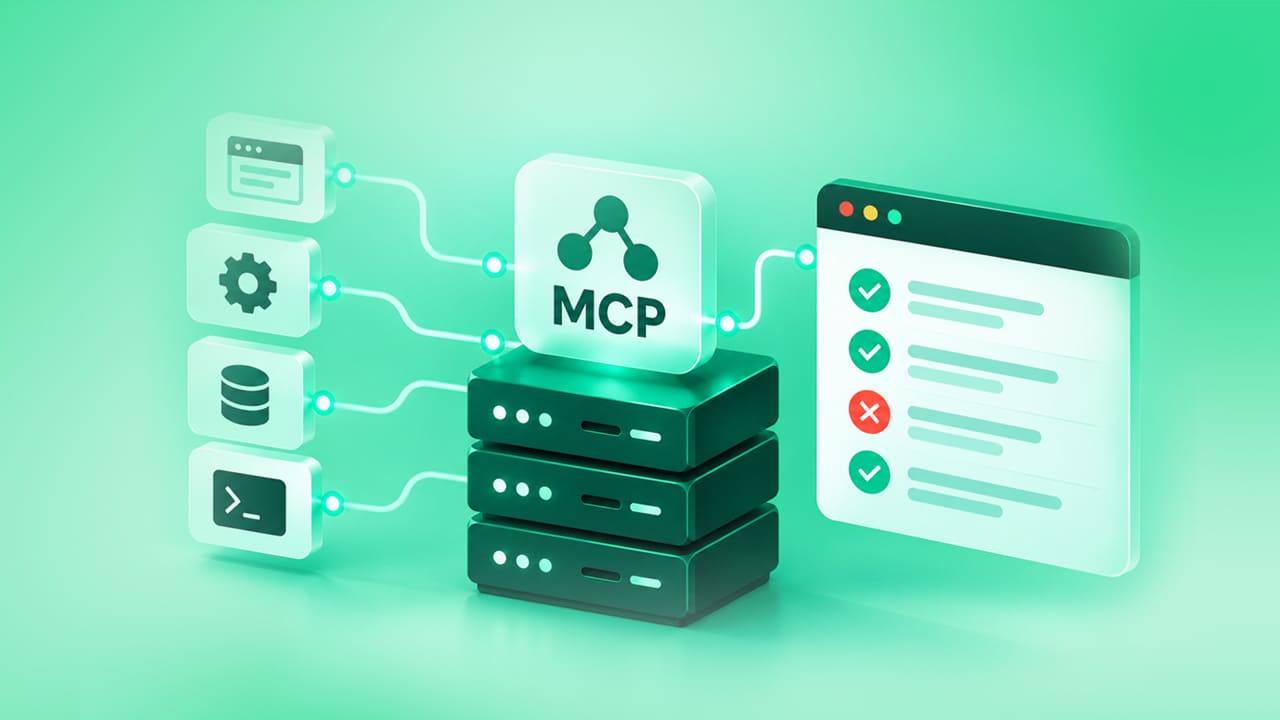
MCP Servers for Test Automation: A 2027 Guide to Building Your Stack

Quick Answer:
MCP servers for test automation are mini-programs that give an AI agent limited access to a testing tool, such as a browser, a mobile driver, a CI pipeline, or a bug tracker. Through the Model Context Protocol, the agent can run a test, read the result, and act accordingly.
- What An MCP Server Does In A Test Setup
- How MCP is Transforming Software Testing
- Best MCP Servers For Test Automation In 2027, Mapped To The Test Lifecycle
- Example: How An Agent Debugs A Failed Nightly Test
- How To Improve Test Automation Using MCP Server Connections
- Which Server To Start With
- Security Checks Before Connecting Anything
- When is MCP enough? When do you need a test platform?
- Diagnose: If you pick MCP servers by popularity, you can end up with crowded context, broad permissions, and no audit trail.
- The Fix: Choose one server per job. Use Playwright or Appium to run tests, Chrome DevTools to debug, GitHub for CI results, and search only when needed.
- Verify: Treat MCP runs as exploratory. Move stable flows into a governed suite. Check which tools the agent called with the answer it gave.
What An MCP Server Does In A Test Setup
MCP uses a client-server architecture. Three parts are involved:
- Host: the AI app you run tests in (e.g., Claude Code or Claude Desktop).
- Server: a small application that wraps a single testing tool (e.g., a browser or a CI system).
- Client: a dedicated connection the host opens for each server.
Each server tells the agent what it offers in three categories.
- Tools are actions the agent can run. Playwright MCP offers browser_navigate to open a URL, browser_snapshot to read the page, and browser_click to click an element.
- Resources are data the agent can read, such as a log file or a test data file the server exposes.
- Prompts are reusable instruction templates.
To test a login page, the agent calls browser_navigate, reads the page with browser_snapshot, then calls browser_click on the login button. Each call goes to the server. The server runs it in the browser. The result feeds back into the agent, which decides the next action.
How MCP is Transforming Software Testing
MCP changes who does the work in a test run, how tools connect, and what you have to check as part of human supervision.
Before: an AI assistant wrote a test script and a person ran it. The assistant never saw the result.
Now: an agent with a browser server runs the flow, reads the page and the outcome, and can revise its own test. ACCELQ’s MCP testing guide describes this as moving AI from code generation assistant to participant in testing.
Before: connecting an AI model to a browser, a database, and a CI pipeline required building a custom integration for each one.
Now: one MCP server per tool works with any compatible client. The Playwright MCP README lists VS Code, Cursor, Windsurf, Claude Desktop, and Goose, so the same server works across them.
Before: a script passed or failed; that was all you knew.
Now: an agent can reach a correct-looking answer by an unintended route. So you also check which tools it called, in what order, and whether any of them were outside the task. ACCELQ’s guide covers how to test for this.

Best MCP Servers For Test Automation In 2027, Mapped To The Test Lifecycle
MCP servers and tools overlap, so pick one server for each job you need.
| Job | Server | Maintained by | Best for | Check first |
|---|---|---|---|---|
| Run web tests | Playwright MCP | Microsoft | Driving a browser through accessibility snapshots | Token load on large pages |
| Debug a failure | Chrome DevTools MCP | Chrome DevTools team | Performance traces, network requests, console errors with source-mapped stack traces | Officially supports Chrome and Chrome for Testing only |
| Run mobile tests | Appium MCP | Appium project | iOS and Android sessions on simulators, emulators and real devices, plus test code generation | Device name and automation name are set per session |
| Explore on WebDriver | mcp-selenium and similar | Community | Teams already invested in Selenium | Community maintained, so review it like any dependency |
| Read CI results | GitHub MCP | GitHub | Workflow runs and artifacts through its actions toolset | Use read-only mode and enable only the toolsets you need |
| Research errors | Brave Search MCP | Brave Software | Web, local and news search | Results are untrusted text |
| Run on real devices and browsers | BrowserStack MCP | BrowserStack | Running Playwright and Selenium suites on its cloud, real-device testing, and its AI agents for test case generation and flaky test healing | Tools need the matching product license, such as Automate |
| Orchestrate and triage in a cloud | TestMu AI MCP server (formerly LambdaTest) | TestMu AI | Hosted server for HyperExecute orchestration, failure triage, SmartUI visual regression and accessibility audits | Needs a TestMu AI account and OAuth sign-in |
The last two rows are vendor-run servers; both need an account with that vendor. The modelcontextprotocol servers repository holds reference implementations, which are good for learning the protocol.
MCP Browser Tools
Playwright MCP works off the page’s accessibility tree. It doesn’t require a vision model. Its README also suggests that coding agents may benefit from using the Playwright CLI and skills, as calling CLI methods avoids loading large tool schemas and verbose accessibility trees into the model’s context.
If your agent already has shell access, and your context is filling up quickly, you may want to look at the CLI first.
Chrome DevTools MCP is built for debugging and performance analysis; the README shows a –no-usage-statistics flag to turn that off. Confirm this with your security team before using it on internal apps.
If your team is running Selenium, MCP servers such as mcp-selenium are community-maintained. Try them out in a sandbox to see if they work for you, and keep your maintained suite on WebDriver.
MCP Web Search For Testers
Test agents often need to look up error messages, library changelogs, or browser bugs. This is what a search server is for.
Brave Search MCP is published by Brave Software. The original reference version was in an archived repository, so check the package name in the current README before installing.
Untrusted text in search results can be a problem. See the OWASP MCP Security Cheat Sheet for details on how malicious instructions can be embedded in tool return values.
Tools that need to perform searches should not have access to any session that has write access to your repositories.
Test agents often need to look up error messages, library changelogs, or browser bugs. A search server provides that.
Example: How An Agent Debugs A Failed Nightly Test
A nightly login test fails on staging. Instead of a person opening five tools, the agent hands the problem from one server to the next. Each step answers one question and passes its result forward.
Here is a list of what each step does:
- GitHub MCP identifies the failure by finding the relevant nightly run, downloading logs and artifacts so that the agent can understand what went wrong.
- Playwright MCP reproduces the issue by visiting the staging login page, executing the same steps, and taking a screenshot of the step where the failure occurred. This helps determine whether the issue is consistent or an isolated incident.
- Chrome DevTools MCP identifies the cause by reading network requests and console logs in the place where the error happened. For example, if a login button did not work, the failed request behind a dead login button could show up there.
- A search server looks for the error text to identify if there are any known problems or release notes.
- Your tracker’s MCP server enters the ticket with logs, evidence, and reproduction steps attached.
A person should review the trace data before relying on a ticket since it reports which tools the agent used, the order of execution, and if any tools deviated from the plan.
How To Improve Test Automation Using MCP Server Connections
- Start with one server on your biggest manual effort. For most teams, that is browser testing.
- Run exploratory work first. Move a flow into your regression suite only after it proves stable.
- Instrument one additional server at a time. Every new server enriches the agent’s context with new tool definitions. GitHub’s server allows you to expose only the toolsets relevant to your needs.
- Lock down versions in CI. Most install snippets use @latest, which leads to surprising changes in test behavior when servers update.
- Inspect the trace. Rather than asserting only the final output of the agent, make assertions about the tools it used.
Which Server To Start With
| If your situation is | Start with | Watch for |
|---|---|---|
| New web app, coding agent in your IDE | Playwright MCP | Context growth. Try the CLI with skills if it climbs |
| Large existing Selenium suite | Keep WebDriver. Explore with a community Selenium server in a sandbox | Maintenance status of the server |
| Native mobile app | Appium MCP | Per-session device settings |
| Slow pages or console errors | Chrome DevTools MCP | Usage statistics setting |
| Regulated team that needs audit history | MCP for drafts, a governed platform for the suite |
Security Checks Before Connecting Anything
Limit write access. Turn on read-only mode on GitHub’s server that disables write tools, even when requested.
Assume the tool schema is untrusted. The OWASP cheat sheet recommends that you treat descriptions and parameter schemas as containing possibly injected instructions.
Log all calls to a tool with parameters, user context, and timestamps, as recommended by OWASP.
Review community servers such as libraries. Review the maintainer, time of last release, and required permissions.
Inspect before connecting. The MCP Inspector can be used to list a server’s tools before an agent connects to it.
When is MCP enough? When do you need a test platform?
MCP connects an agent to your tools. It does not decide what to cover. It does not keep audit history or manage test assets over time.
ACCELQ’s MCP testing guide states that ad hoc agent testing is best for fast exploratory checks. Large regression suites require audit trails and governance.
This is where a platform is needed.
ACCELQ’s AI-powered unified test automation covers web, API, and mobile testing with codeless design. It also tests MCP servers and AI agents directly.
A scenario connects with a session name, server URL, and bearer token, discovers the server’s tools, runs natural language conversations, judges outcomes against a plain-language rubric, and asserts the agent’s tool call trace.
Learn more about this in the MCP testing guide.
FAQs
What are MCP servers for test automation?
They are programs that expose a testing tool, such as a browser, mobile driver, CI system, or bug tracker, to an AI agent via the Model Context Protocol. The agent can perform tests, read test results, and take actions based on them.
What are the best MCP servers for test automation in 2027?
It depends on what you need to do. There is a specific tool for every task: Playwright MCP conducts web tests, Appium MCP runs mobile tests, Chrome DevTools for MCP debugs errors, and GitHub MCP parses results from continuous integration. Select the servers that you need for your tasks.
Can you recommend some popular MCP tools for developers?
Four fit testing workflows: Playwright MCP for browsers, Chrome DevTools MCP for debugging, GitHub MCP for repositories and CI, and Brave Search MCP for web search.
What are the different types of MCP servers and their uses?
Common types of MCP servers used in testing include browser servers for UI tests, mobile servers for device tests, debugging servers for traces and network data, CI servers for pipeline results, tracker servers for bugs, and search servers for research.
How does MCP technology work in server management?
An AI application, the host, communicates with each MCP server through a client. The client queries the server for the tools it provides, and the agent executes them.
Which AI tools offer MCP support?
Many do. The Playwright MCP README lists VS Code, Cursor, Windsurf, Claude Desktop, and Goose, while the MCP architecture documentation names Claude Code as a host.
Is Playwright MCP better than a Selenium MCP server?
For a new web project, Playwright MCP is maintained by Microsoft. Selenium MCP servers are community projects, so they are best for teams that already run Selenium and want to run tests in a sandbox.
Are MCP servers safe to use for testing?
MCP servers are as safe as the access you grant. Use read-only modes wherever possible, review tool descriptions, log every call, and pin versions. The OWASP MCP Security Cheat Sheet covers the main risks.
Do MCP servers replace a test automation framework?
No. They connect an agent to tools. You still need a framework or platform to decide coverage, store results, and maintain an audit trail.




You Might Also Like:
 Flaky Tests in 2026 – How to Identify, Fix, and Prevent Them
Flaky Tests in 2026 – How to Identify, Fix, and Prevent Them
 Test Automation Pyramid Explained 2026
Test Automation Pyramid Explained 2026
 15 Test Coverage Tools Later, I Finally Found What Actually Works in 2026