







From Theory to cURL: Real API Testing Examples for QA Teams

Reading about API testing and running one are two different skills. You can know exactly what a status code means and still freeze the first time you have to write an actual request against a login endpoint. This guide skips the theory and goes straight to examples: real APIs you use every day, live cURL commands you can run right now, sample test cases by category, and the sandboxes professional testers use before a real API even exists.
Quick Answer:
An API testing example is a concrete request and expected response you can copy and run, such as sending a POST request to a login endpoint with valid credentials and confirming it returns a 200 status code with a valid token. This guide walks through examples across everyday API use cases, functional and security test cases, REST endpoints, and testing sandboxes.
- What Is an API, Explained With One Example?
- What are Some Real-World API Examples?
- What API Call Examples Can You Run Right Now?
- What Does a Sample REST API Test Case Look Like?
- What are Sample API Test Cases by Category?
- What are Some API Security Testing Examples?
- What Testing Sandboxes and Dummy APIs Can You Use?
- The Bottom Line
A team ships a login endpoint, tests the happy path with a 200 status and a valid token, and calls it done. Then a tampered token or a guessed user ID quietly exposes another customer’s data in production, because nobody tested the failure path. Real API testing means checking what breaks, not just what works, using tools you can run today instead of theory you read once and never applied.
- Learn From Everyday APIs: Weather, mapping, payment, social login, and social media APIs each expose a distinct failure mode: malformed input, missing coordinates, timeouts, tampered tokens, and rate limits. Each doubles as a ready-made test case template you can adapt.
- Run Real Requests Immediately: cURL commands and REST scenarios, like login and add-to-cart flows, follow the same pattern: one request that should succeed, one that should fail predictably, and a check that failure messages don’t leak sensitive details.
- Cover Every Category, Including Security: Functional, regression, usability, performance, and compliance cases form the baseline checklist. Security cases like BOLA, broken authorization, and rate limiting close the gaps a functional suite alone misses.
What Is an API, Explained With One Example?
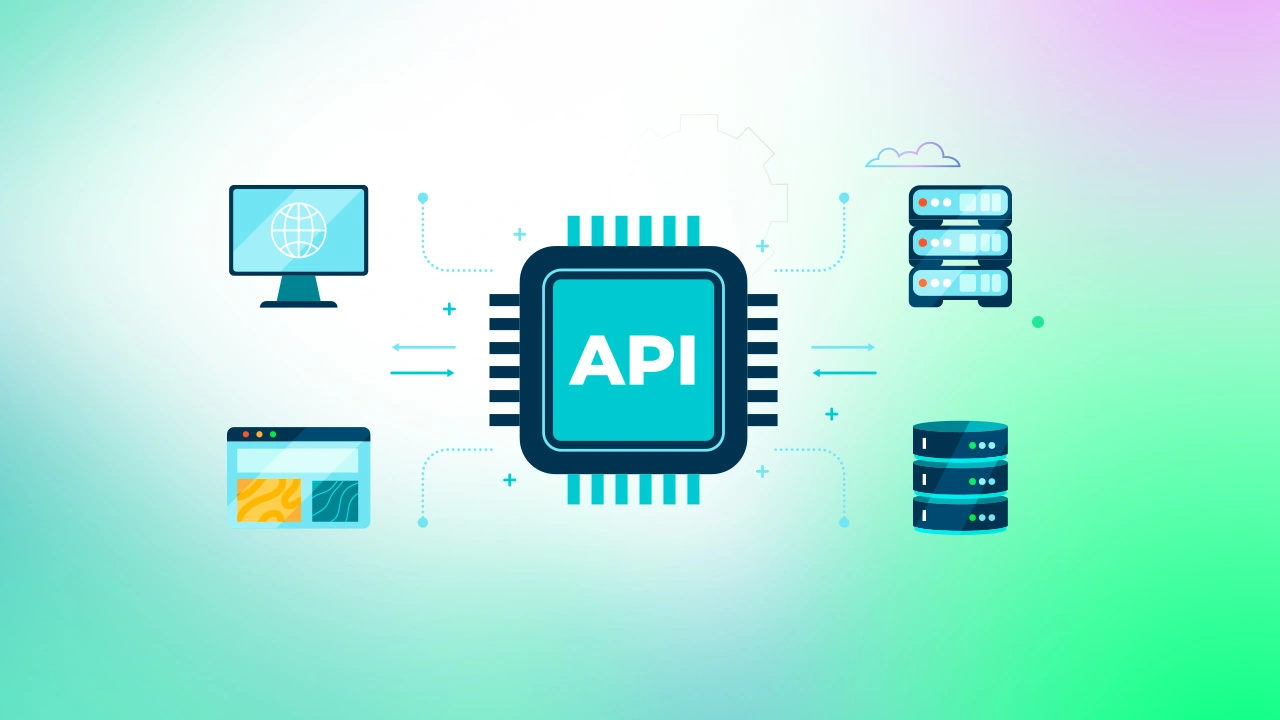
An application programming interface (API) lets one piece of software request data or action from another without needing to know how that other system works internally. The clearest everyday example: when you log into a food delivery app using your Google account, the app sends a request to Google’s authentication API, Google verifies your identity, and it sends back a token confirming who you are. The delivery app never sees your Google password. It only sees the response.
That single exchange, a request out and a response back, is what every API test in this guide is built around.
What are Some Real-World API Examples?
APIs you interact with daily are also some of the best templates for practical test cases, since each one has a distinct failure mode worth checking.
-
Weather APIs: Apps like a smart home thermostat or a travel app pull forecast data from a weather API. Testing angle: confirm the API returns a sensible error, not a blank screen, when a location doesn’t exist.
-
Mapping APIs: Ride-share and delivery apps rely on mapping APIs for routes and estimated arrival times. Testing angle: verify the response degrades gracefully when GPS coordinates are missing or malformed, instead of returning an incorrect route.
-
Payment APIs: Checking out on an online store triggers a payment API call to a processor. Testing angle: test how your application handles the outcomes it receives (success, decline, timeout, duplicate charge), not the processor’s internal logic.
-
Social login APIs: “Log in with Google” or “Log in with Apple” buttons call an authentication API that returns identity data without exposing the password. Testing angle: confirm the app correctly rejects an expired or tampered token.
-
Social media APIs: Scheduling tools and analytics dashboards read and post through platform APIs. Testing angle: check rate-limit handling, since these APIs often throttle high-volume callers.
These five patterns cover most of what a QA team encounters: authentication, geolocation, payment, identity, and content APIs. Every category below builds test cases directly on top of these patterns.
What API Call Examples Can You Run Right Now?
cURL is a command-line tool for sending HTTP requests, and it is the fastest way to see a real API call and response without writing a script. It ships with most Linux and macOS systems; on Windows, install it via winget install curl or through Git Bash.
A GET request example, pulling a single resource:

What Does a Sample REST API Test Case Look Like?
Here is what a real REST API testing example looks like end to end, using a login endpoint.
Scenario: verifying a login endpoint
- Send a POST request with valid credentials to /login with a username and password.
- Expect a 200 status code, a valid token in the response body, and correct token expiry.
- Repeat the same request with an incorrect password.
- Expect a 401 status code and an error message that does not reveal whether the username or the password was wrong.
That last step matters more than it looks. An error message that says “incorrect password” instead of a generic “invalid credentials” confirms a valid username exists, which is a small but real security leak.
Scenario: adding an item to a cart
- Send a POST request with a valid product ID and quantity.
- Expect a 201 status code and a response confirming the cart ID, item, and total.
- Repeat the request with an invalid product ID.
- Expect a 404 status code and a clear “product not available” message instead of a generic server error.
Both examples follow the same shape: one request that should succeed, one that should fail predictably, and a check that the failure response is informative without leaking anything sensitive.
What are Sample API Test Cases by Category?
Use these as a starting checklist for a new endpoint. Autopilot’s AI Test Case Generator can also draft this same functional, negative, and boundary set automatically once it reads an endpoint’s specification, which matters when a new API ships faster than a team can hand-write cases for it.
Functional
- Submit malformed input, such as an invalid email format, and confirm the API rejects it with a clear message.
- Verify each supported HTTP method (create, read, update, delete) returns the correct response for that resource.
- Confirm the API returns the correct status code for each scenario, not just 200 for everything.
- Since a server won’t slow down or crash on command during an automated run, testers typically use a network proxy tool like ToxiProxy (or similar chaos-testing tools like WireMock’s fault injection or Gremlin) sitting between the API and its dependency to artificially inject latency, drop packets, or sever the connection, then observe whether the API times out cleanly with a proper error rather than hanging indefinitely.
Regression
- Run an automated suite against every build to confirm new changes have not broken existing endpoints.
- Test the API’s interaction with connected systems, not just the endpoint in isolation.
Usability
- Check that endpoint and parameter names follow one consistent naming convention across the whole API.
Performance
- Send a burst of parallel requests and measure how response time changes under load.
- Measure response time separately under normal and peak conditions, not just once.
Compliance
- Verify the API handles personal data in line with the privacy regulations that apply to it.
- Confirm the API follows the documented industry standard it claims to support.
What are Some API Security Testing Examples?
Security testing examples focus on how an API responds to input and access attempts it was never meant to handle.
- Input fuzzing: Send random, malformed, or oversized data into an endpoint and check whether it fails safely or throws an unhandled error that exposes internal details.
- Excessive data exposure: Check the raw API response, not just what the app displays, since a server that returns full user records for the client to filter on the front end is leaking data.
- Rate limiting: Send requests past the documented limit and confirm the API returns a 429 status code instead of continuing to process every call.
- Broken authorization: Confirm a standard user account cannot reach an admin-only endpoint or perform an admin-only action, regardless of resource ID — for example, a non-admin token hitting /admin/reports or calling a DELETE method the UI never exposes to that role.
- Broken Object Level Authorization (BOLA): Confirm a standard user account cannot access another user’s resource just by changing the ID in the request – for example, an authenticated user requesting /users/102 edits the URL or payload to /users/103 and checks whether the API returns that other user’s data instead of rejecting the request. BOLA is currently the #1 risk on the OWASP API Security Top 10, precisely because APIs often check that a user is authenticated but skip checking whether they’re authorized to access that specific object.
Broken authorization, excessive data exposure, and rate-limiting map directly onto the OWASP API Security Top 10; injection remains a core risk under OWASP’s general Top 10 web application risks.
These same test cases are the ones that matter most on any API called by something other than your own front end. If your team maintains a public or partner API, the most common API testing mistakes are a useful checklist to run before that surface goes live.
What Testing Sandboxes and Dummy APIs Can You Use?
Real testing rarely starts with a finished backend. Two categories of tools close that gap.
Developer-first APIs ship their own sandboxes. Providers like Stripe, Twilio, and PayPal offer test-mode credentials and a full sandbox environment, so you can run realistic requests, including failure cases like a declined card, without touching real money or real user data. Most of these providers also publish SDKs (software development kits) in common languages, which wrap the raw API calls in functions your team already knows how to test.
Dummy and mock APIs stand in for a backend that isn’t ready yet. If the backend team hasn’t finished building the product endpoint, a dummy API returns a fixed response so the front end can be built and tested in parallel. Common options:
- JSONPlaceholder: free public REST API for basic, single-call CRUD testing – not built for multi-step transactions.
- ReqRes: persistent backend with custom endpoints for more realistic, stateful scenarios.
- DummyJSON: instant placeholder data with no server setup required.
- Beeceptor: simulates rate-limited APIs to test throttling behavior.
- Mocki: builds mock APIs with custom error scenarios and static responses.
- WireMock (via Docker): self-hosted mock server for stateful, multi-step transactions and fault injection that public mock sites can’t handle.
For teams that need this inside an automated suite rather than a one-off manual check, service mocking and stubbing covers how to build these simulations directly into a test pipeline. ACCELQ’s API virtualization works the same way inside Autopilot: it simulates backend responses so a test can run before every dependency is live, without standing up and maintaining a separate mock server.
The Bottom Line
The gap between understanding API testing and actually doing it closes fast once you run a few real requests. Start with a sandbox or a dummy API, work through a login and a create-resource flow, then layer in the security test cases above before anything reaches production. For how to turn these individual examples into a program that scales across every endpoint you own, see the full API testing strategy guide, and for how the testing approach shifts across REST, SOAP, and GraphQL, see this breakdown of API types and protocols.
ACCELQ’s Autopilot can turn any of the examples above into an automated, repeatable test, from the login flow’s happy path to the security cases above, without writing the request scripts by hand.
FAQ's
What are some practical examples of API use cases?
Authentication through social login, payment processing through checkout flows, geolocation services like maps and ride-sharing, weather data, and content APIs for social media scheduling and analytics are common API use cases that QA teams regularly test.
Can you give me examples of how APIs are used in everyday applications?
Logging into an app with Google, paying for an online purchase, checking weather updates on a phone, and getting directions in a ride-share application are everyday examples of API calls running in the background.
What is an application programming interface, with an example?
An API is a defined way for one system to request data or trigger an action from another system. For example, a weather application can call a weather provider's API and receive current conditions as structured data instead of loading an entire webpage.
What is a sample REST API example I can test?
A login endpoint is a simple REST API example to test. Send a POST request with valid credentials and verify a 200 response containing a token. Then test invalid credentials and confirm the API returns a 401 response with a generic error message.
What are good API security testing examples to start with?
Useful API security testing examples include input fuzzing, broken authorization checks, injection attempts, detecting excessive data exposure in responses, and verifying that rate limits are enforced after the documented threshold is exceeded.




You Might Also Like:
 Looking for a Postman Alternative? Here’s How ACCELQ Stacks Up
Looking for a Postman Alternative? Here’s How ACCELQ Stacks Up
 Standalone vs Integrated API Tests
Standalone vs Integrated API Tests
 API Mocking at Enterprise Scale: A Governance Framework for Multi-Squad QA Teams