







What Is Accessibility Testing? A Comprehensive Guide

Is your website accessible to all users? So, accessibility matters because people interact with your website in diverse ways. Some navigate using a keyboard instead of a mouse, while others depend on screen readers, and some need large text to engage with content.
So, accessibility testing in software testing is the practice to evaluate web/mobile applications for assuring they can be used smoothly by users with disabilities, including visual, auditory, and cognitive problems. To achieve this, developers and testers do detailed accessibility compliance testing by analyzing products against the Web Content Accessibility Guidelines or WCAG.
The main aim of accessibility testing is to build an inclusive digital experience by deleting obstacles that limit usability to ensure that users, regardless of disabilities, can navigate, interact, and benefit from digital content.
- What is Accessibility Testing?
- Types of Accessibility Testing
- ADA & WCAG Compliance in Accessibility Testing
- Testing Website Accessibility
- Why Is Accessibility Testing Important?
- Automated Accessibility Testing
- How to Do Accessibility Testing?
- Challenges in Accessibility Testing and Solutions
- Accessibility Testing for Web vs Mobile Apps
- Conclusion
What is Accessibility Testing?
Accessibility testing is a process where websites and applications are tested to check their usability for all users. This includes visual, audio, physical, neurological, and cognitive issues. The goal is to create an equal user experience across all digital goods.
Accessibility testing starts with evaluating metrics such as navigation for screen reader users and color contrast ratios. These technologies help users with visual impairments and keyboard accessibility by replacing the mouse. The core objectives remain the same for both mobile and website accessibility testing.
Types of Accessibility Testing
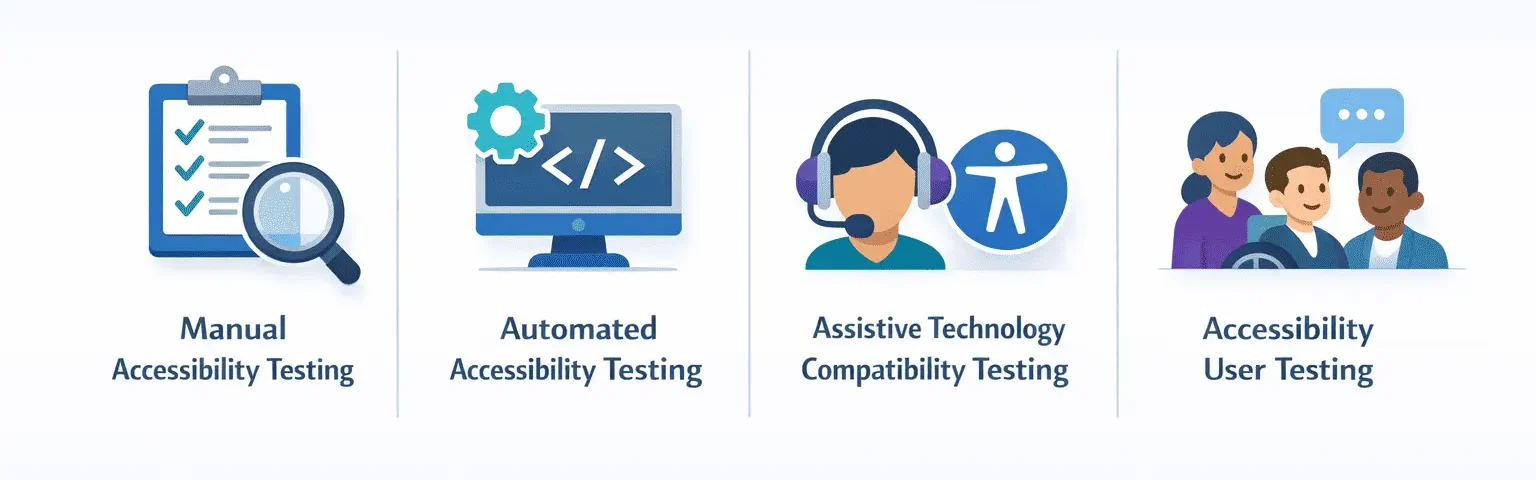
Understanding the different accessibility testing types helps in implementing a clear testing strategy. These types are supported by accessibility testing software that mixes automated scans with manual validation workflows.
Manual Accessibility Testing
Manual accessibility testing is the process in which humans check applications by using assistive technologies to assess compliance with WCAG guidelines and usability. It finds problems that automated tools cannot identify.
Key activities include:
- Screen reader testing using tools like VoiceOver to verify accurate content announcements and element labels.
- Keyboard navigation testing ensures logical tab order and completely accessible interactive elements.
Manual testing evaluates content clarity, reading flow, error messaging, and complete usability. Even takes a lot of time and needs expertise, it is vital for extensive accessibility validation.
Automated Accessibility Testing
Automated accessibility testing uses tools to scan applications for technical compliance issues, depending on standards such as WCAG. It efficiently detects code-level errors at scale.
Automated tools can identify:
- Missing alternative text for images.
- Insufficient color contrast.
- Improper heading hierarchy.
- Invalid HTML.
Axe tool (an open-source accessibility engine that conjoins with CI/CD pipelines) and Wave (a browser extension that can visually point out accessibility errors).
Automation improves test coverage, but cannot recommend whether relevant alternative text, proper heading structure, or design choices offer practical usability.
Assistive Technology Compatibility Testing
It is a type of testing to validate that applications work correctly with real assistive technologies used by people with disabilities. It ensures that theoretical WCAG compliance translates into practical accessibility.
Testing scenarios include:
- Screen reader behavior validation across tools such as VoiceOver.
- Keyboard navigation consistency across browsers, including Chrome, Edge, and Safari.
- Voice recognition usability across structured interface elements.
Diverse assistive technologies interpret web content differently. Compatibility testing confirms that navigation, announcements, focus states, and interactions work reliably across environments.
Accessibility User Testing
Accessibility User Testing involves individuals with disabilities evaluating applications in real-world usage scenarios. It provides direct insight into practical accessibility beyond technical compliance.
User testing helps:
- Identify usability friction in WCAG-compliant interfaces.
- Detect workflow barriers that automated scans cannot uncover.
- Prioritize improvement as per the impact made on users.
Companies collaborate with accessibility advocacy groups or hire people with disabilities to join planned testing programs. These programs make sure accessibility decisions reflect genuine user needs instead of checklist validation.
ADA & WCAG Compliance in Accessibility Testing
Americans with Disabilities Act (ADA) compliance makes sure that users with disabilities can use digital services, while WCAG compliance gives advice on how to make many services available. During audits, teams rely on ADA compliance checkers to find gaps that may expose organizations to legal risk.
Organizations use accessibility testing to detect missing image descriptions, hard-to-read colors, and forms that are difficult to use, which can break the rules. ADA compliance checkers are tools that look for these problems by comparing them to WCAG rules.
Following the rules is more about preventing legal problems. ADA accessibility testing confirms your applications and websites work smoothly for users who use screen readers, and keyboard shortcuts. Frequent checks can save your money, make your website easy to use, and display that your organization cares about digital access.
📘 Recommended Reading
Explore ACCELQ’s Accessibility & Testing Resources
Deepen your understanding of WCAG, ADA compliance, and scalable accessibility testing with expert-led resources for modern QA teams.
Testing Website Accessibility
Common accessibility checks are based on the WCAG and are designed to remove barriers for users with cognitive disabilities. These checks are often categorised under the POUR principles: Perceivable, Operable, Understandable, and Robust. An accessibility checks are color contrast, Accessible Rich Internet Applications (ARIA) testing, and keyboard navigation.
- Testing the text color contrast against its background to meet the WCAG standard, such as a lower contrast ratio for normal and big text.
- Confirming that ARIA roles and attributes are properly applied to interactive elements like live regions to improve the screen reader experience.
- Keyboard accessibility implies website navigation by using only the keyboard. It is important to test keyboard shortcuts that can access and activate buttons, form controls, and links.
Why is Accessibility Testing Important?
Accessibility testing ensures that your digital products are accessible to all, including people with disabilities. Here are a few benefits of accessibility testing:
- Legal compliance: Many nations have laws and regulations regarding digital accessibility. Thus every organization is emphasizing accessibility to prevent legal ramifications.
- Wide audience reach: Web or mobile applications accessible to everyone can potentially increase the user base, which includes millions of people with disabilities.
- Corporate social responsibility: Committing to website accessibility testing can improve your brand image by showing a dedication to equality.
 Also Read: Accessibility Testing with ACCELQ
Automated Accessibility Testing
Automated accessibility testing uses tools to quickly check websites and applications for accessibility issues. These tools are good at finding colors that are hard to see, missing labels, settings that do not work well with tools for users with disabilities, and problems with how the page is put together.
In practice, automated tools act as a website accessibility checker to scan pages for repeatable WCAG violations such as color contrast failures, missing labels, and invalid ARIA attributes.
Automated accessibility testing works best when it is created into the usual process of updating and releasing software. This helps teams find accessibility problems early, before the website or app is finished and released.
Yet, automated tools cannot catch everything. They often miss whether the page is read in the correct order and how the page works with an actual screen reader. That is why it is good to use both manual and automated testing.
How to do Accessibility Testing?
Conducting accessibility testing involves a mix of strategies and tools. Here’s a simplified approach:
Understand Accessibility Standards:
Get familiarized with guidelines like WCAG to know what standards your product should meet.
Use Automated Testing Tools:
Employ automated accessibility testing tools to identify and fix common accessibility issues quickly.
Manual Testing:
Complement automated tools with manual testing by using screen readers and navigate your website or app using keyboard-only controls.
Engage Users with Disabilities:
Allow real users with disabilities in your testing process to get valuable infomation into their experiences and challenges.
Iterate and Improve:
Accessibility is an ongoing commitment. Regularly review and update your digital products to ensure they remain accessible to all users.
Challenges in Accessibility Testing and Solutions
- QA teams often lack WCAG guidelines knowledge. So, provide specialized training, workshops on tools, and hire accessibility specialists.
- Automated tools only detect some issues. As a result, implement a blended approach (i.e., use automated tools for initial scanning, and manual testing for complicated navigation, keyboard traps, and content usability).
- Identifying issues late increases costs. Shift left by combining accessibility checks at the design and development phases.
- Failing to account for diverse disability types, such as visual, motor, and hearing. So, involve users with disabilities in user testing to provide real-world, qualitative feedback.
- Non-standard interactive elements, dynamic content, and poor keyboard navigation. Ensure all interactive components are operable via keyboard alone and use ARIA labels correctly for dynamic updates.
- Low color contrast and missing alt text. Hence, use automated color contrast checkers and linting tools to find missing descriptive text for images.
Accessibility Testing for Web vs Mobile Apps
Accessibility testing rules are not the same for websites and mobile apps because people use them in different ways, they run on different systems, and they use different tools to help people with disabilities. Both need to follow WCAG rules, but the problems can be diverse.
For websites, accessibility testing checks on how you can use the keyboard to move , if the code is easy for screen readers to understand, if colors are easy to see, if forms are clearly labeled, and if screen readers that work in browsers can read the site. It also checks if the website functions well on various screen sizes and diverse browsers.
Mobile accessibility testing adds more things to check, like how people use touch gestures, how the screen is turned, settings built into the phone, and mobile screen readers like TalkBack and VoiceOver. Accessibility testing for apps needs to look at how people swipe to move around, screen changes, and the special rules for Android and iOS.
Testing websites and mobile apps separately makes sure that accessibility testing matches what real users experience, instead of thinking that what works for websites will always work for mobile apps
Conclusion
Accessibility testing in software testing can be made simple with tools like ACCELQ. The tool provides a whole solution for automating accessibility testing, helping teams find and fix accessibility problems early and quickly.
- ACCELQ automatically finds problems with accessibility rules, like WCAG, on both web and mobile platforms.
- It works smoothly with your existing tools to allow ongoing accessibility testing during the entire software development process.
- ACCELQ offers clear accessibility issues reports, making it simple for developers to find and fix the issues.
- By assisting accessibility experts, developers, and testers to work together, ACCELQ makes sure accessibility is included in every development step.
Organizations can use ACCELQ to perform accessibility testing. The tool assures that products meet guidelines and improve the user experience for users with disabilities. Contact our team today to know more.



Geosley Andrades
Director, Product Evangelist at ACCELQ
Geosley is a Test Automation Evangelist and Community builder at ACCELQ. Being passionate about continuous learning, Geosley helps ACCELQ with innovative solutions to transform test automation to be simpler, more reliable, and sustainable for the real world.


You Might Also Like:
 The New Age of Microservices Testing
The New Age of Microservices Testing
 Black Box vs White Box vs Grey Box Testing: What’s the Real Difference?
Black Box vs White Box vs Grey Box Testing: What’s the Real Difference?
 Must-Attend Testing Conferences 2026