







ChatGPT for Mobile Testing: What It Actually Solves in 2026?

Mobile apps move fast. New OS versions, device refreshes, UI shifts and network unpredictability make testing harder than ever. ChatGPT for mobile testing has become a reliable assistant in this chaos. It won’t replace Appium, Playwright Mobile or real devices, but it removes a lot of friction: test cases, edge-case ideas, data, scripts and CI/CD prep.
Used well, it gives testers clarity and speed without losing control of quality. Let’s break down how teams actually use it.
- ChatGPT Mobile Test Automation: Where It Helps and Where It Stops
- How to Use ChatGPT in Mobile App Testing
- Best ChatGPT Prompts for Mobile Testing
- Mobile Test Automation with ChatGPT
- ChatGPT Test Data Generation for Mobile Apps
- Integrating ChatGPT in Mobile Test Automation Workflow
- CI/CD Pipeline with ChatGPT for Mobile Testing
- Limitations of ChatGPT in Mobile Test Automation
- ChatGPT’s Role in Mobile Risk-Based Test Automation
- ChatGPT vs Traditional Mobile Automation Tools
- Can ChatGPT Replace Mobile Automation Tools?
- Conclusion
ChatGPT Mobile Test Automation: Where It Helps and Where It Stops?
ChatGPT is best at everything that happens before actual execution: designing tests, thinking through variations, generating scripts, analyzing logs and shaping workflows. It doesn’t execute tests, interact with hardware sensors or interpret gestures on real devices. Treat it as a thinking partner, not an automation engine.
How to Use ChatGPT in Mobile App Testing?
Most AI-based mobile testing starts with interpreting flows and user behavior. ChatGPT handles this nicely because it turns natural language into structured, testable ideas.
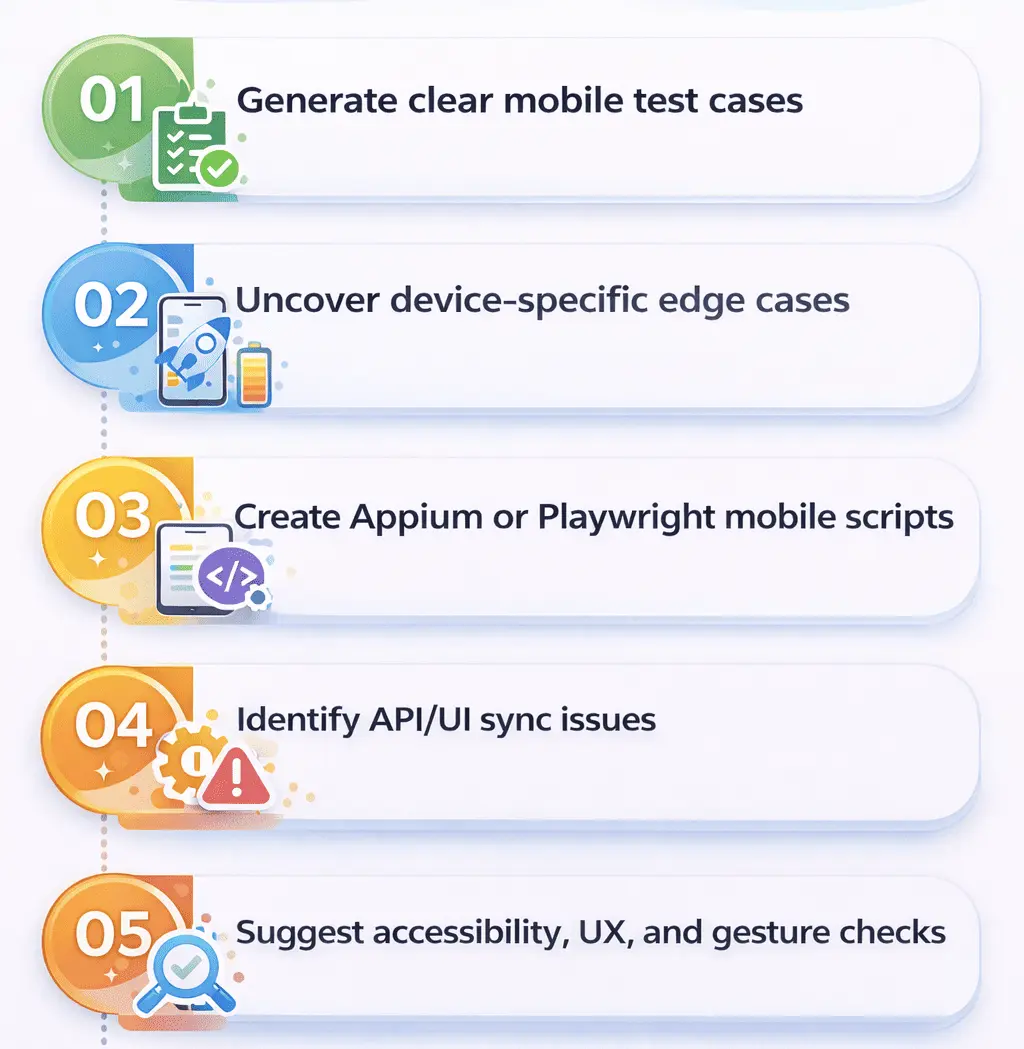
1. Generate clear mobile test cases
Give it a flow. ChatGPT breaks it into validations, gestures, states and platform differences.
2. Uncover device-specific edge cases
Battery levels, OS permissions, notch displays, biometrics, background mode, rotation, low memory.
3. Create Appium or Playwright Mobile scripts
It generates boilerplate scripts for both Android and iOS that you refine with selectors and waits.
4. Identify API/UI sync issues
Useful when flows depend on delayed responses or background sync jobs.
5. Suggest accessibility, UX and gesture checks
It’s helpful for identifying overlooked usage patterns.
Best ChatGPT Prompts for Mobile Testing
Here are prompts that testers consistently find useful.
| Purpose | Example Prompt |
|---|---|
| Functional Flow | “Write functional test cases for a mobile signup flow covering validation, gestures and offline mode.” |
| Device Variations | “Generate test scenarios for Samsung S23, iPhone 15 and Pixel 8 including OS permission dialogs.” |
| Appium Script | “Create an Appium Java script for verifying the login flow in a React Native app.” |
| Network Cases | “List test cases for weak network, airplane mode, slow reconnection and mid-session interruptions.” |
| Regression Ideas | “Identify regression cases affected by these API changes in the home screen module.” |
| Playwright Mobile | “Write a Playwright Mobile script to test the search function for an Android hybrid app.” |
ChatGPT + Test Automation = Smarter, Faster Scripts → Read How
Mobile Test Automation with ChatGPT
ChatGPT helps testers work faster in several core areas:
| Area | What ChatGPT Helps With |
|---|---|
| Test Design | Breaks flows into platform-specific cases |
| Script Scaffolding | Drafts Appium/Playwright templates |
| Device Behavior Planning | Suggests coverage for resolutions and OS versions |
| Regression Identification | Finds high-impact repeatable tests |
| Documentation | Summaries, explanations, bug narratives |
It reduces manual effort so testers can focus on execution and validation.
Explore the 15 best mobile testing tools and discover how codeless automation supports your efforts.
ChatGPT Test Data Generation for Mobile Apps
Mobile apps depend heavily on varied input conditions and device states. ChatGPT can produce all sorts of structured data instantly.
Examples:
- Invalid country codes
- GPS coordinates
- Corrupted image inputs
- Push notification payloads
- Date/time boundaries
- Permission-blocked states
Prompt Example:
“Generate 20 negative data sets for a mobile onboarding form including invalid phone numbers, unsupported country codes, blocked GPS permissions and corrupted profile uploads.”
Integrating ChatGPT in Mobile Test Automation Workflow
ChatGPT improves everything around test execution: scripts, documentation, planning and review.
Where It Fits?
- Drafting Appium and Playwright Mobile snippets
- Creating pipeline steps
- Suggesting device matrix combinations
- Summarizing test run outputs
- Generating release notes
- Mapping scenarios to features
Where It Doesn’t?
- It can’t detect real UI anomalies
- It can’t verify gestures
- It doesn’t handle locators
- It can’t run tests
| ChatGPT Helps With | Needs Real Tools |
|---|---|
| Ideas and scripts | Execution |
| Test data | Device validation |
| Prioritization | Gesture realism |
| Log summaries | Crash reproduction |
CI/CD Pipeline with ChatGPT for Mobile Testing
ChatGPT is especially useful in setting up mobile CI/CD pipelines because it drafts YAML, device matrices, job steps and summaries quickly.
Example Workflow
- Provide ChatGPT the commit summary or new feature.
- Ask for test scenarios.
- Request Appium/Playwright script templates.
- Feed logs from device farm test runs.
- Ask for summarized failures.
- Generate YAML steps.
- Add device matrix suggestions.
- Run and iterate.
Sample YAML
# chatgpt mobile CI/CD pipeline test automation example
jobs:
  run-mobile-tests:
	runs-on: ubuntu-latest
	steps:
  	- name: Install dependencies
    	run: npm install
  	- name: Run Android tests
    	run: npx playwright test --project=android
Limitations of ChatGPT in mobile test automation
ChatGPT brings speed, not guarantees. Mobile apps behave differently on real hardware, and ChatGPT doesn’t have device awareness.
Key Limitations
- No understanding of real UI rendering
- Hallucinates selectors and mobile APIs
- Cannot validate gestures like pinch or multi-touch
- Cannot evaluate visual layout
- May generate outdated Appium commands
- Cannot replace mobile automation tools
Comparison Table
| What ChatGPT Can Do | What It Cannot Do |
|---|---|
| Propose tests | Validate them on hardware |
| Generate scripts | Produce reliable selectors |
| Suggest edge cases | Detect visual issues |
| Draft CI/CD steps | Execute them |
| Analyze logs | Confirm root cause |
ChatGPT’s Role in Mobile Risk-Based Test Automation
ChatGPT is useful for prioritizing tests based on business impact, usage frequency and failure risk. Just provide context and it will classify scenarios.
Prompt Example
“Prioritize these test cases for an Android banking app using fingerprint login based on risk and user impact.”
Is ChatGPT Better Than Traditional Test Automation Tools for Mobile Testing?
They serve different purposes.
ChatGPT
- Improves test design
- Speeds up scripting
- Generates data
- Suggests coverage
- Summarizes failures
Traditional Tools (Appium, Playwright, Espresso, XCUITest)
- Execute real interactions
- Handle gestures
- Validate UI behavior
- Capture screenshots and logs
- Manage devices and simulators
| ChatGPT | Traditional Tools |
|---|---|
| Assistant | Executor |
| Fast ideas | Accurate validation |
| Data generation | Real behavior testing |
They work best together.
Can ChatGPT Replace Mobile Automation Tools?
No. ChatGPT cannot understand UI rendering, gestures, timing conditions or device hardware. It supports mobile testers but cannot replace Appium, Playwright, Espresso or XCUITest.
If ChatGPT can’t replace mobile automation tools, what can? See how real AI-driven testing actually works – Journey of AI and its Impact on Test Automation
Conclusion
ChatGPT boosts mobile testing by producing clearer tests, real-world edge cases, script templates, CI/CD support and structured data. It reduces planning time, not execution time. The smart approach is simple: use ChatGPT for clarity and ideation, and rely on mobile automation tools for accuracy and verification.
If you want to pair ChatGPT with an automation platform built for real device execution, healing and orchestration, explore how ACCELQ supports mobile test automation with ChatGPT across iOS, Android and hybrid ecosystems.



Prashanth Punnam
Sr. Technical Content Writer
With over 8 years of experience transforming complex technical concepts into engaging and accessible content. Skilled in creating high-impact articles, user manuals, whitepapers, and case studies, he builds brand authority and captivates diverse audiences while ensuring technical accuracy and clarity.


You Might Also Like:
 Agentic Automation in Testing: The Complete 2026 Guide
Agentic Automation in Testing: The Complete 2026 Guide
 Best AI Testing Frameworks for Smarter Automation in 2026
Best AI Testing Frameworks for Smarter Automation in 2026
 GAP Analysis in Testing: How AI Impact?