







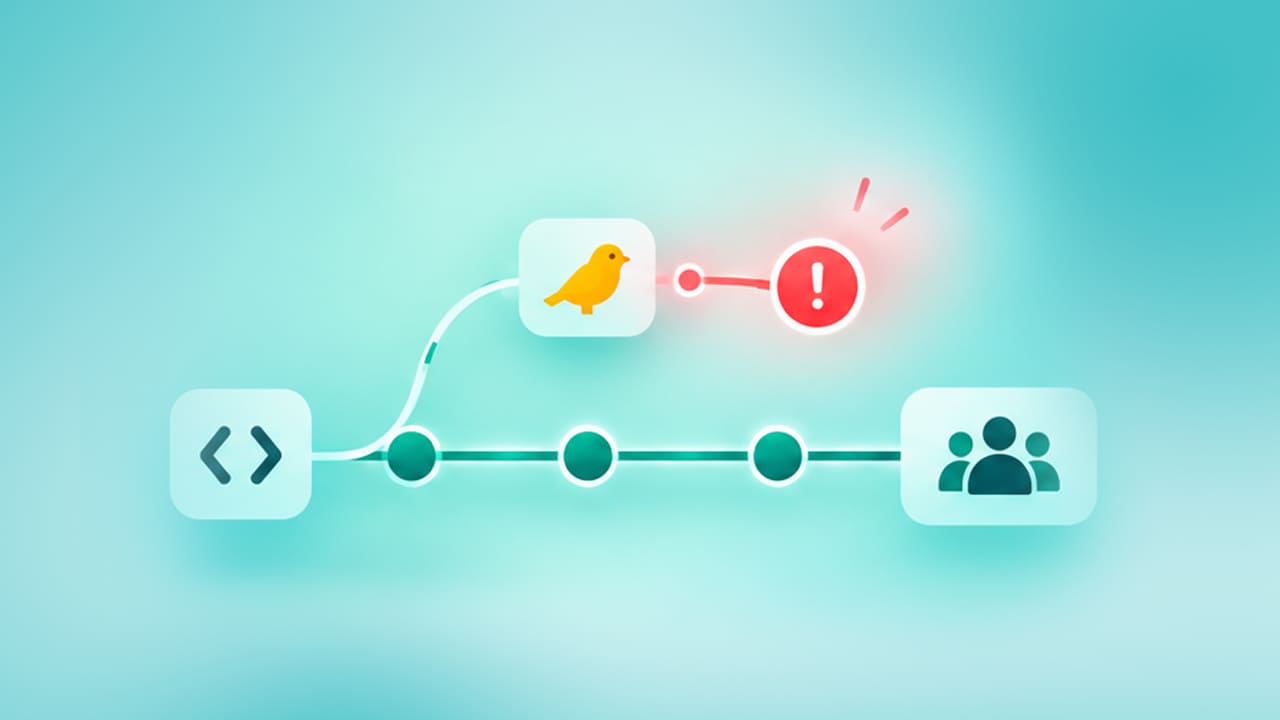
Introduction to Canary Testing: Preventing Failures Before They Impact Users

Canary testing is a release validation process where the latest version of an application, service, or feature is deployed to a tiny subset of real users or infrastructure before it reaches everyone. The team checks that subset, the “canary” group, against defined health criteria, and expands the rollout only if metrics are clean. The aim is to catch a bad release while it’s little enough to fix quietly, before it reaches users.
- What is Canary Testing?
- How Do Canary Tests Work? A Canary Testing Example
- Where Do Automated Test Suites Fit in the Canary Pipeline?
- Canary Analysis: Metrics, Rollback Thresholds, and What Matters to QA Leadership
- Canary Testing in Practice: Agile Workflows and Common Challenges
- How Do You Get Started with Canary Testing?
- Conclusion
What is Canary Testing?
Canary testing works by exposing a new release to a small, contained slice of production traffic before exposing everyone the digital equivalent of the caged canaries coal miners carried underground to detect toxic gas before it reached the whole crew. If the canary group’s metrics stay safe, the rollout expands in stages. If they don’t, the team rolls back before affecting most users.
The purpose of canary testing in software development is narrower than people assume. It doesn’t replace unit, integration tests, or staging environment checks it exists to catch the class of failures that only show up under real production conditions: live traffic patterns, real data shapes, actual third-party dependency behavior, and edge cases no staging environment fully replicates. That’s what canary software is used for closing the gap between “passed in staging” and “safe at full scale.”
How Does Canary Testing Compare to A/B Testing and Blue-Green Deployment?
Canary testing, A/B testing, and blue-green deployment reduce release risk, but they answer diverse questions. A standard canary test asks whether a release is safe. Canary A/B testing asks whether it’s also better on a specific metric. Blue-green deployment asks how to switch versions with minimal downtime, not how gradually to expose users.
| Strategy | Primary Goal | How Traffic Moves |
|---|---|---|
| Canary testing | Contain risk from a new release before full exposure | Small percentage of traffic to the candidate, expanding in stages |
| Canary A/B testing | Contain risk while also measuring which version performs better | Traffic split with statistical rigor, not just risk containment |
| Blue-green deployment | Instant, low-downtime cutover with fast rollback | All traffic switches at once from the old environment to the new |
Canary A/B testing is where these overlap most. A standard canary asks one question: did this candidate break anything? A canary run as an A/B test asks a second question on top of that did this candidate perform better on a metric like conversion or engagement? Combining the two means your canary cohort feeds both a safety check and a statistically valid experiment, but only if the cohort size and duration meet the bar for the experiment, not just the bar for risk containment.
Blue-green deployment, by contrast, doesn’t gradually expose users. It keeps two identical production environments and flips all traffic from one to the other at once. It’s a faster rollback mechanism but a blunter risk filter, since everyone hits the new version simultaneously instead of a contained group absorbing the risk first.
What is the Difference Between Canary Testing and Smoke Testing?
The difference between canary testing and smoke testing comes down to environment and depth. Smoke testing is a fast, pre-deployment check that confirms the build’s critical paths work at all can a user log in, does the core workflow complete, does the application start without crashing. Canary testing is a deep, metrics-driven validation that happens after deployment, in production, against real users and real traffic.
Smoke testing usually runs in a CI/CD pipeline before a build is eligible for further testing, against a little number of test cases covering the most critical functionality. Canary testing doesn’t ask “does this run?” instead asks “does this hold up under actual conditions, and is it secure to expose to everyone?”
Most mature release pipelines use both. A smoke test gates the build; a canary test gates the rollout.
How Do Canary Tests Work? A Canary Testing Example
Canary tests work in stages. Deploy the candidate with no live traffic, route a small percentage of real users to it, and compare its metrics against a stable baseline in actual time. Then stretch or roll back based on thresholds set before the rollout began. Here’s a canary testing example that shows the mechanics end to end.
A software-as-a-service company ships a rewritten authentication service. Instead of releasing to every user, the team:
-
Defines the release boundary. The authentication service, its session tokens, and every downstream system that reads them.
-
Deploys dark. The new service runs in production but receives zero customer traffic while the team confirms it starts correctly and connects to dependencies.
-
Routes 2% of login traffic to the candidate. Sticky routing keeps individual users on one version for the duration of their session, so nobody bounces between old and new authentication mid-session.
-
Monitors against a stable baseline. Login success rate, latency, and token validation errors on the canary are compared in real time against the 98% still on the old service.
-
Holds for a defined window. Long enough to include a peak-traffic period, not just a quiet overnight stretch.
-
Expands or rolls back. Clean metrics move the rollout to 10%, then 25%, then 100%. A spike in token validation errors triggers an automatic rollback to the stable version.
This is canary deployment in practice: a staged, evidence-gated rollout instead of single all or no release.
Where Do Automated Test Suites Fit in the Canary Pipeline?
Automated test suites belong at two points in a canary pipeline. Gating the build before any traffic reaches it, and running synthetic checks continuously once traffic is live. Most explanations of canary testing skip this and treat it as a pure monitoring exercise watch the dashboard, decide which leaves out where testing actually needs to happen.
Pre-canary gate. Before any build reaches a canary cohort, it should pass a complete regression suite: functional, application programming interface, and cross-browser or cross-device checks, based on what the release touches. A canary that catches a bug your regression suite should have caught earlier isn’t a safety net it’s a symptom of a gap in pre-production coverage.
In-canary synthetic checks. Once traffic is live on the candidate, synthetic test transactions scripted logins, checkout flows, API calls run continuously against the canary group alongside real user traffic. These catch functional breakage that a pure metrics dashboard misses, because a feature can be technically “up” while returning the wrong result.
The flaky-test problem at rollout speed. Canary testing depends on fast, trustworthy signal. If the automated suite gating every expansion stage is maintained by hand and breaks each time a selector changes, teams either stop believing failures and ship anyway, or stop schedule expanding and lose the speed canary testing is supposed to buy them. Self-healing, codeless test automation minimizes this particular failure mode: the suite adapts to minor user interface changes instead of reporting false failures, so a rollback decision reflects an actual regression rather than test debt.
Cross-platform coverage. Enterprise releases rarely touch a single surface. A canary for a customer-facing update might need web, mobile, and API validation running in parallel against the same cohort, since a candidate that’s good on web but broken on a mobile app still fails the release. Orchestrating all three from a single platform deletes the coordination overhead of combining together separate tools for each surface.
SUGGESTED READ - Self-Healing Test Automation: A Comprehensive Guide
Canary Analysis: Metrics, Rollback Thresholds, and What Matters to QA Leadership
Canary analysis compares the candidate against a stable baseline under identical real-world conditions, then checks the result against thresholds set before the rollout began. Canary testing and analysis work together in a specific way: testing generates the signal error rates, latency, synthetic transaction results and analysis decides what that signal means for the promote-or-rollback call.
Effective canary analysis depends on picking metrics that would actually catch the failure modes specific to the release, not a generic dashboard. Common signals include:
- Error rate: The clearest early indicator of a broken deploy
- Latency at p95 and p99: Averages hide the tail-end regressions that hurt real users
- HTTP 5xx responses: Server-side failures pointing to crashes or timeouts
- CPU and memory usage: Resource pressure that predicts an outage before users see one
- Business guardrails: Conversion, checkout completion, sign-ups, or any KPI a technically healthy release could still quietly damage
How do canary tests help in finding issues soon? By comparing the candidate and baseline in parallel, under same real-world conditions, instead of depending on staging environments that never completely align with production traffic, data, or dependency behavior. A regression that only appears at production scale a memory leak, a rare permission combination, a slow query under actual concurrency surfaces in the canary group long before it would go to every user.
Rollback thresholds should be explicit, not judgment calls made under pressure. A typical rule is automatically roll back if the candidate’s error rate goes beyond the baseline by more than 0.5 percentage points for five minutes, or if p95 latency exceeds the baseline by 10%. Writing the thresholds down before the canary starts keeps a bad release from lingering in production while someone debates whether the dashboard “looks okay.”
Which Canary Metrics Matter Most to QA Leadership?
Defect escape rate and mean time to detect (MTTD) matter more to QA leadership. Because they measure whether the canary testing program is working across releases, and not whether one rollout passed.
Defect escape rate measures the defects percentage that reach production despite pre-release testing. Tracking this particularly for canary-gated releases versus releases that skipped canary testing gives a QA Lead or Director of Engineering a concrete number for a question usually answered anecdotally: is canary testing actually reducing the defects that reach customers, or finding the same bugs regression testing should have caught?
MTTD measures how long a defect lives in production before it’s found. Canary testing should measurably shrink this number, since a bug affecting 2% of traffic under close monitoring gets caught faster than the same bug affecting 100% of traffic under standard monitoring.
For context on what “healthy” looks like at the release level, Google’s DORA research classifies elite-performing engineering teams as those holding a change failure rate. The share of deployments that require a fix or rollback is roughly 5% or below. [Source: 2024 DORA Accelerate State of DevOps Report]
The 2025 DORA report also found that as teams adopt AI-assisted development, change failure rate tends to rise even as deployment frequency enhances, meaning delivery gets faster before it gets safer. [Source: 2025 DORA State of AI-assisted Software Development]That’s precisely the gap canary testing is built to close: it lets teams keep shipping fast while containing the instability that speed introduces.
Canary Testing in Practice: Agile Workflows and Common Challenges
How Does Canary Testing Fit into Agile Teams?
Canary testing fits naturally into agile and continuous delivery workflows, but it changes what “done” for a sprint. A feature isn’t finished when it merges and passes CI; it’s finished when it clears its canary rollout and reaches full production traffic without triggering a rollback.
Teams running short sprint cycles typically integrate canary testing directly into their continuous integration/continuous delivery (CI/CD) pipeline: every merge to the main branch that passes automated tests becomes a release candidate, deployed dark, then canaried automatically to a small percentage of traffic. This keeps release cadence fast without trading away safety, which is the core tension agile teams face when they move from quarterly releases to daily or weekly ones.
The trade-off is process overhead. Canary testing in agile environments requires the team to maintain baseline comparisons, rollback automation, and monitoring for every release, not just the big ones. Teams that skip this for “small” changes are usually the ones surprised when a small change causes a large outage.
What are the Common Challenges of Canary Testing?
Mobile applications only have one environment: the user’s device. You can’t split server-side traffic the way you would for a web service. Feature flags solve this by shipping the code to everyone but only activating the new behavior for a small percentage, controlled remotely instead of through app store rollout percentages.
Shared state undermines the containment model. A candidate that writes to a database, publishes messages other services consume, or shares a cache with the stable version can affect 100% of users even at 2% traffic. Map every shared dependency before assuming the blast radius matches the traffic percentage.
Watching averages hides real problems. Mean latency can look healthy while p99 latency the experience of your worst-served users quietly degrades. Predefine the percentiles and segments that matter before the canary starts, not after something goes wrong.
Unrepresentative cohorts give false confidence. Internal employees or a single low-traffic region rarely exercise the same data shapes, permission combinations, or concurrency as your full user base. Rotate canary groups across releases and move toward representative external users as confidence builds.
How Do You Get Started with Canary Testing?
Canary testing works when four things are in place before the first rollout. A pre-canary regression suite that’s actually trustworthy. An explicit rollback threshold instead of judgment calls. A cohort strategy that grows toward representative users. And last, monitoring that maps to the particular release failure modes rather than a generic dashboard borrowed from the last one.
Teams that treat canary testing as a monitoring practice tend to identify too late that the real gap was upstream in flaky test suites, missing cross-platform coverage, or automated tests too brittle to trust under rollout pressure.
Conclusion
Canary testing isn’t a monitoring trick bolted onto a deployment pipeline, it’s a release strategy that only works if what feeds it is trustworthy. A canary rollout is only as fast and as safe as the regression suite gating it and the synthetic checks running inside it. Teams that get the metrics and thresholds correct but leave test automation brittle and hand-maintained end up with slow expansion because nobody trusts the test signal. Or fast expansion because nobody’s watching closely enough.
Treat canary testing as one part of a huge release-quality system pre-canary regression, in-canary synthetic validation, explicit rollback thresholds, and QA metrics like defect escape rate and MTTD tracked across releases, and not just within one. Get those parts working together, and canary testing does what it’s meant to do such as catch failures while they’re still small enough to fix quietly.
FAQ's
What is canary software used for?
Canary software is used to test new releases against real-world conditions instead of only simulated environments. It exposes a small group of users to the new version first, allowing teams to validate real traffic, data, and dependency behavior while limiting the impact if something goes wrong.
How do canary tests help in identifying issues early?
Canary tests run the new and stable versions side by side under similar conditions and monitor differences in performance, errors, and behavior. They help uncover issues such as memory leaks, unexpected slowdowns, or rare permission problems before a full production rollout.
What is the difference between canary testing and smoke testing?
Smoke testing is a quick validation step that checks whether a build is stable enough for further testing, usually before deployment. Canary testing happens after deployment by exposing a small set of real users to the new version and monitoring production behavior before expanding the rollout.
What is canary analysis?
Canary analysis is the process of evaluating a canary release using metrics such as error rates, latency, and predefined quality thresholds. Teams compare these results against a known-good baseline and decide whether to promote, pause, or roll back the release based on the observed data.
What is the purpose of canary testing in software development?
The purpose of canary testing is to reduce deployment risk by validating a release with a small percentage of real users before a full rollout. If production-scale issues appear, teams can identify and address them while limiting the number of users affected.



Chaithanya M N
Content Writer
A curious individual who is eager to learn and loves to share her knowledge using simple conversational writing skills. While her calling is technology and reading up on marketing updates, she also finds time to pursue her interests in philosophy, dance and music.


You Might Also Like:
 Top Testing Strategies and Approaches to Look for in 2023 and Beyond
Top Testing Strategies and Approaches to Look for in 2023 and Beyond
 Verification vs Validation Guide
Verification vs Validation Guide
 Developing an Effective Quality Strategy and Testing the Model